
Print interim invoice
Print the current balance to the guest without charging them.
The interim bill shows the guest what they have ordered so far. It is not a receipt: nothing is recorded, the table remains open.
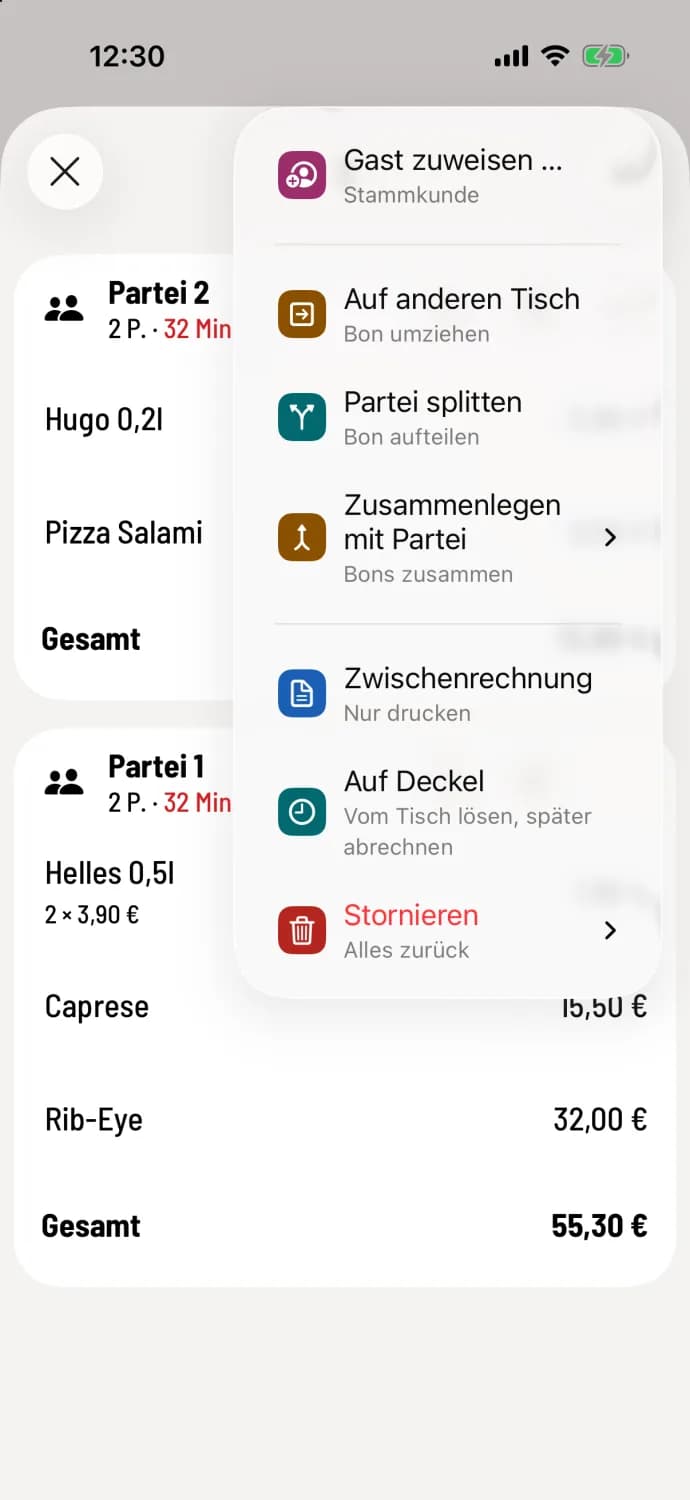
Select interim invoice
Tap on … at the top of the party list and then on Interim Invoice. The cash register will display Interim invoice is being printed.
All item sent by the party will be printed with the total and tax rates as shown on the final receipt. The top of the document will say INTERIM INVOICE, the bottom NOT A SUBSTITUTIONAL RECEIPT. item not yet sent will be missing, so please send them beforehand. For open orders in the order list, you will find the entry in the … section of the order.
The entry remains grey as long as no printer receives the print job Invoices & Vouchers: Printer: Configure print jobs.
For multiple parties, you print a separate interim invoice for each. Payment is then made as usual via €.