
Cancel invoiced receipts
To take back a paid receipt in whole or in part and refund the money in cash or to the card.
A paid receipt cannot be changed. Instead, you create a cancellation invoice that reverses the payment in whole or in part and refund the money.
Requirements: You need the employee rights **Can cancel item ** and Can process orders. Additionally, a shift must be running, and the cash register needs an internet connection: Before each cancellation, it checks the previous cancellations for that receipt.
Playing loads YouTube (Google).Playing loads the video from YouTube and sends data to Google. Clicking allows external media. Privacy
Find evidence
Step 1 of 2
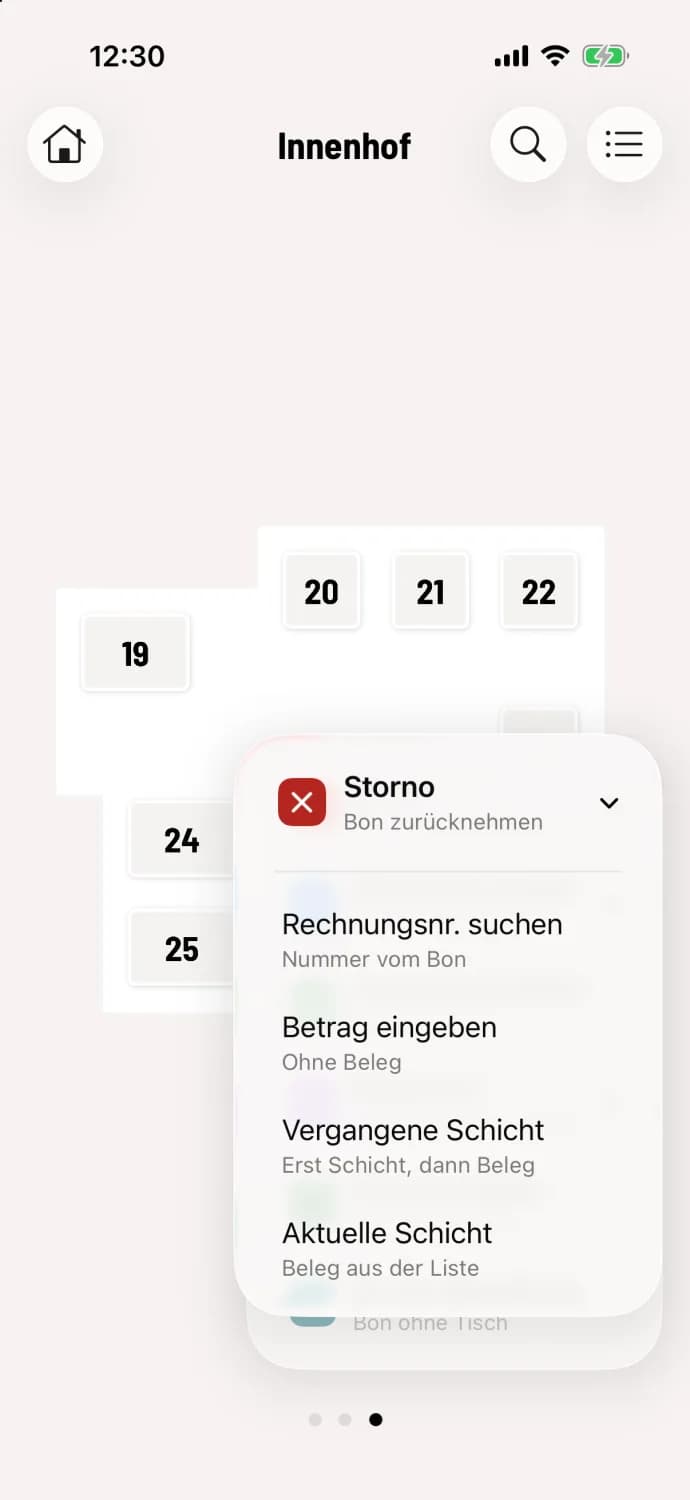
Open cancellation
In the table plan or at the express checkout, tap the round … button and then Cancellation. Select Current shift, Past shift, or Search Invoice Number.
Step 2 of 2
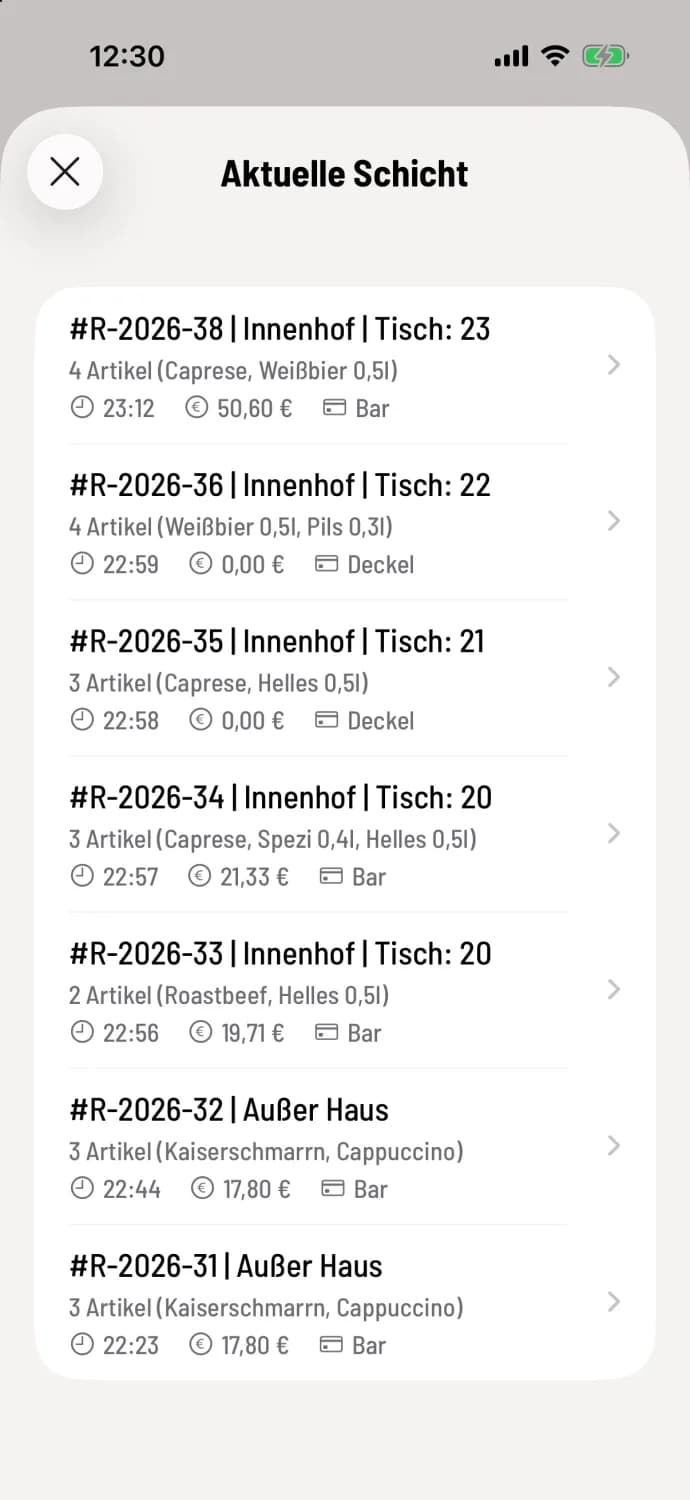
Select document
The Current shift list displays each receipt with its number, area, table, items, time, amount, and payment method, for example, #R-2026-38 | Courtyard | Table: 23. Tap the correct one.
You can also start directly on the document: in the current shift or in the print jobs via … and Cancellation.
Cancel
Step 1 of 2
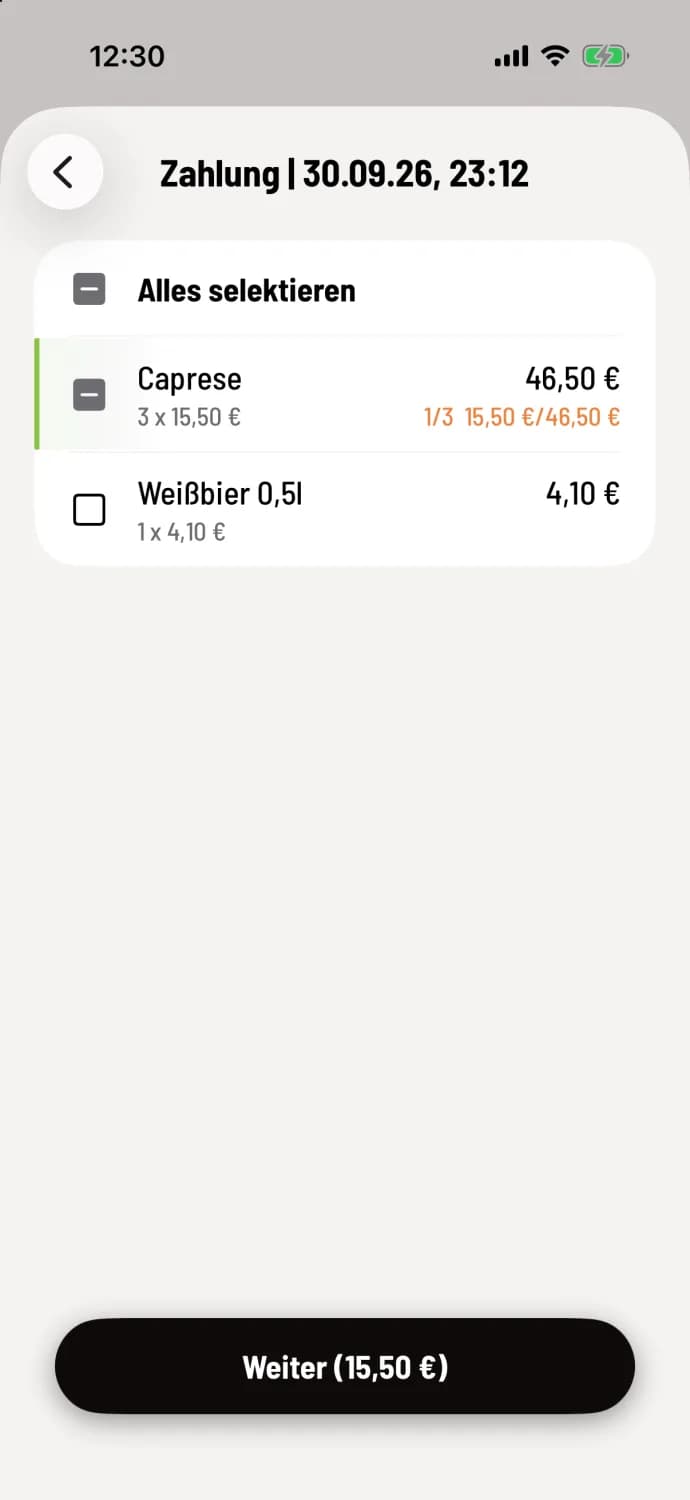
Select item
Tap the item you want to return. Each tap selects one item; the counter will show approximately 1/3. Select All in the first row selects all items. Tap Next with the amount, for example, Next (€15.50).
Step 2 of 2
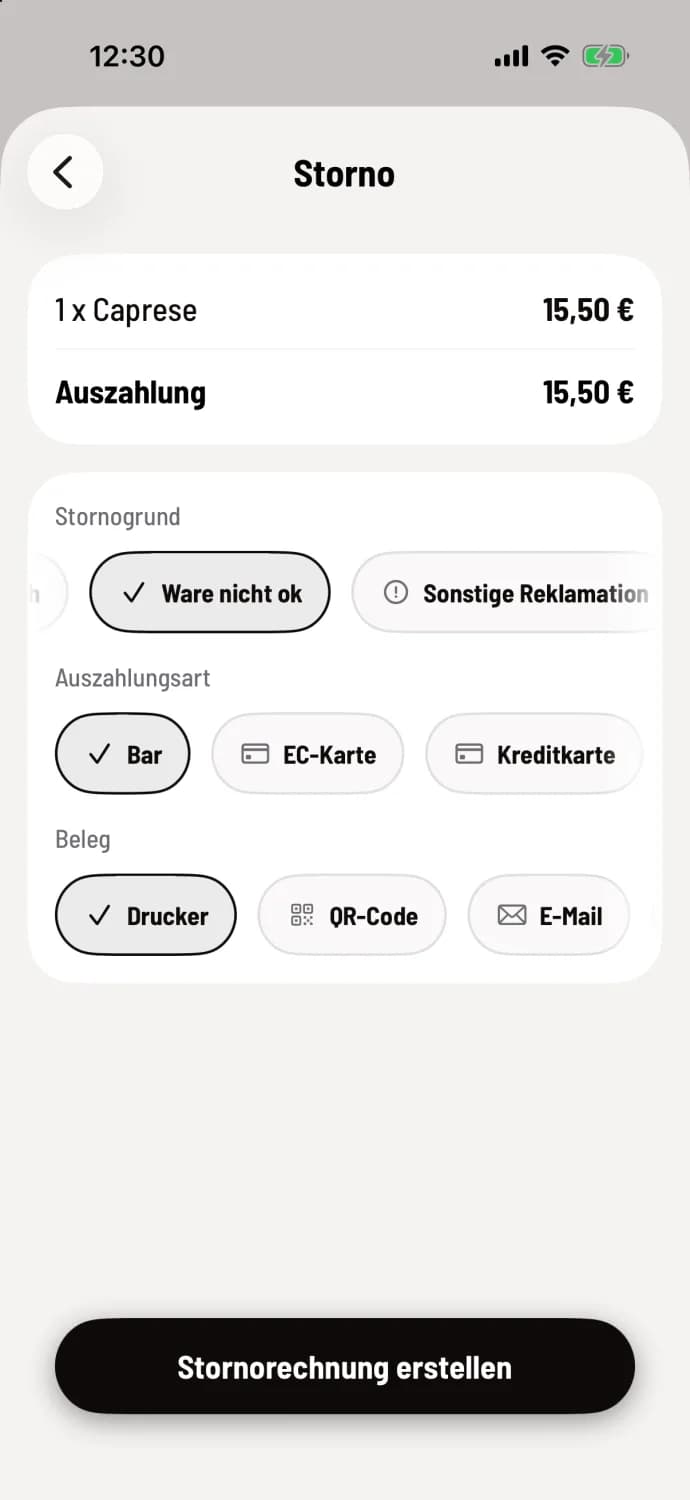
Reason and payment
Select Reason for Cancellation and Payment Method; the default is Cash. If neither reason applies, tap Other and enter your own. Select the receipt for the guest and tap Create Cancellation Invoice.
On Android, the fields are called Refund Type and Refund Amount, and the button is Confirm Cancellation.
Why the payout might be smaller
Under Payout you'll see what the guest actually receives back. If the receipt included a discount, the system deducts it proportionally: The Riesling costs €6.90, but with a 10% discount, only €6.21 was paid. Any portion paid with a voucher is credited back to the voucher.
Back to the map
If the payment was processed via SumUp or Stripe and the provider is set up on this device, the POS system will offer a refund to the original card, on both iOS and Android. The money will arrive within 1 to 3 business days. As long as a refund has not been confirmed, the shift cannot be ended and the same receipt cannot be canceled again. With other providers, you receive payment in cash or via another payment method.
Special cases
Guest orders – online paid orders are always fully refunded by the POS system via the guest's payment provider. Individual items cannot be refunded.
Voucher Shop – vouchers purchased online can be refunded at the Web desk, not at the checkout.
Voucher Sale – only works as long as the voucher has not been redeemed and requires an internet connection.
Cover letter – You can cancel the cover letter receipt as long as nothing has been paid yet. No payment will be made, but the outstanding amount will decrease. After making an installment or transfer, cancel the payment first. A payment can only be reversed in its entirety; the amount will reappear after a few seconds. Payments from an older app version cannot be canceled at checkout. More information: Paying cover letters.
Cash book – a cash withdrawal must not reduce the cash balance below zero. This applies to the balance of a service cash register.
The checkout does not offer item that have already been cancelled again. A fully cancelled receipt cannot be cancelled again, nor can a cancellation invoice itself.
Cancellation not booked
If the cash register reports Cancellation not booked, a card refund is still pending for this receipt or it has already been fully cancelled. Nothing has been booked. Wait until the refund is confirmed, or check during your shift whether the receipt has already been cancelled. If it reports Verification not possible, there is no internet connection; try again as soon as the cash register is back online.