
AI chat in checkout and Web desk
Ask questions about the operation and data of your restaurant directly at the cash register or in the Web desk .
The AI chat answers questions in plain language, both about operation and about your business, such as which tables are available or which dishes are gluten-free. In the POS app it's called ** Servire AI Chat**, and in the Web desk Support Chat.
In the cash register app
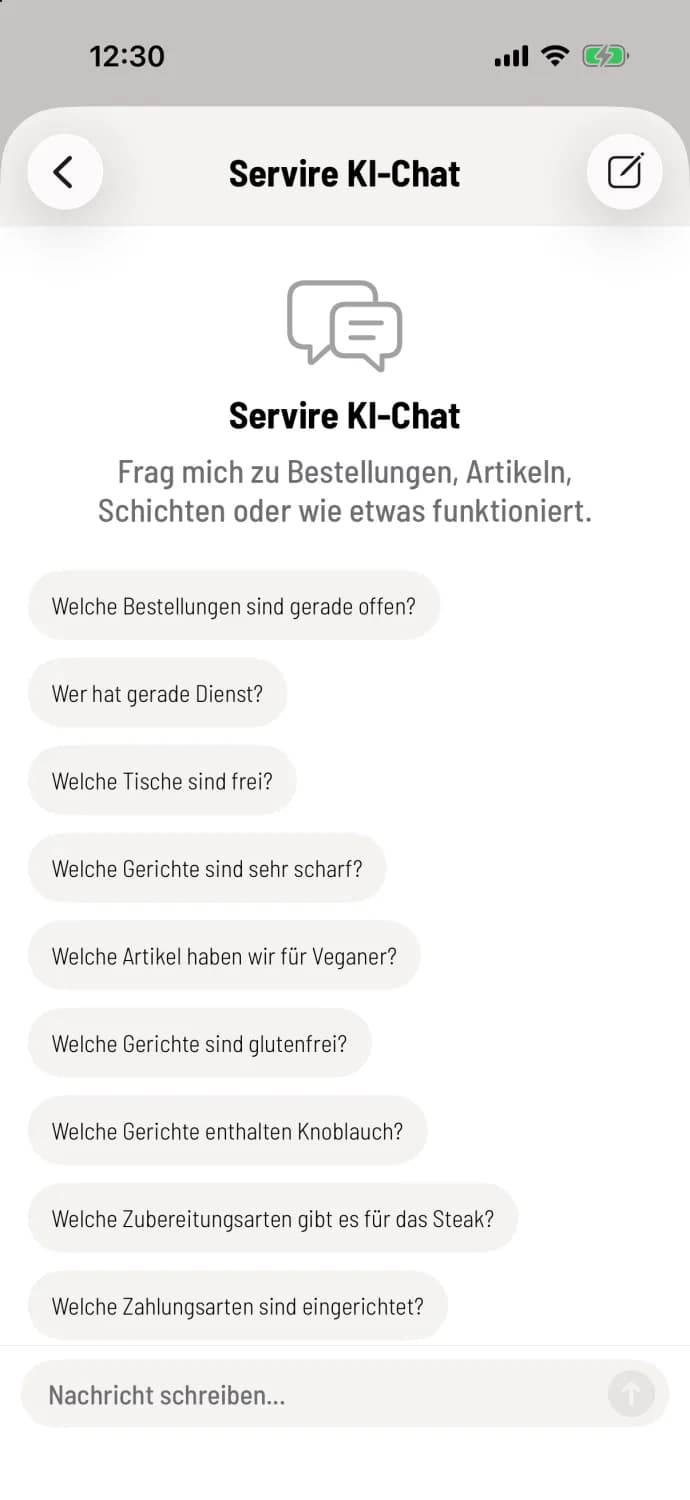
Step 1 of 2
Open chat
Tap on ** Servire AI Chat** at the very bottom of the overview. It will offer sample questions to get you started; tap it to send them.
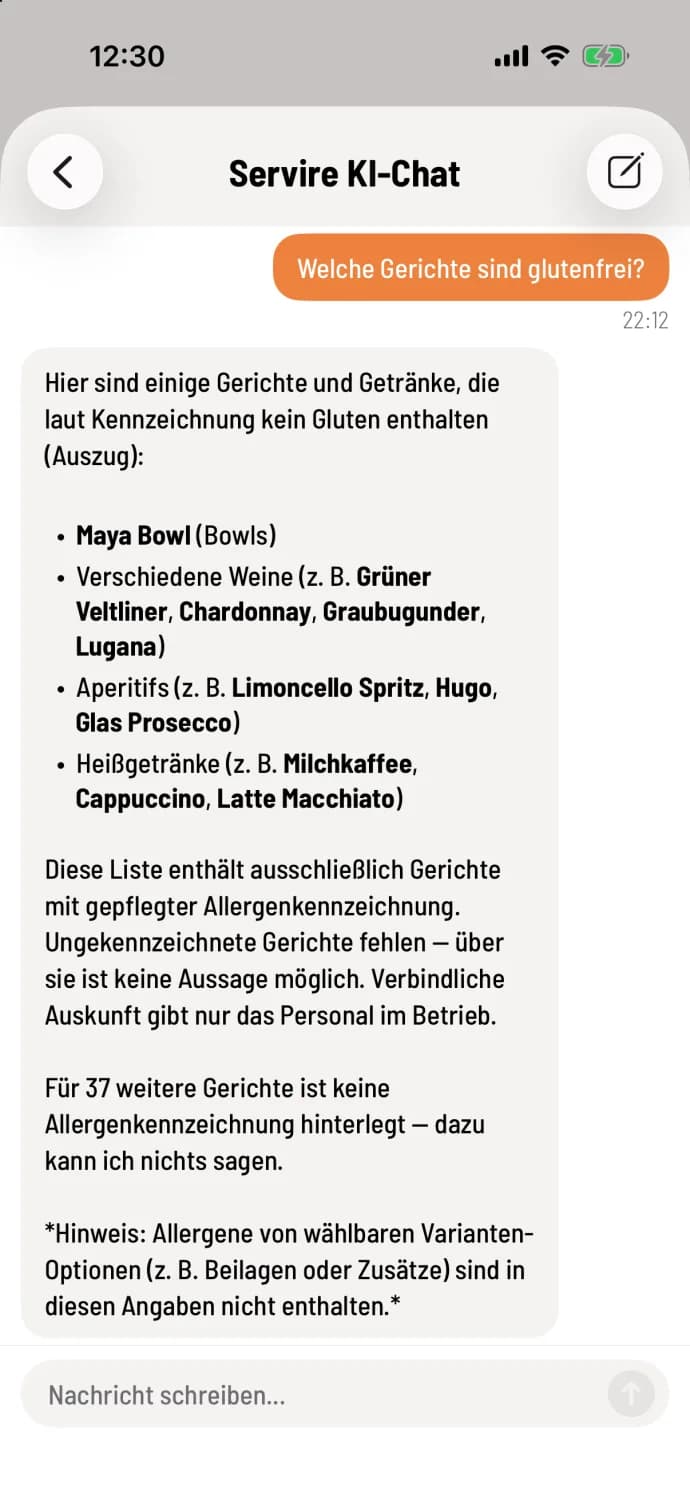
Step 2 of 2
Ask questions and follow up
Type your question in the field and tap the arrow. You can ask follow-up questions just like in a conversation. The pencil icon in the top right corner starts a new chat.
In the Web desk
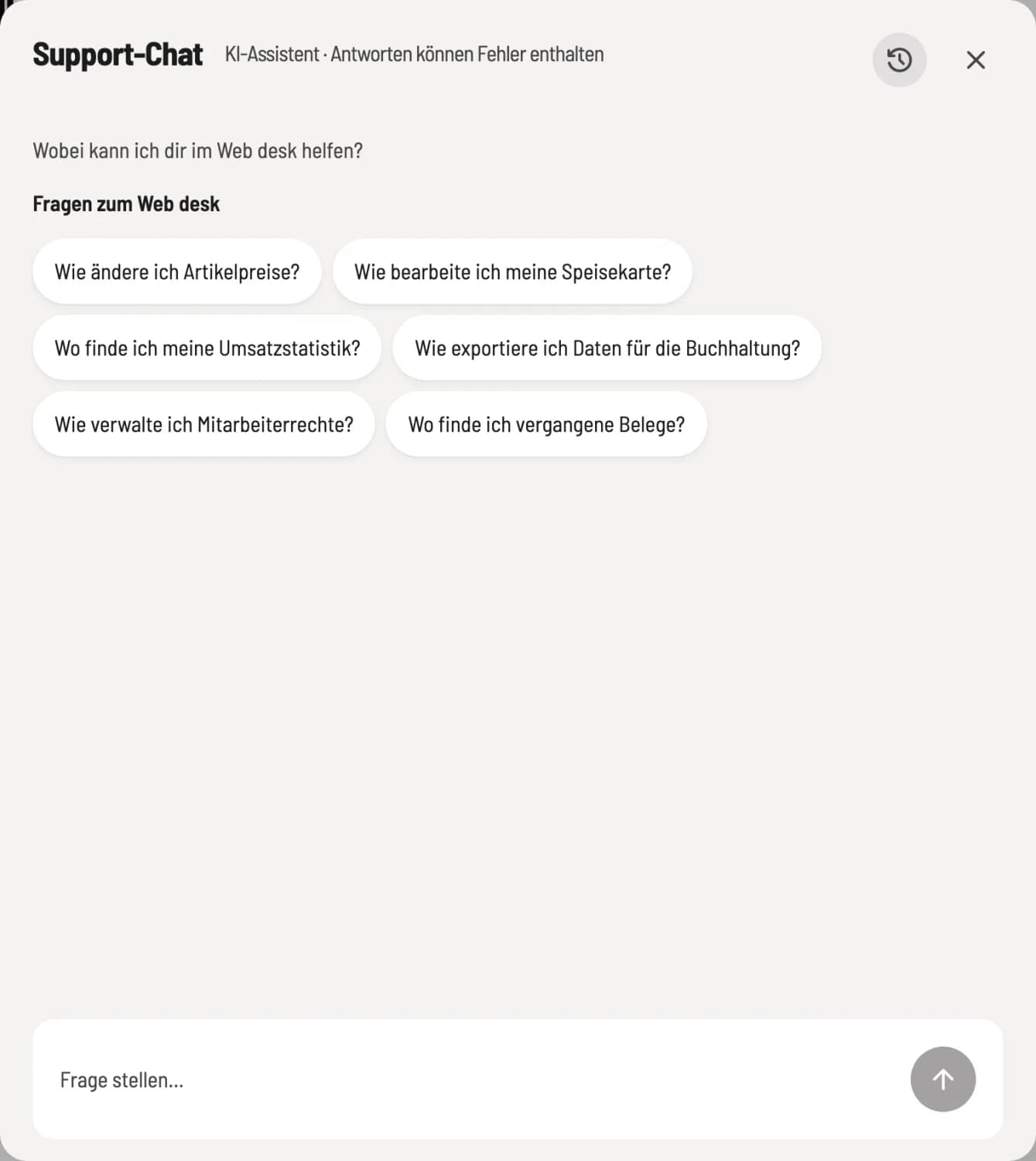
Step 1 of 2
Open support chat
Click on Support Chat in the sidebar. The window will overlay the current page. The suggestions refer to the Web desk.
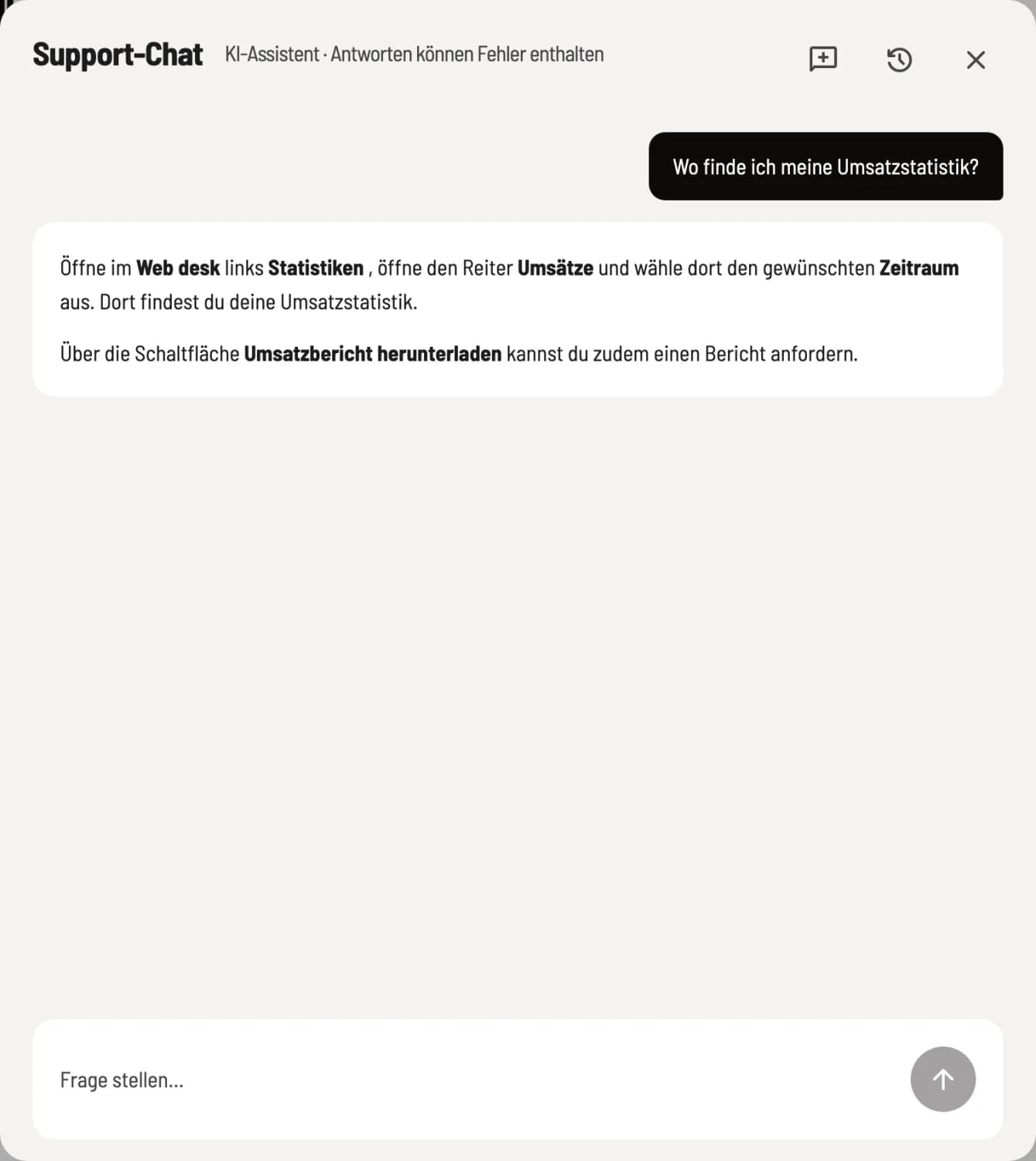
Step 2 of 2
Course and new conversation
While you are replying, the square in the input field pauses it. New Conversation starts from the beginning, History shows your recent conversations for further reading.
What the chat knows
How Servire works – he relies on this manual.
The data of the selected restaurant: open orders, current and previous shifts, item with allergens, properties and variants, payment methods, tax rates, cash book, tables and printer.
The chat function only reads information. It doesn't create anything, change prices, or cancel anything; it simply tells you where to do it yourself. Answers may contain errors. Each restaurant has a daily quota; if it's used up, please contact support@servire.de for further assistance.
For importing an entire menu at once, there is the AI import function: Import menus via AI.