
View service counters of all employees
View all service cash registers for a shift and add any missing counts.
As shift supervisor, you see all service tills of a shift: who started with how much, what each till should have and who hasn't counted yet.
Prerequisite: Right "Access to all shift data of the restaurant".
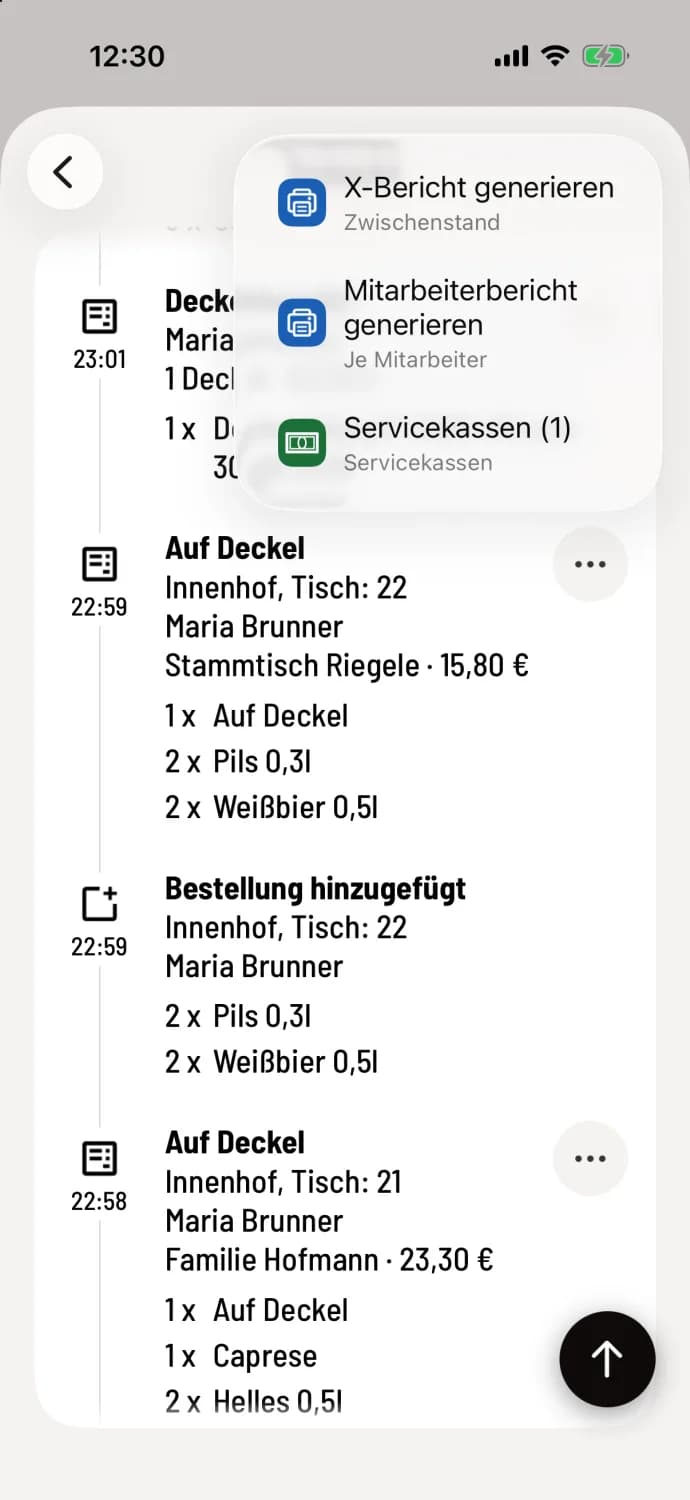
Step 1 of 3
Open list
Open the shift details, tap … in the top right corner, and then tap Service Checkouts. The number in parentheses indicates the number of open checkouts. Alternatively, tap All Service Checkouts in your own service checkout.
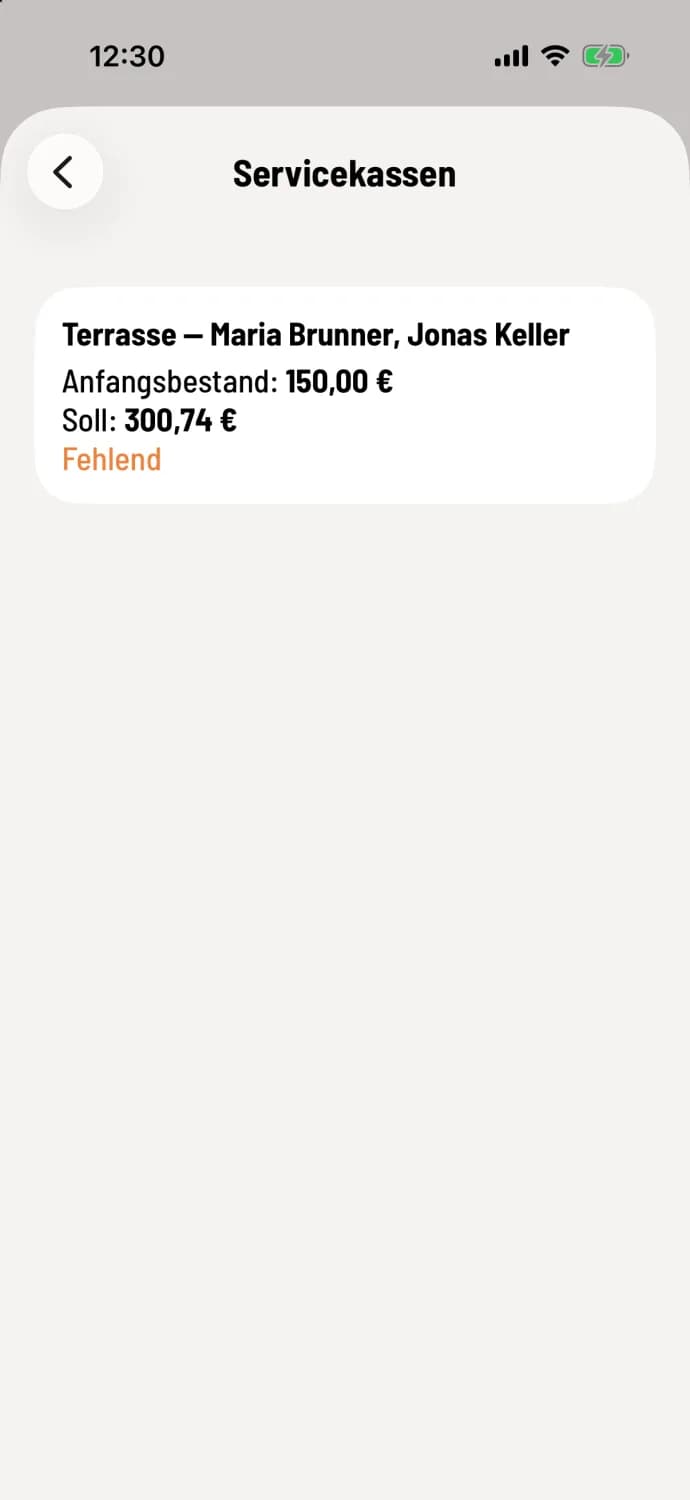
Step 2 of 3
Read cash registers
Each entry shows the name, and for shared cash registers, the group with its members (e.g., Terrace — Maria Brunner, Jonas Keller), Opening Balance, and Target Balance. After counting, it also shows Actual Balance, Difference, and "Counted by…". Open cash registers are marked with an orange Missing.
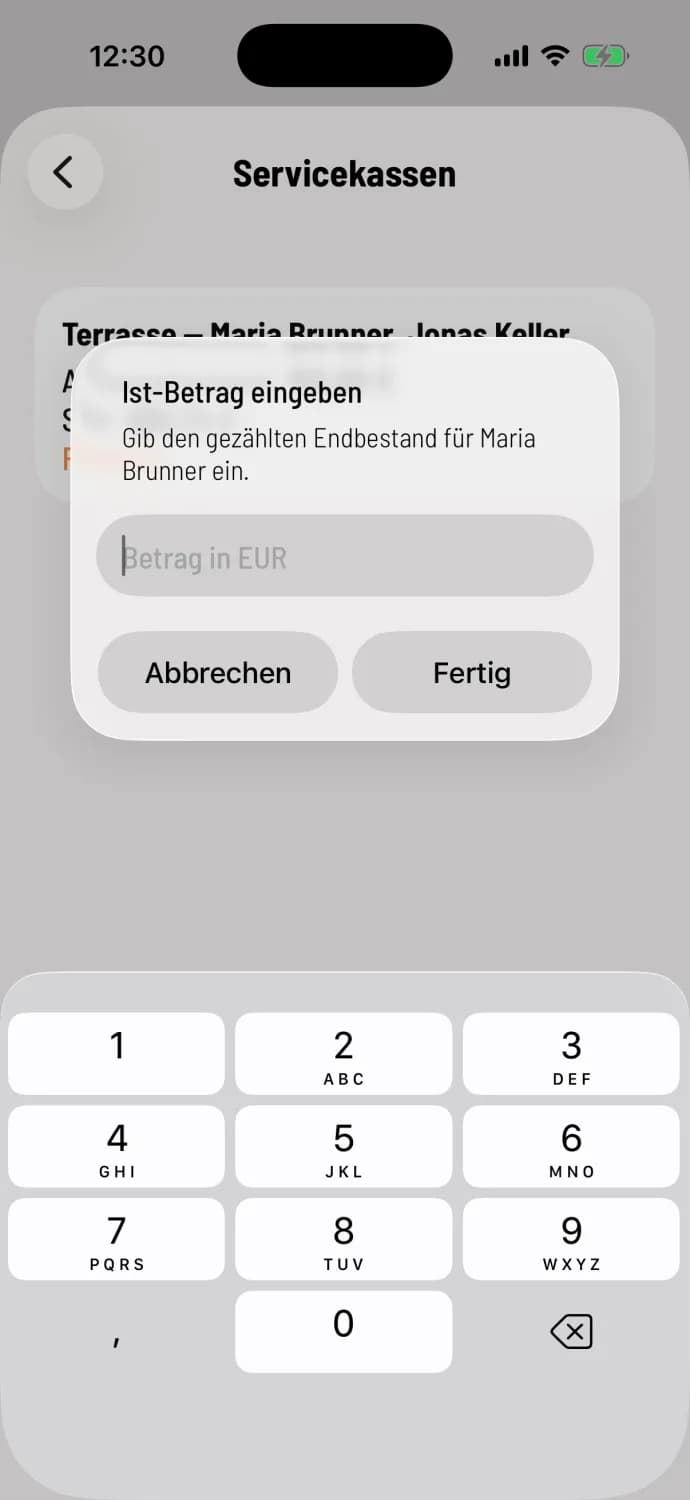
Step 3 of 3
For a colleague, count
Tap an entry and enter the counted amount in the Enter Actual Amount dialog box ("Enter the counted closing balance for…"). This will close your colleague's cash register. If the amount exceeds the target amount, the cash register will ask for Positive Difference. You can correct an already counted amount in the same way.
This also works retrospectively for past shifts: Open the shift via the shift history and there … → Service cash registers.