
Start and end shift
The cash register accepts orders at the start of your shift, and you close them at the end of your shift.
A shift is your workday at the checkout. It collects all orders, payments, and cancellations. Without a shift running, you can't process any transactions or bill anything.
Start shift
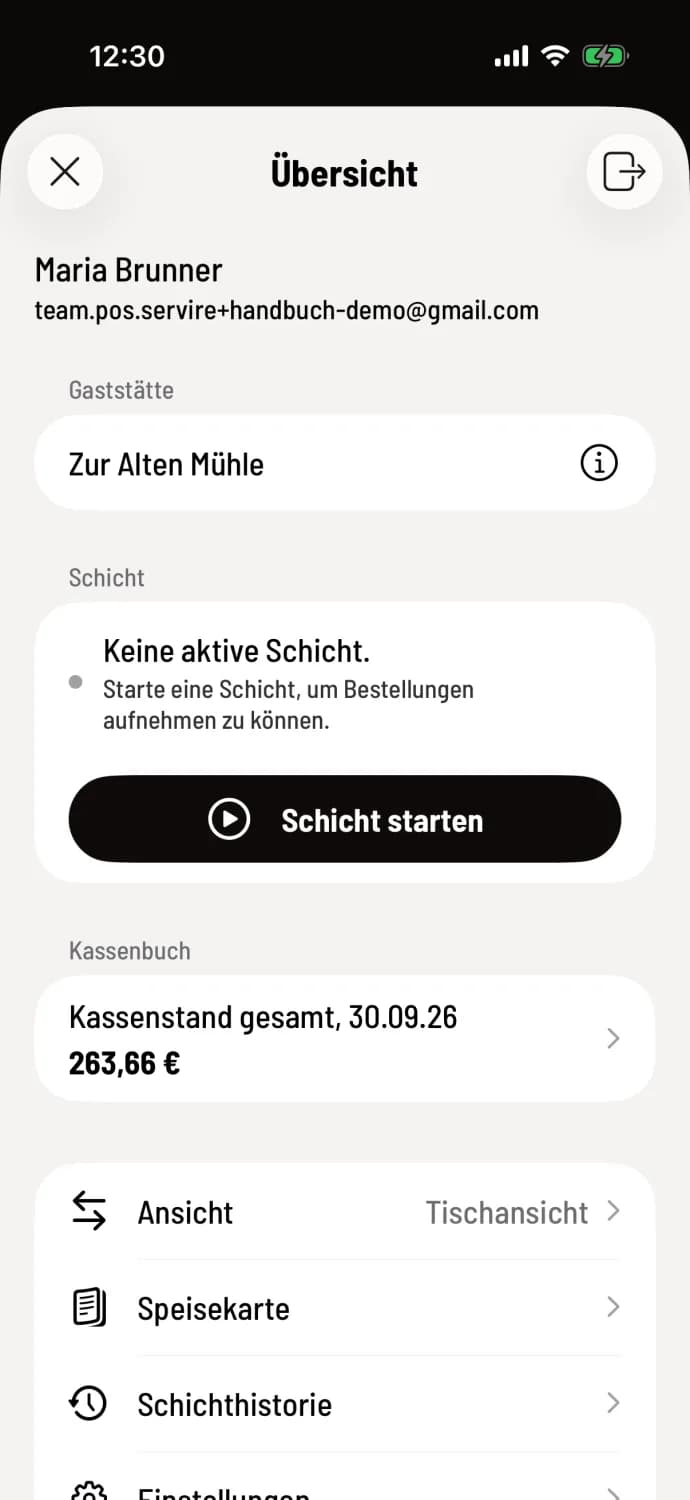
Step 1 of 2
Open and start the overview
Tap the house icon in the top left corner. In the overview, under ** shift**, it says "No active shift". Tap **start shift **. The cash register will display "shift started".
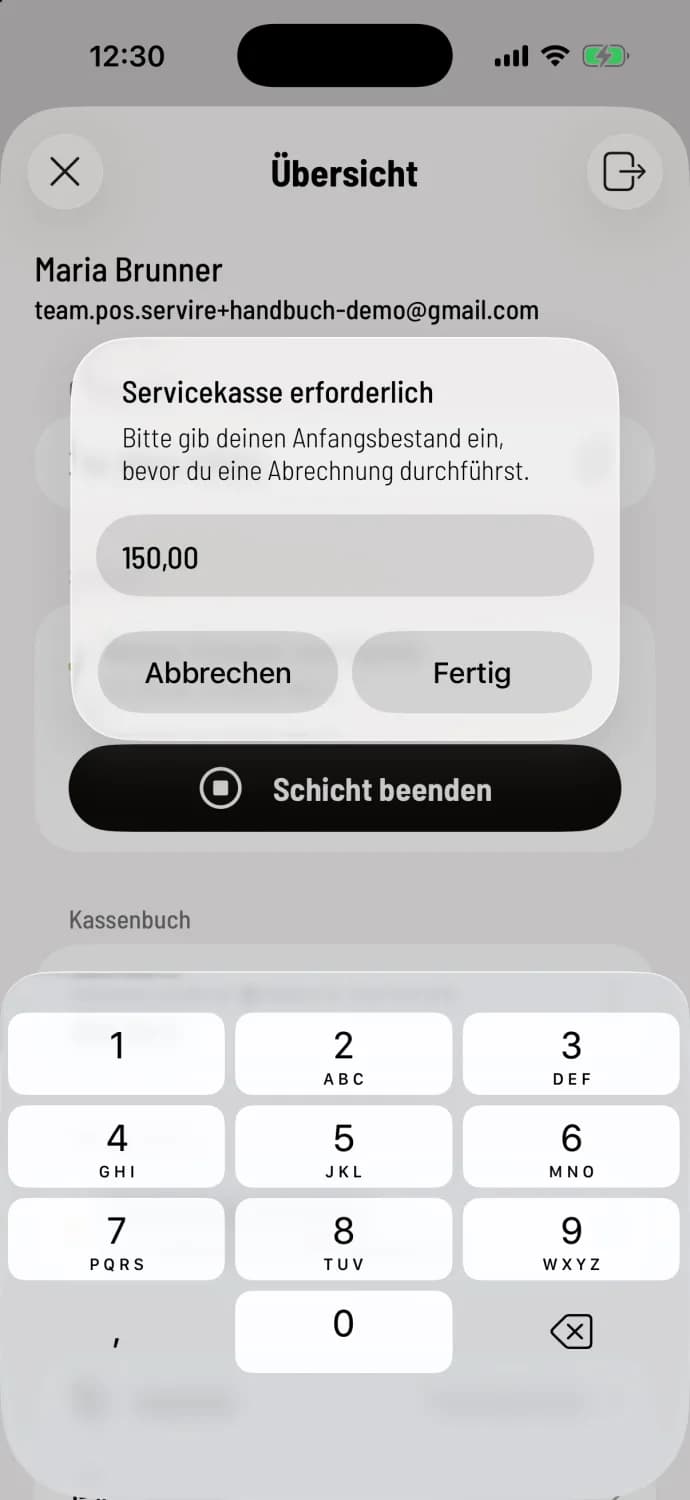
Step 2 of 2
Enter opening balance (only with service cash register)
If your restaurant uses a service till, the till will ask for your change, at the latest before the first settlement in the window Service till required: Open service till.
If the last shift ended without a cash count, the cash register will ask Do you want to perform a cash count? before starting. Tap Count now to perform the count. If you tap Start without counting (Android: Continue without counting), it will no longer be possible to perform a cash count: Do a cash count.
End shift
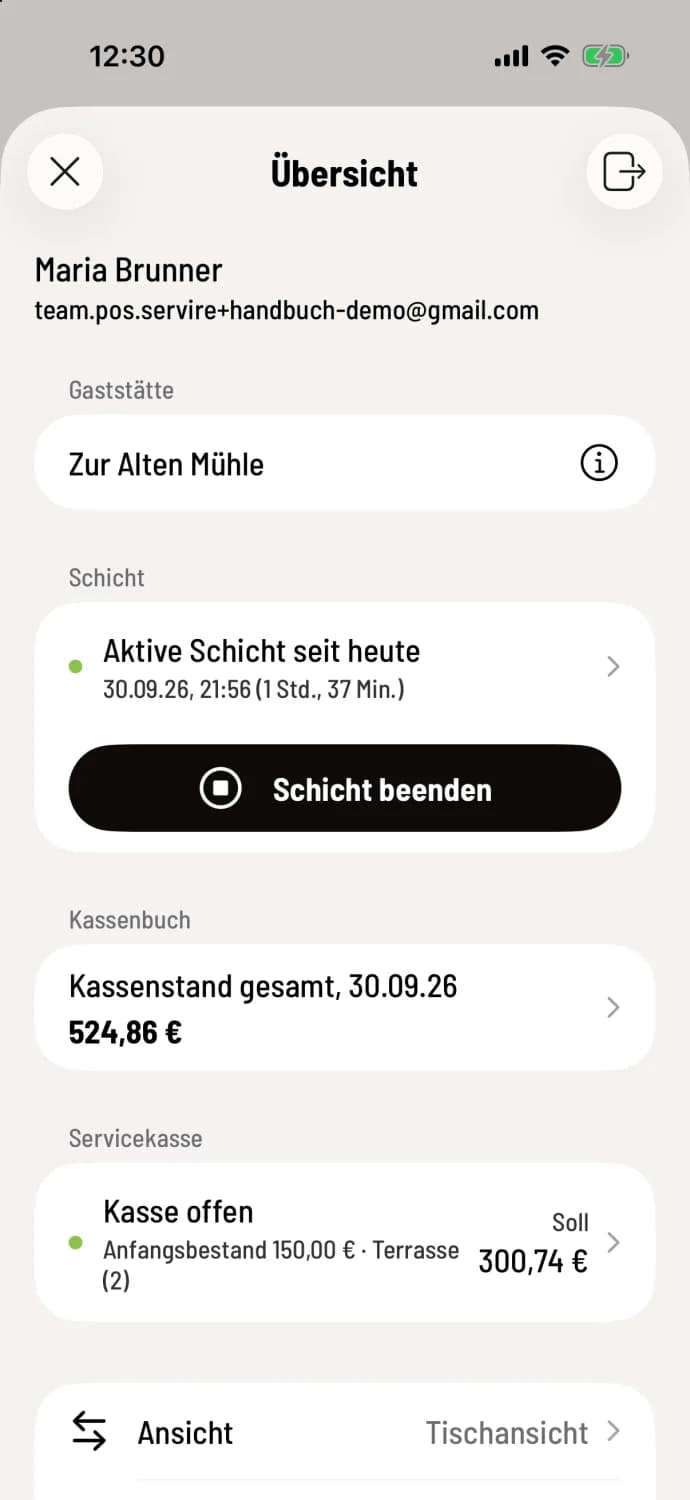
Step 1 of 2
shift to end shift
The overview now shows "Active shift since today". Calculate all tables and to-go orders and tap **End shift **.
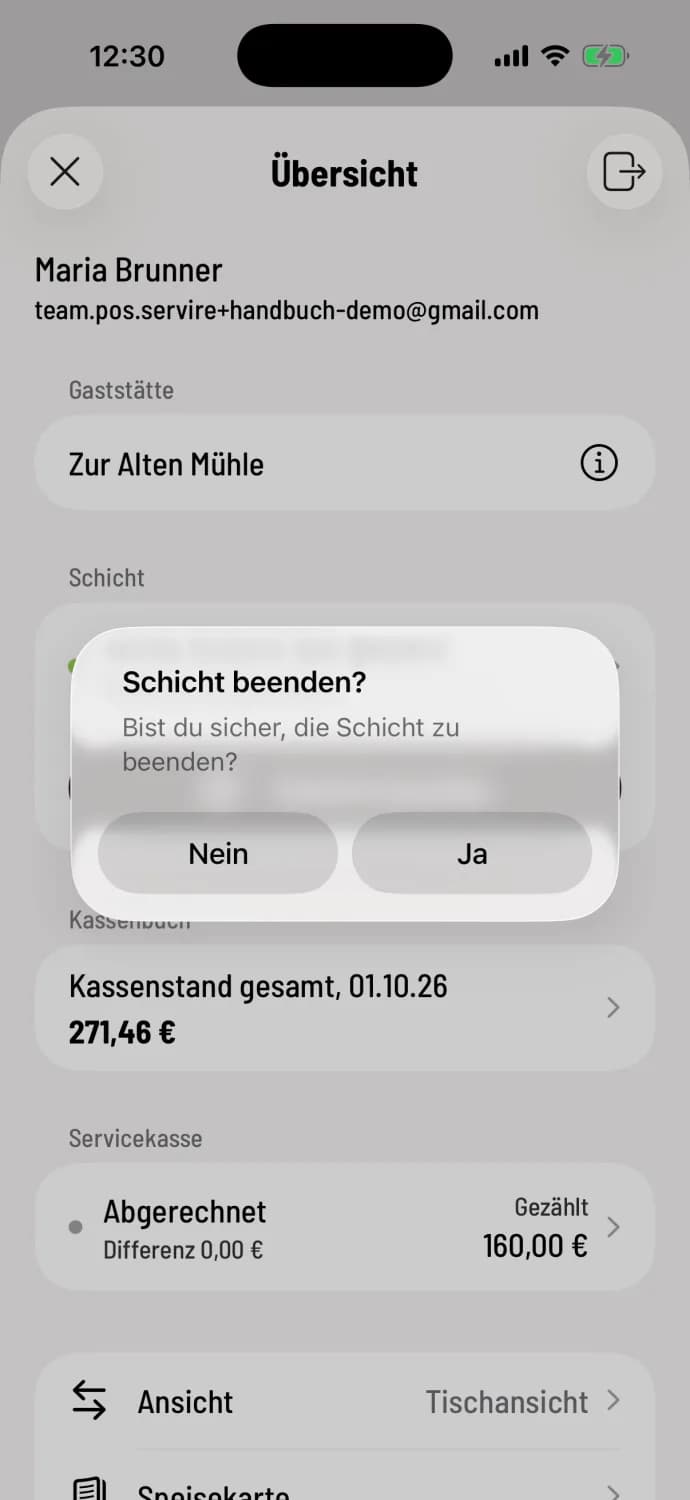
Step 2 of 2
Confirm
Confirm End shift ? with Yes. If there are still parked receipts in the receipt tray, the cash register will indicate that they will be discarded at the end of the shift.
Depending on the settings, this is followed by cash counting, clearing, and shift overview. The Z-report is always generated: Cash register closing: procedure and variations.
Starting and ending the shift requires an internet connection. End the shift every evening; otherwise, the Z-report will combine several days. If ending the shift fails: shift cannot be ended.
Shifts can also start and end automatically: Set up automatic shifts. If the button says "Shifts are controlled automatically," the owner has disabled manual starting and ending.