
View restaurant details and price list
Check the address, contact details and tariff of the business in the cash register and share it as a contact.
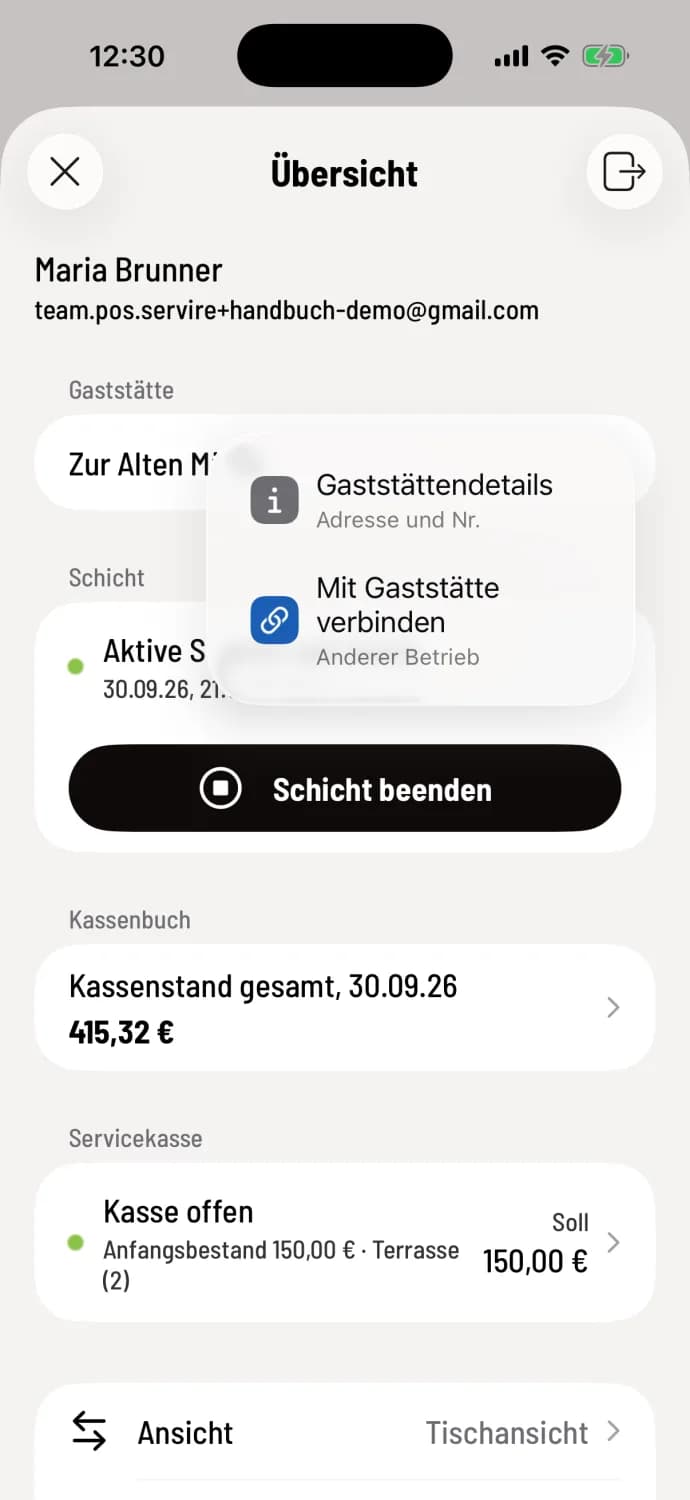
Step 1 of 2
Open details
In the overview, tap the i in the restaurant row and select Restaurant Details.
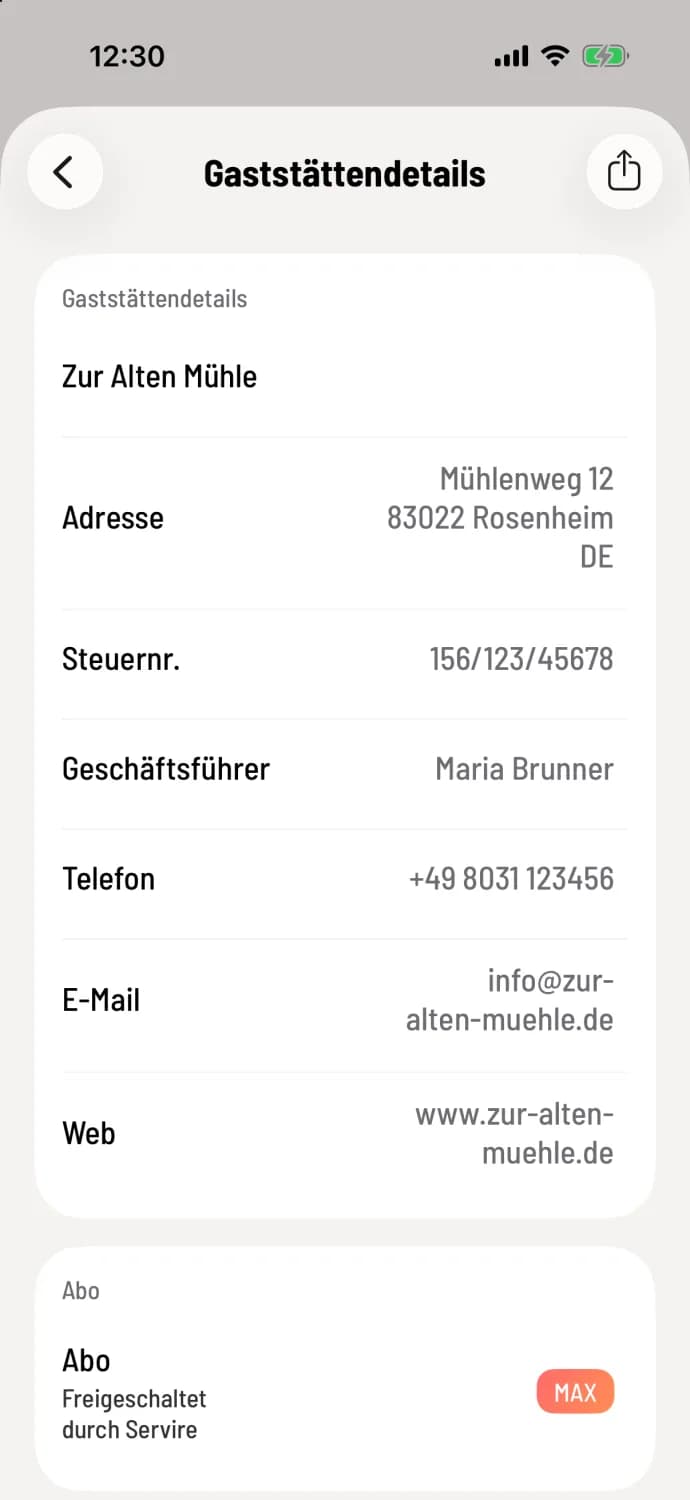
Step 2 of 2
Read details
Here you'll find your name, address, tax ID, managing director, phone, email, and website; the system hides any blank fields. Under Subscription you'll find the plan (Free, Solo, Pro, or Max) and its duration, such as Max trial period - 9 days remaining (until...), then Free, Renews on..., or Activated by Servire if Servire has enabled the plan without a subscription. The Share icon in the upper right corner creates a business card for contacts or messages.
The information is for reference only. The owner can change it in the Web desk: edit address, company details, and contact information. What the plans include: Plans and trial period.
If a guest calls and asks for the address, you'll have it ready here with two tips.