
Create an account in the POS app
Register a personal Servire account directly in the POS app – with name, email and password.
Every person working at the cash register needs their own Servire account. It's free and belongs to you, not the establishment. You can use the same account to work in multiple restaurants and also log in to the Web desk .
Step 1 of 3
Select Register
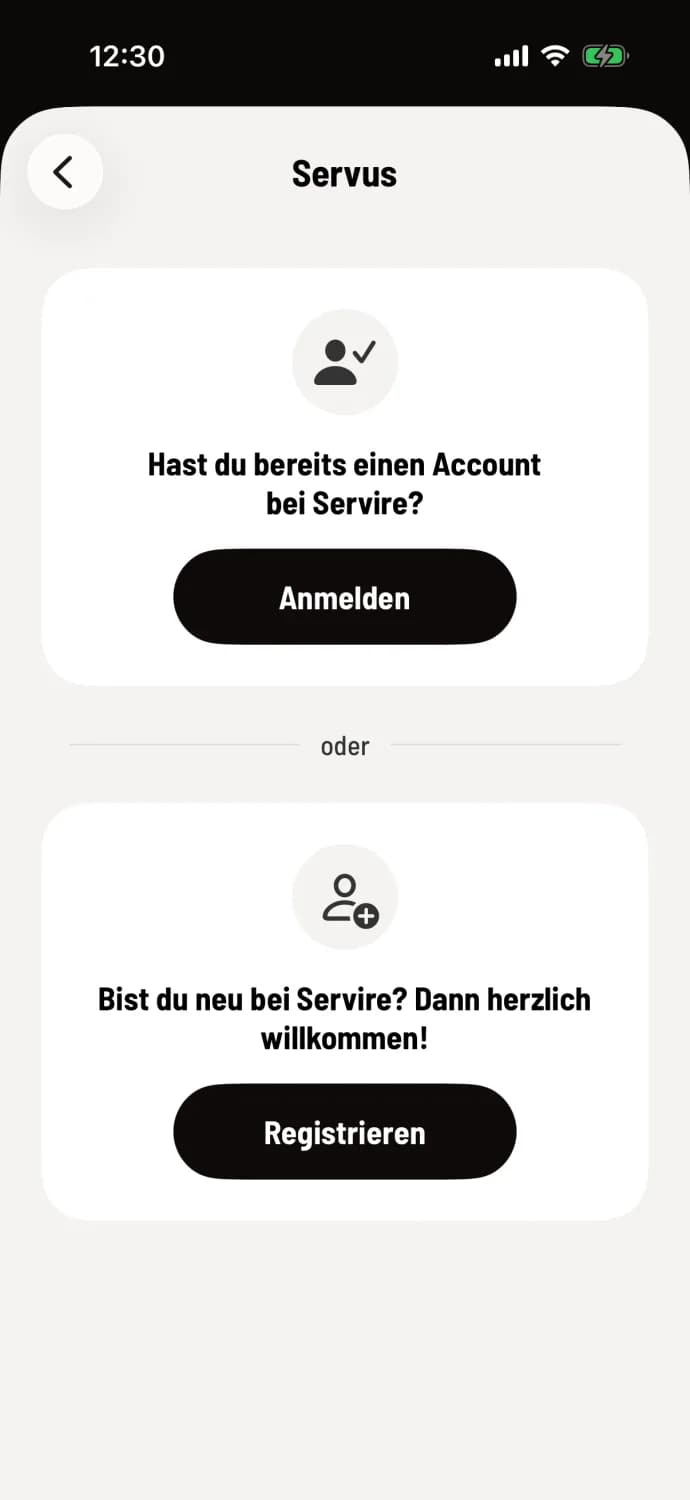
Open the app and tap Log in. On the Hello screen, under Are you new to Servire?, tap Register.
Step 2 of 3
If accounts are already saved
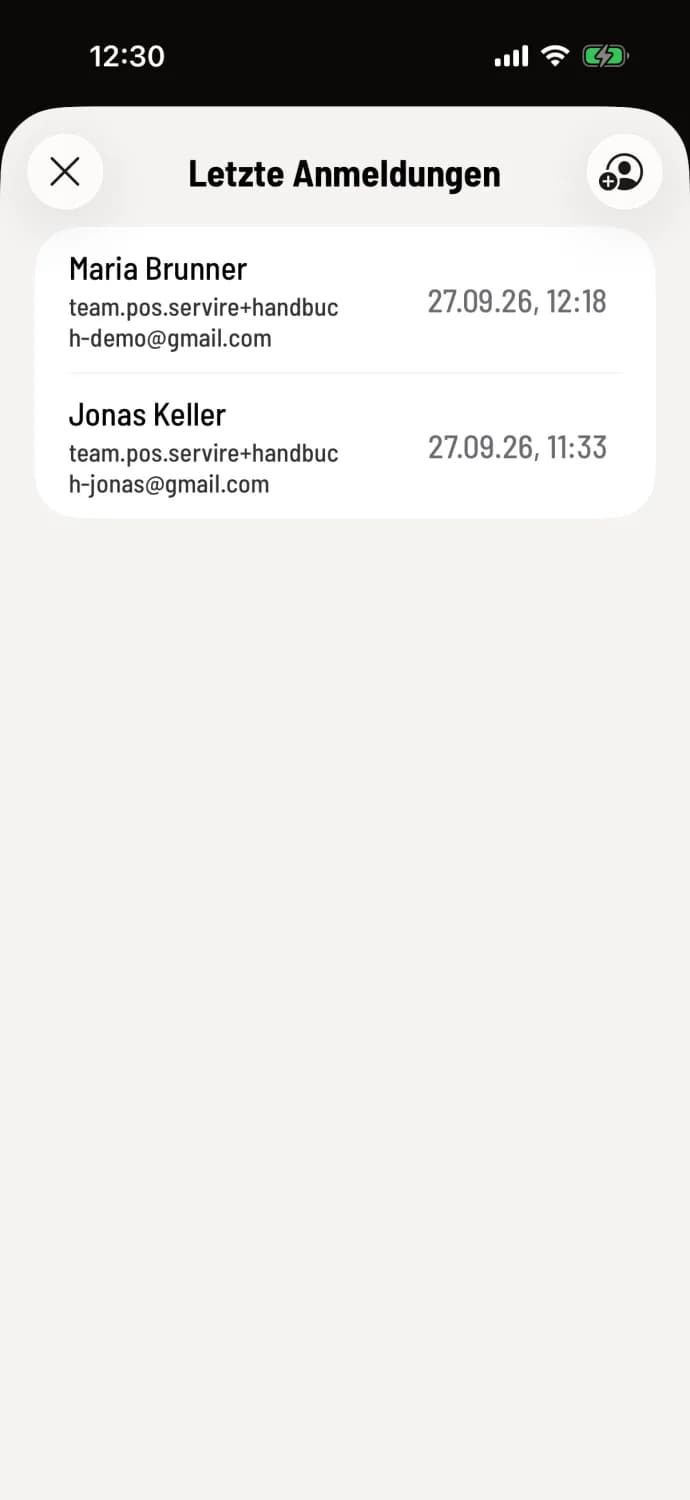
If someone has already logged in on the device, Recent Logins will appear first. Tap the person icon with a plus sign in the top right corner, then tap Register.
Step 3 of 3
fill out the form
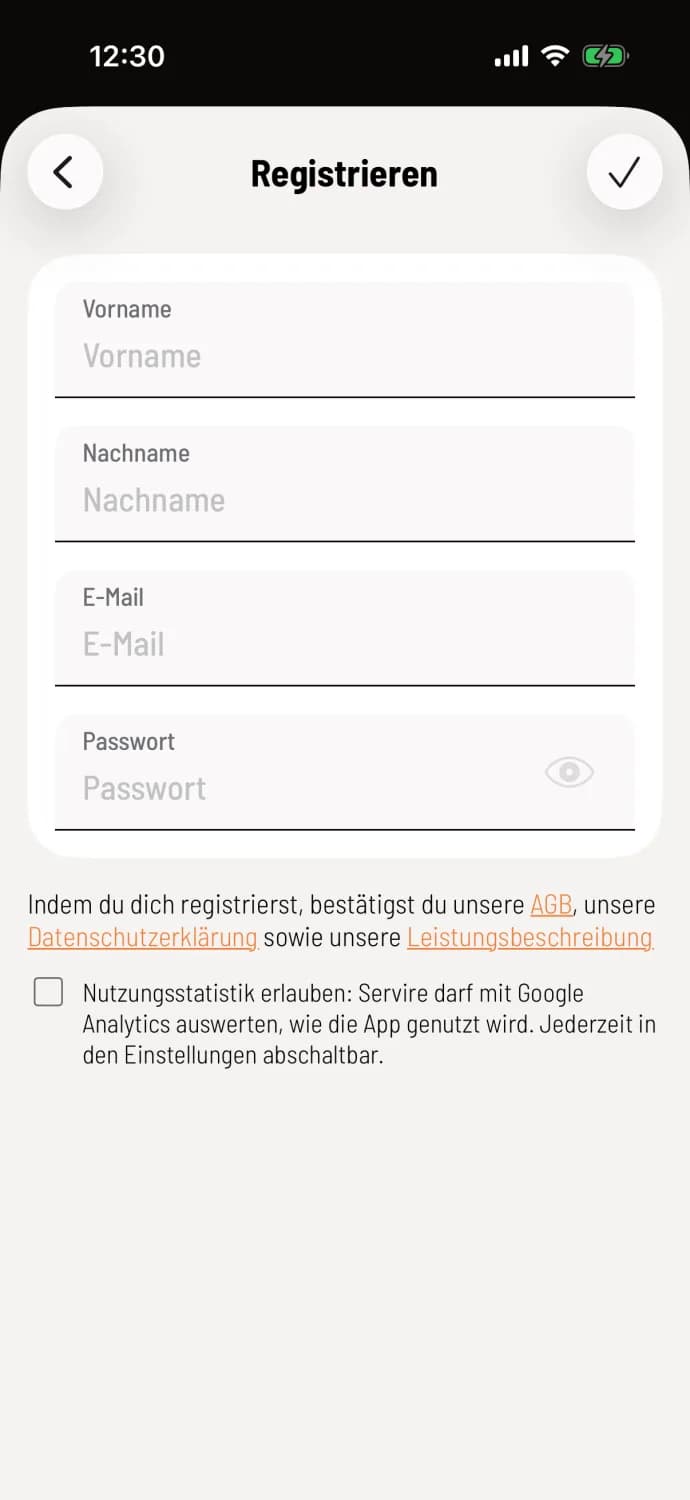
Enter your First Name, Last Name, Email, and Password. The password must be at least 6 characters long; the eye icon will show it for verification. Tap the checkmark in the upper right corner.
By registering, you agree to the Terms and Conditions, Privacy Policy, and Service Description; the links are located below the form. Checking the Allow Usage Statistics box is optional and can be changed later under Settings → Privacy Settings.
And then what?
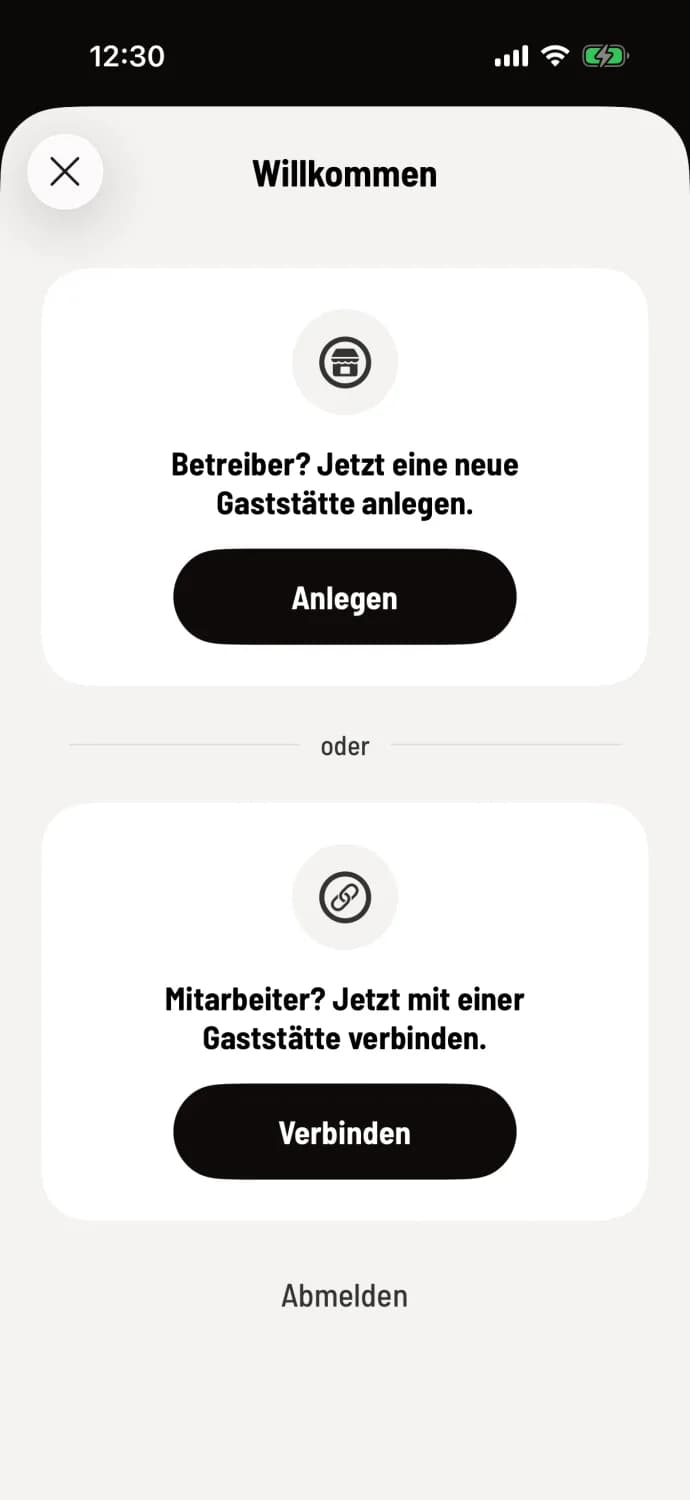
After registering, you'll be logged in and see Welcome. As an owner, tap Create: Add a new restaurant. As an employee, tap Connect and enter your business PIN: Connect to a restaurant. Log out at the bottom will take you back to the start.
Choose an email address that you check regularly. This will be your login address, and the link will be sent there if you forget your password.