
General settings of the POS app
What you set under Settings → General and whether it applies to this device or the entire restaurant.
Under Settings → General, there are four sections. The current value is displayed on the right side of each row. Tapping a row brings up a list with a brief explanation of each value. The app applies the selection immediately.
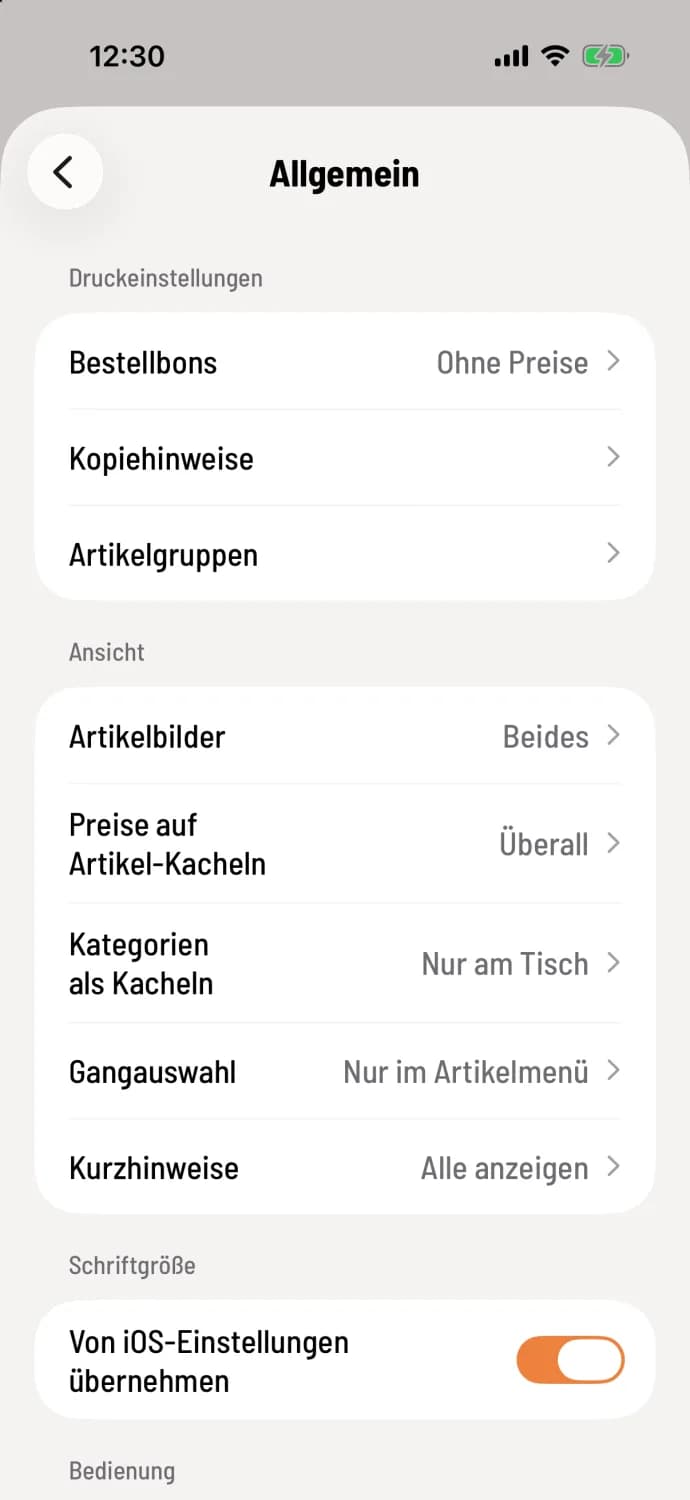
Step 1 of 2
Print settings and view
At the top are Print settings with Order slips, Copy instructions and Article groups, below are View with Article images, Prices on item tiles, Categories as tiles, Aisle selection and Quick notes.
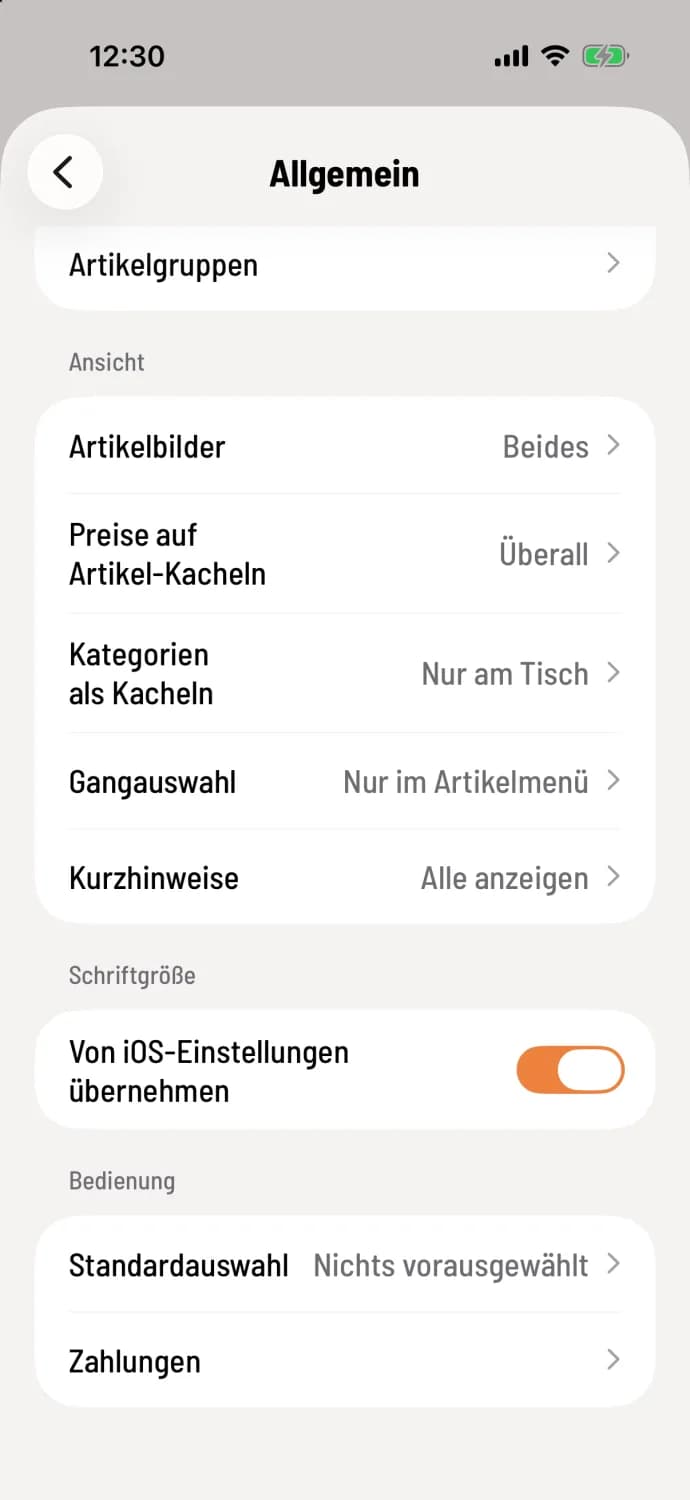
Step 2 of 2
Font size and operation
Further down you will find font size and operation with standard selection and payments.
What applies to what?
Print settings – apply to the entire restaurant, i.e., to all devices.
View, Font size, and Default selection apply only to this device. Each cash register may be configured differently, even with the same account.
Payments – displays the restaurant's payment rules for your reference only. You can change them in the Web desk.
The settings in detail
Order slips, copy instructions and product groups: Print settings: layout, prices, copy
Product images and prices on item tiles: Product tiles: Images and prices
Categories as tiles and Course selection: Categories and course selection when ordering
Quick Notes and Font Size: Quick Notes and Font Size
Default Selection: What is pre-selected during billing
Payments: Read the payment rules at checkout.
Not to be confused: Whether a receipt is sent to the printer as an image or as text is not set here, but per printer: Print mode: Image or Text.