
Settle orders
To bill a party via the € symbol: select the item , check the payment method, and collect payment.
You process each party individually. You select what to pay, check the payment method and receipt, and tap the amount. The cash register records the transaction, prints the receipt, and the table is free as soon as everything is paid. This works the same way on iPhone, iPad, and Android.
Prerequisite: You need the right To process orders. The owner grants these rights in the Web desk: Edit employee data and rights.
step by step
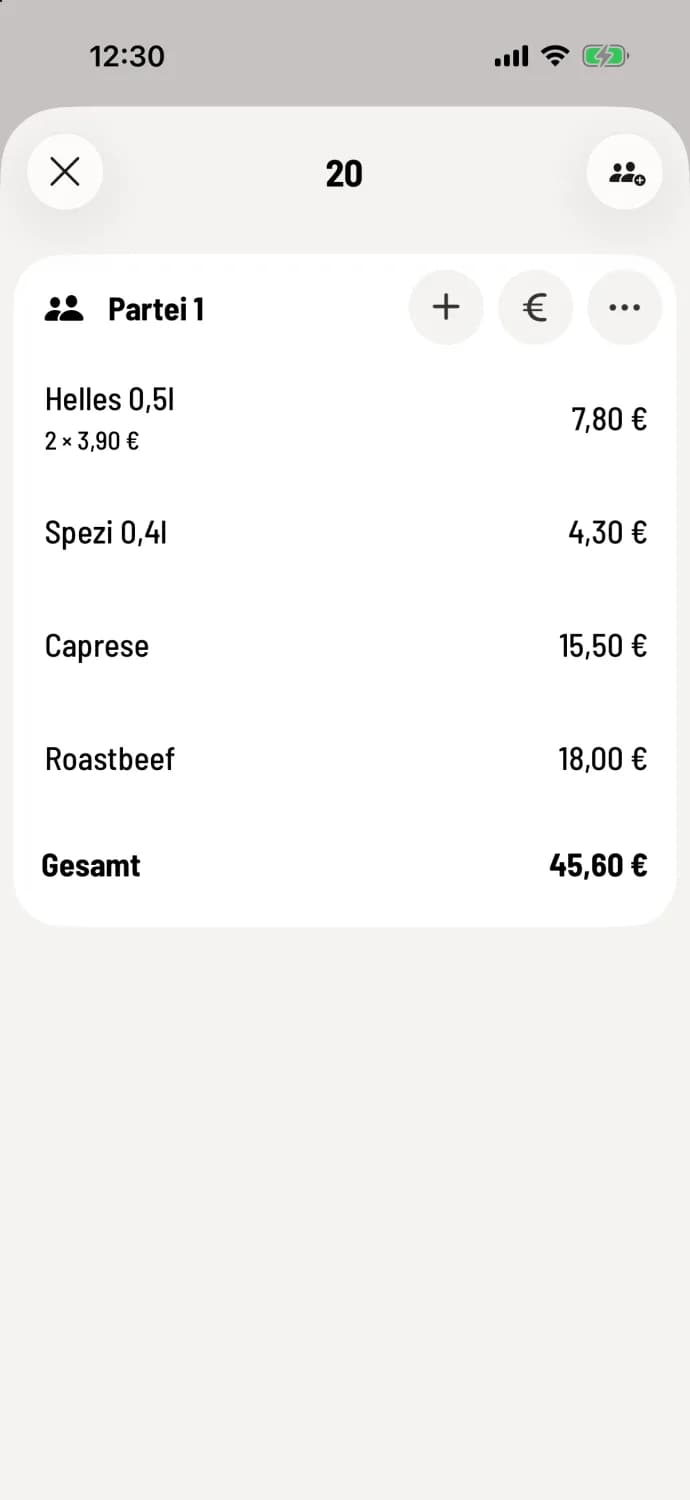
Step 1 of 3
Tap €
Open the table and tap € at the top of the party list. If item haven't been sent yet, the cash register will ask. With Send & Settle, they will first go to the kitchen and counter.
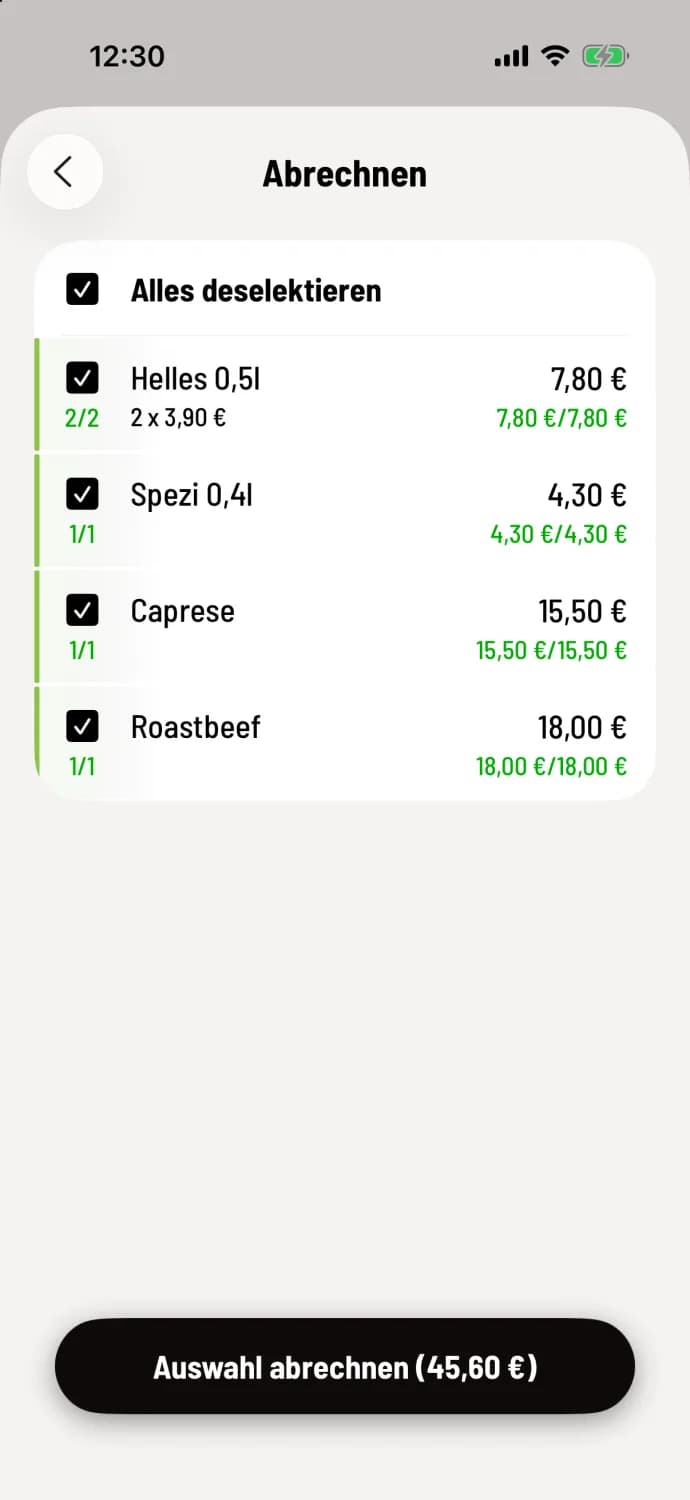
Step 2 of 3
Select item
The first line, Select All, selects everything. Or, tap only the item you want to pay for now. Then tap Bill Selection.
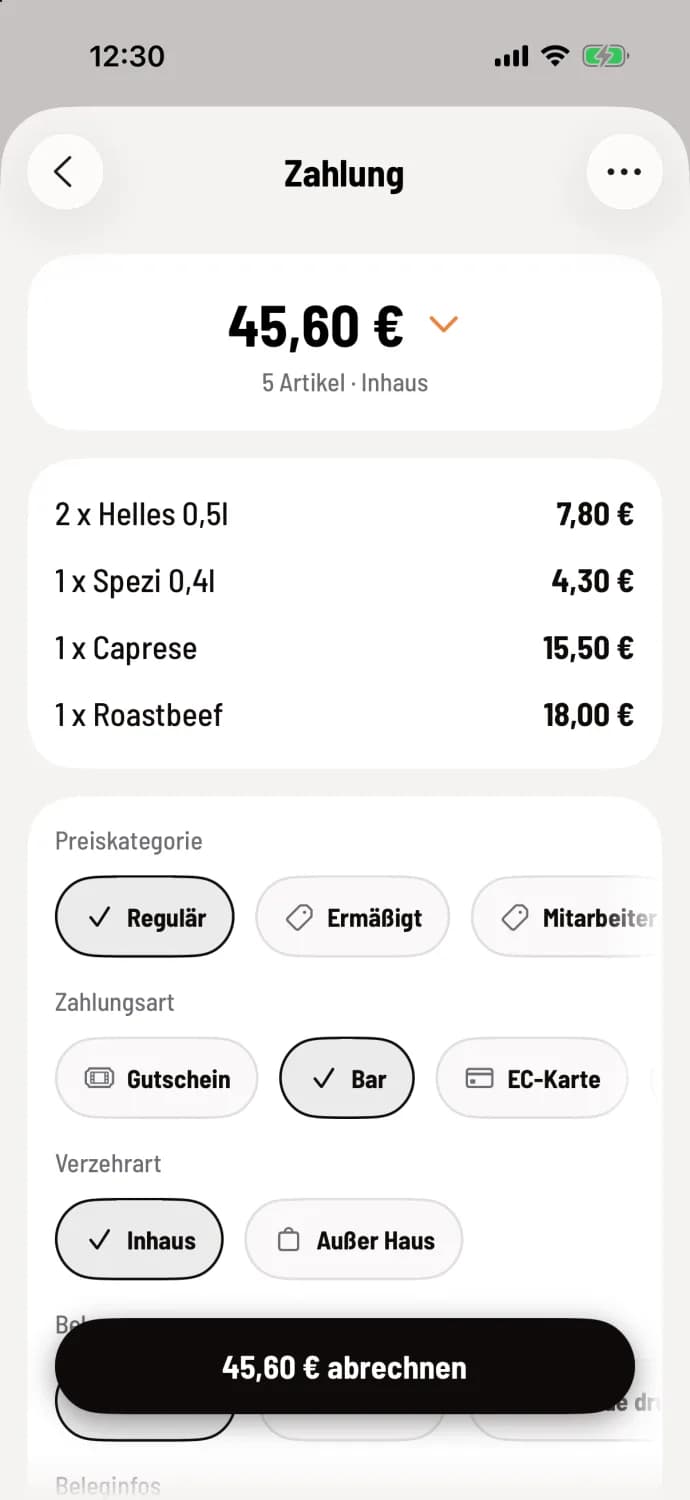
Step 3 of 3
Check and bill
On the Payment screen, the payment method, type of meal, and receipt are pre-selected. Change anything that differs and tap the button with the amount, for example, Bill €45.60.
For cash payments, the cash register processes the transaction immediately. For card payments, the terminal handles the transaction: Pay by card. An overview of the individual lines is provided under "The Payment Screen."
Faster billing
Under Settings → General → Default Selection in the POS app, you can specify whether Nothing is preselected or Everything is preselected when processing payments. Proceed directly to payment skips the selection; you can still access it via Back. This setting only applies to this device: Default selection during processing.
It's even faster from the table plan : Press and hold the table and select Numbers. This is available for tables with exactly one party. Orders without a table can be opened in the order list.