
Login via PIN
Log in to the POS terminal faster with a 4- to 6-digit PIN – the password remains valid.
With a personal login PIN, you can quickly switch between employees on a shared device: tap the name, enter the PIN, and you're done. The PIN belongs to your account and works on every device. It is not the restaurant's PIN.
Create a PIN

Step 1 of 2
Open login PIN
Open the overview, then go to Settings → Login details → Login PIN. The badge will show PIN is active or No PIN set.
Step 2 of 2
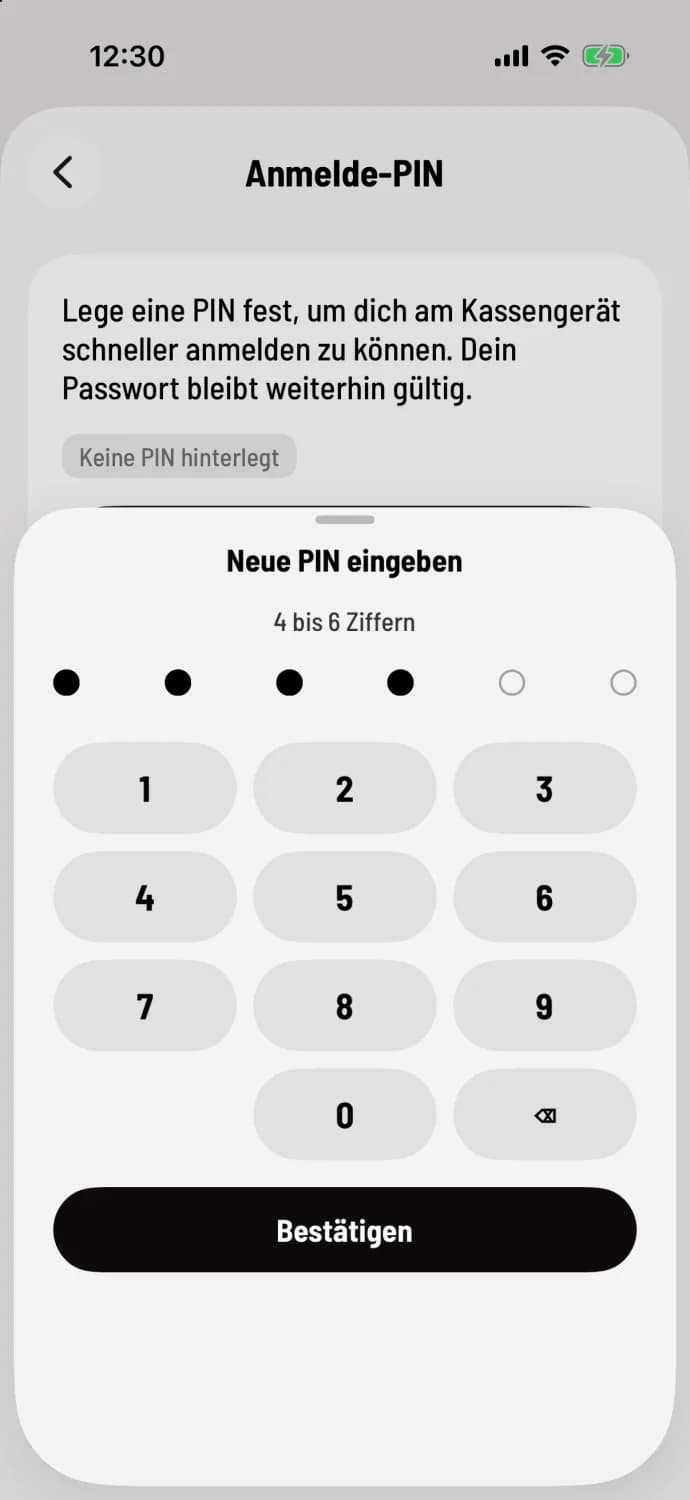
Set PIN
Tap on Create PIN. In the Enter new PIN window, type 4 to 6 digits and then Confirm. Repeat the PIN; if both match, the cash register will display PIN saved. Simple sequences like 1234 or identical digits will be rejected.
Change PIN assigns a new PIN without requiring you to know the old one. Remove PIN deletes it after a confirmation prompt; the device will then ask for the password again.
Log in with PIN
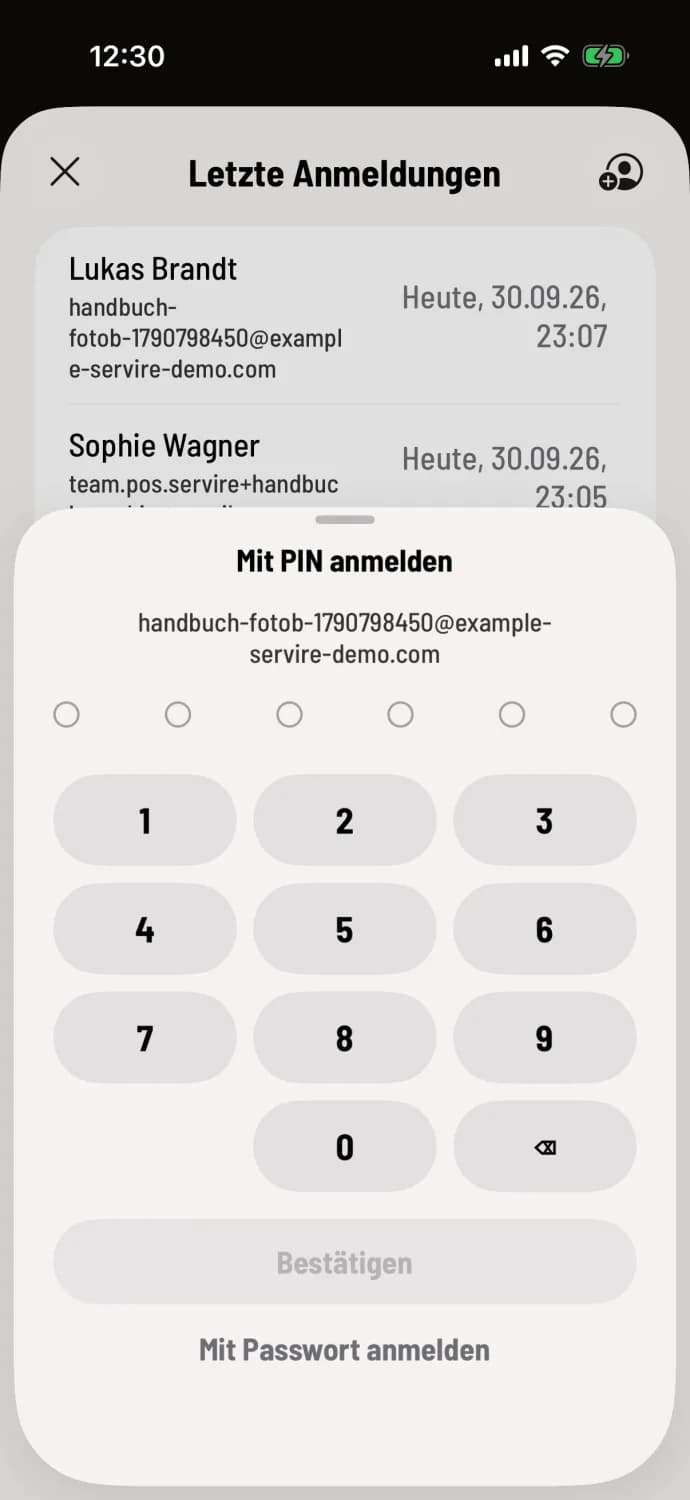
Enter PIN
On the home screen, tap Sign in and then tap your name in Recent sign-ins. If the device recognizes your PIN, Sign in with PIN will appear, along with your email address and the keypad. Enter your PIN and tap Confirm. Sign in with password below is always an option to log out.
Too many failed attempts: After 5 incorrect attempts, Servire locks PIN login for 15 minutes; the message indicates the waiting time. You can still log in with your password, and changing your PIN via Change PIN will immediately remove the lock.
PIN registration requires internet access.