
Only bill a portion
Individual item or pieces are billed separately; the rest remains open on the table.
If a guest has to leave early, you only charge for their item . The rest remains outstanding at the party and is settled later.
Playing loads YouTube (Google).Playing loads the video from YouTube and sends data to Google. Clicking allows external media. Privacy
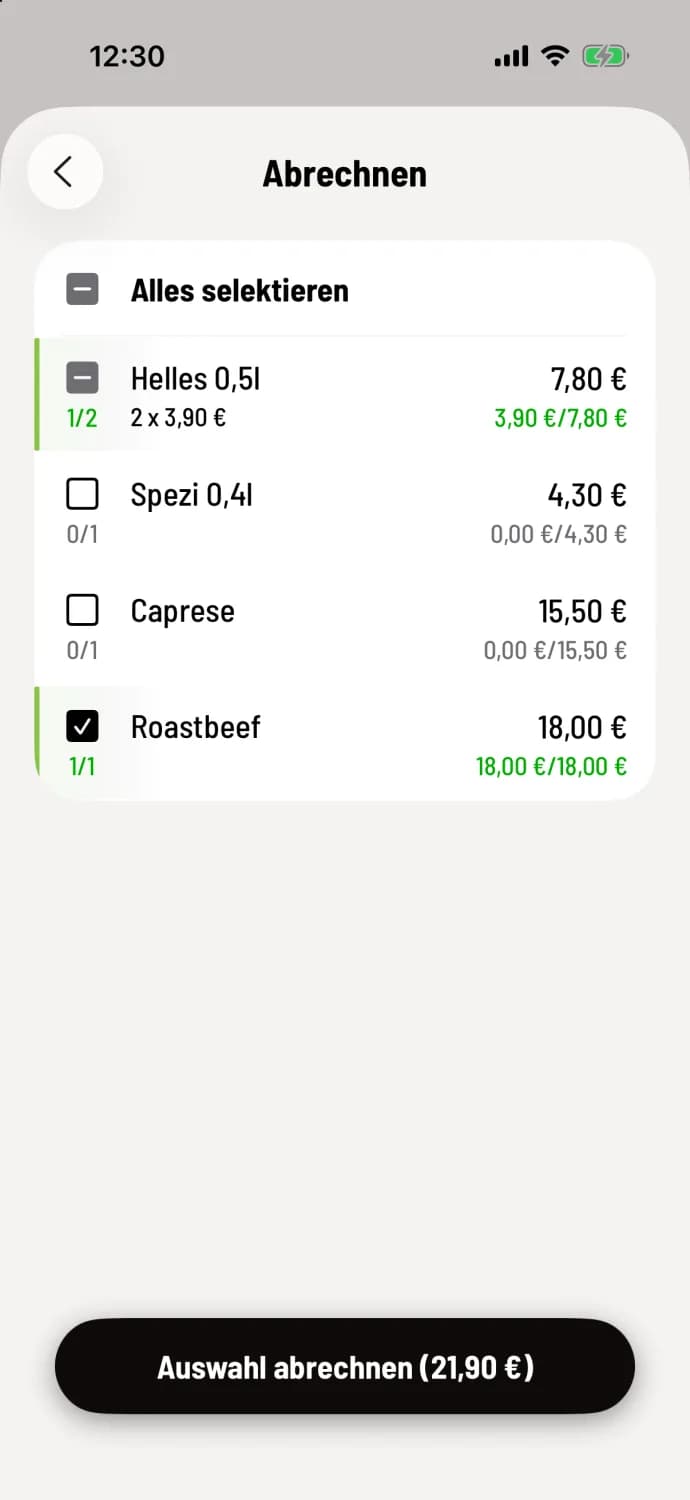
Step 1 of 3
Tap the item
Each tap on a line selects another item. 1/2 means: one of two items selected. If the line is full, the next tap removes all items. The button displays the total amount, for example, Balance of selection (€21.90) for a 0.5l light beer and the roast beef.
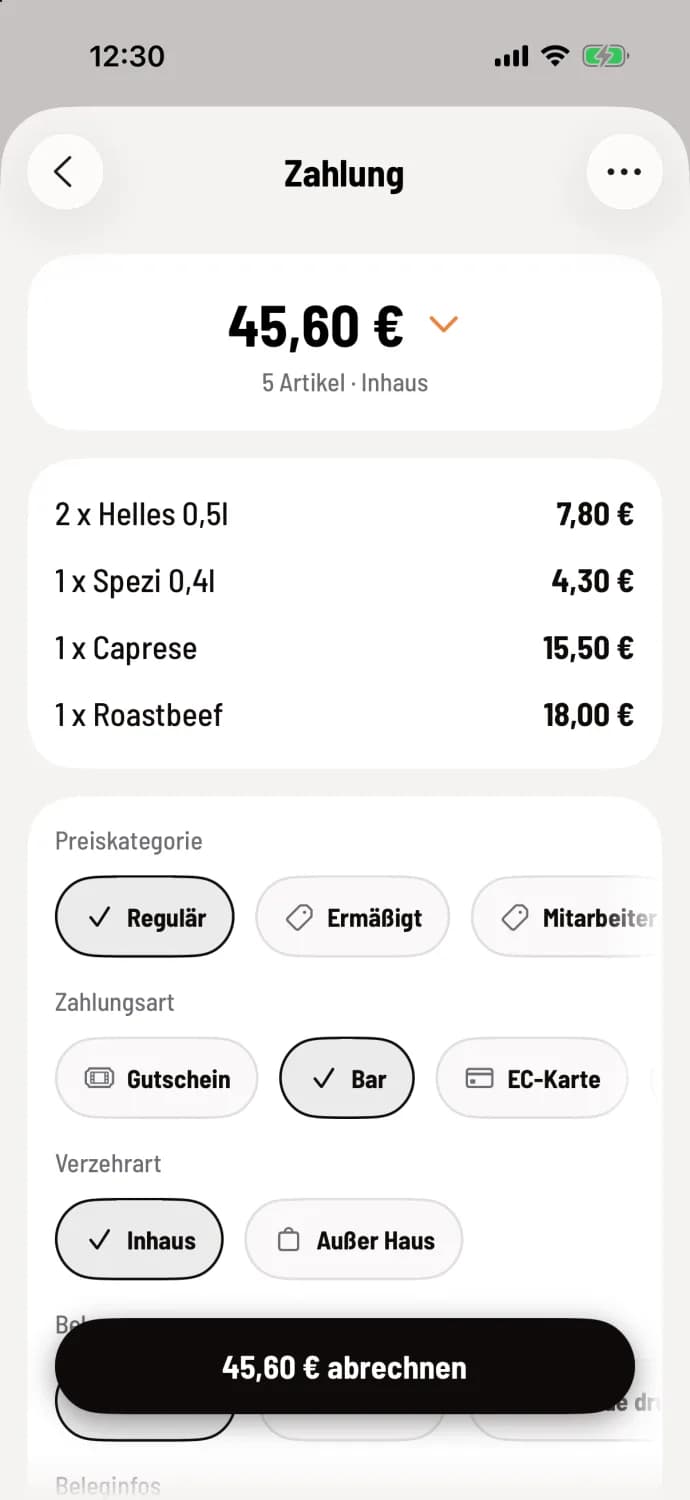
Step 2 of 3
Partial billing
Proceed as usual. The button below shows what remains outstanding, for example 3 item still outstanding.
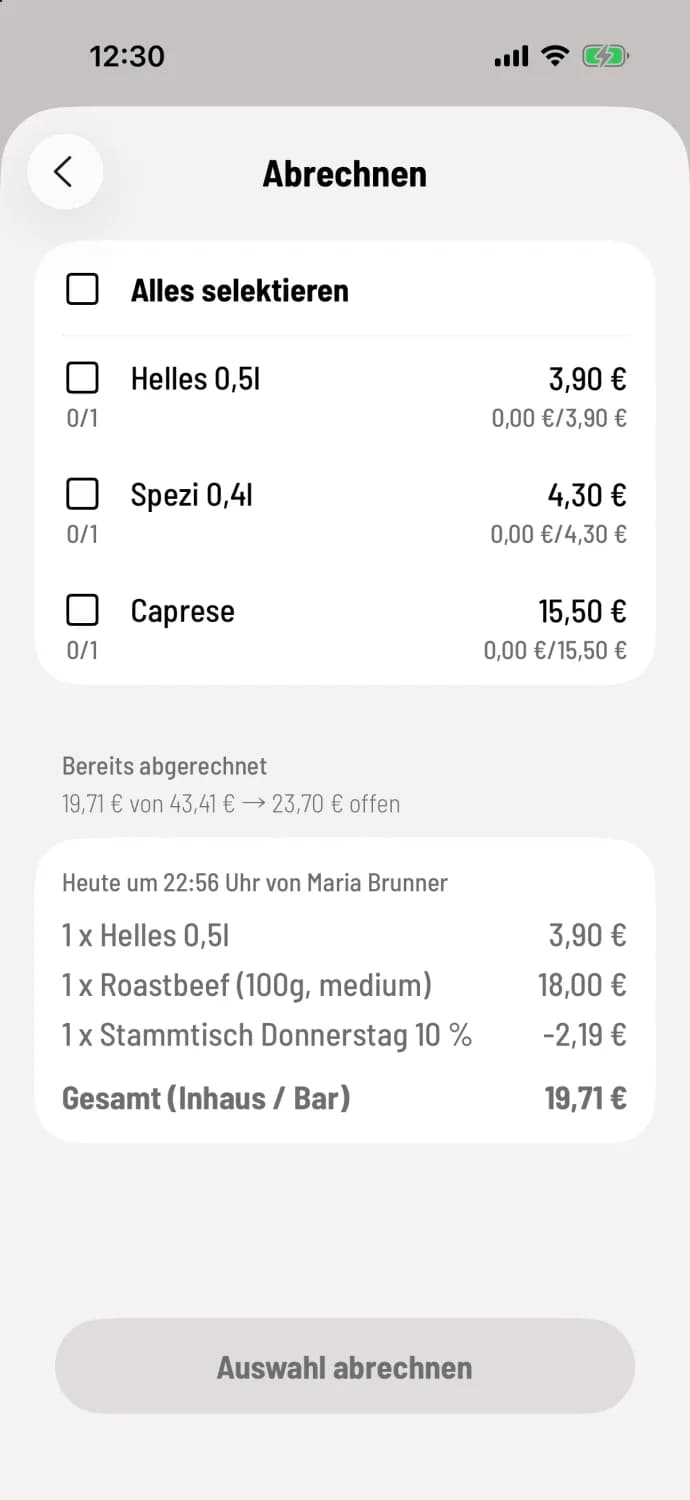
Step 3 of 3
The remainder will be settled later.
After that, you'll be back in the selection screen. Under Already Billed, you'll see how much has been paid and how much is still outstanding, for example, €19.71 of €43.41 → €23.70 outstanding. Below that are the paid items with the time, employee, item number, discounts, and payment method, for example, Total (In-House / Cash).
Each partial payment receives its own receipt. Items in a menu marked incl. always go with their main item.
After a partial payment, the party can no longer be split. If you want to split it, do so beforehand: Splitting parties.
If you want everything to be checked when processing payments, set Settings → General → Default Selection to Everything preselected in the POS app. Then you only deselect what remains unchecked.