
Understanding the cashier's brief instructions
Small messages confirm an action or warn you – what the colors mean and how to set them.
After many actions, the checkout briefly displays a notification at the bottom of the screen, such as that an order has been taken or a reservation has been made. This allows you to see at a glance whether something was successful.
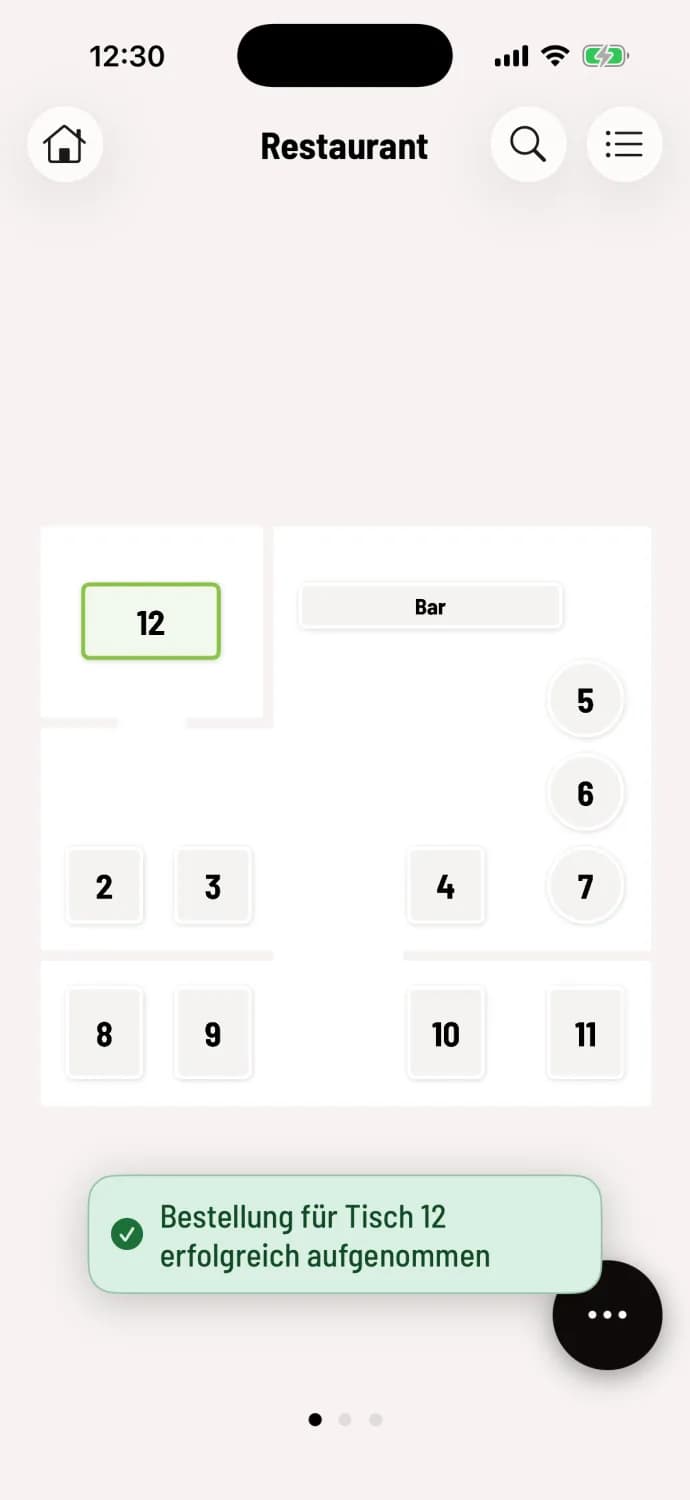
Green – completed, for example, an order has been sent.
Orange – Warning: It worked, but take a quick look.
Red – Error: The action did not go through.
Grey – purely informational.
Notices disappear automatically after a few seconds, while errors remain longer. Tapping a notice closes it immediately.
Some notifications include an Undo button, for example, after moving a reservation. It reverses the last action as long as the notification is visible.
Show fewer hints
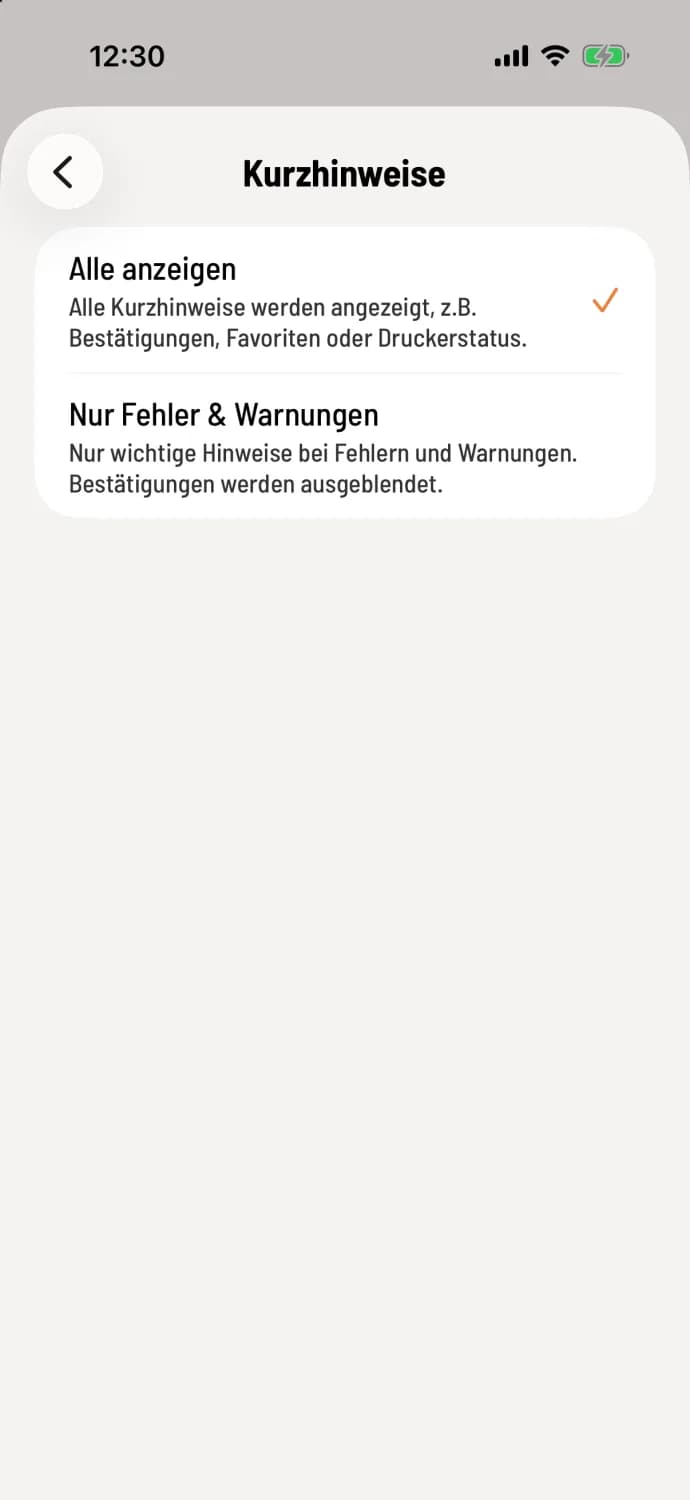
Set up short notes
Open Settings → General and in the View section, select Quick Notes. Choose Show All or Errors & Warnings Only. The second setting hides confirmations and information, while errors and warnings are always displayed. This choice applies to this device only.
More information about display settings: Quick tips and font size. You can see what happened during a shift in the timeline: View current shift.