
Choose the target table when moving
This is what the table plan looks like while you are transferring an order to another table.
If you move an order or individual item to another table, the table plan changes to a selection.
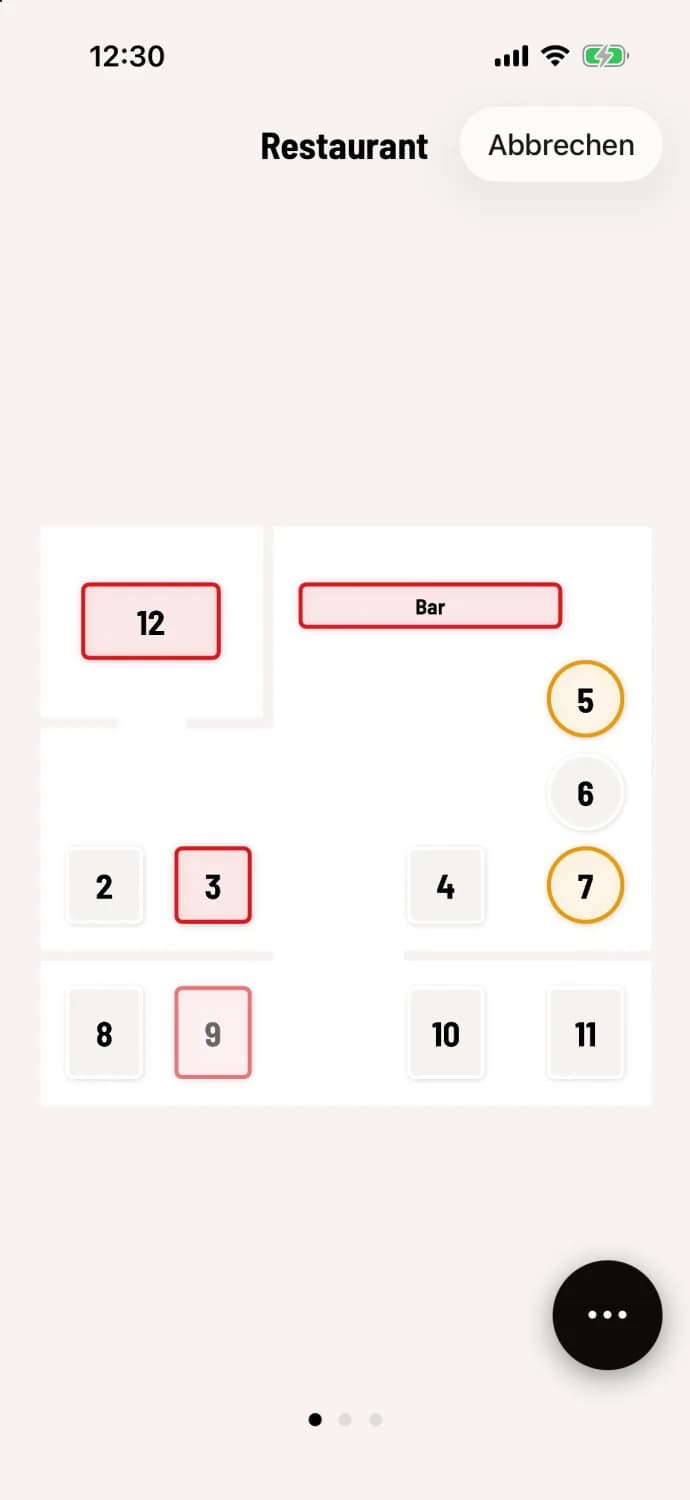
Tap the target table
In the top right corner, you'll see Cancel, and the starting table will be faded. If needed, swipe to a different area and tap the target table. On Android, the message Select Target Table will appear at the top.
Confirm by submitting: The destination table will open with the completed order. Only submitting saves the move and prints a notification slip for the kitchen.
If you tap Cancel instead, everything will remain at the current table. The entire process is described under "Moving an order to another table".