
View cash book history
Open previous days of the cash book with the daily balance and all entries.
The daily view only shows today. In the history view, you can see every previous day with its final results and open it.
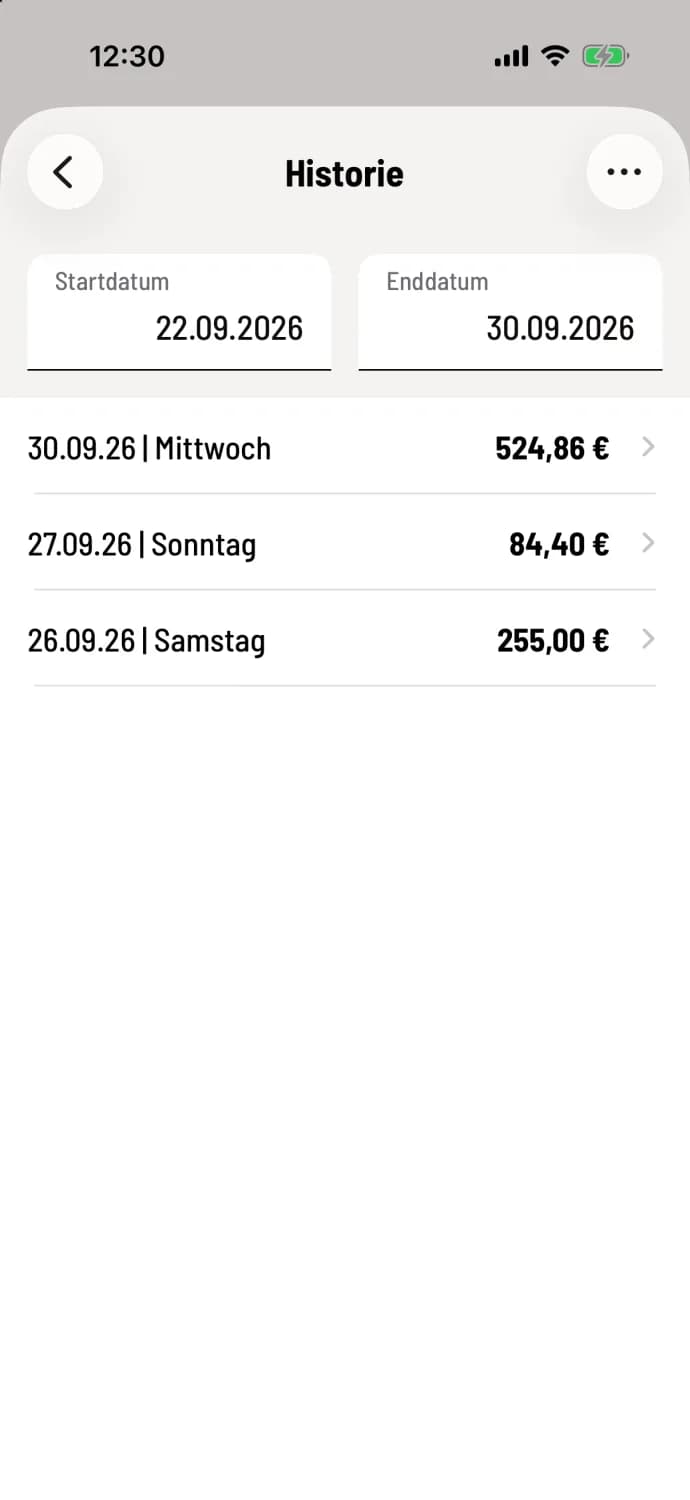
Step 1 of 2
Open history and select time period
In the Daily View, tap the clock in the upper right corner. Set the Start Date and End Date. The list will then display the date, day of the week, and the cash balance at the end of each day.
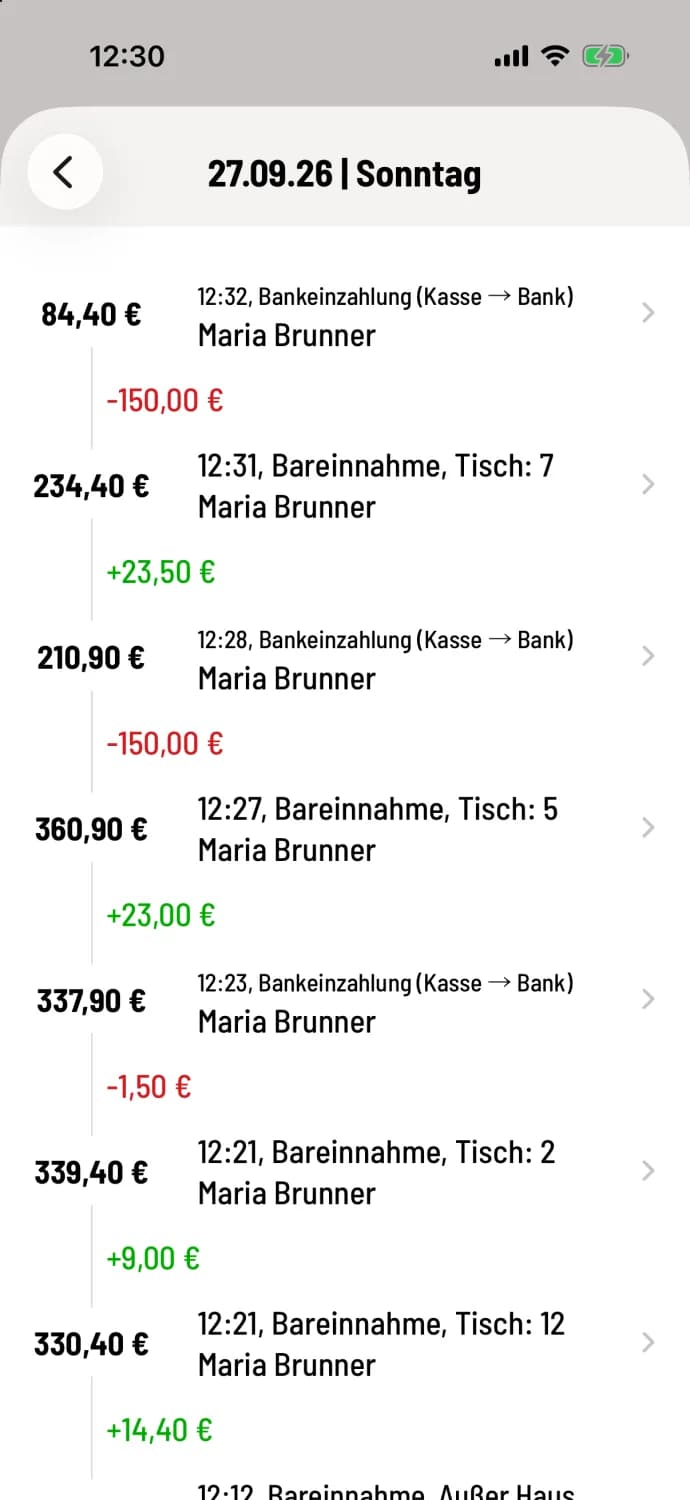
Step 2 of 2
Open day and booking
Tap on a day to see all bookings as in the daily view. Tapping on a booking opens its details.
You don't enter anything in the history view. You record income and expenses in the daily view during your shift. On Android, this screen is called History.
For your tax advisor, you can export the same period via … in the top right corner: Export cash book.