
View print jobs
Preview of all receipts from the current shift : receipts, kitchen receipts, reports, vouchers and deposits.
Every receipt printed by the cash register ends up in the print jobs. There you can see it exactly as it appeared on the paper, and you can reprint or share it.
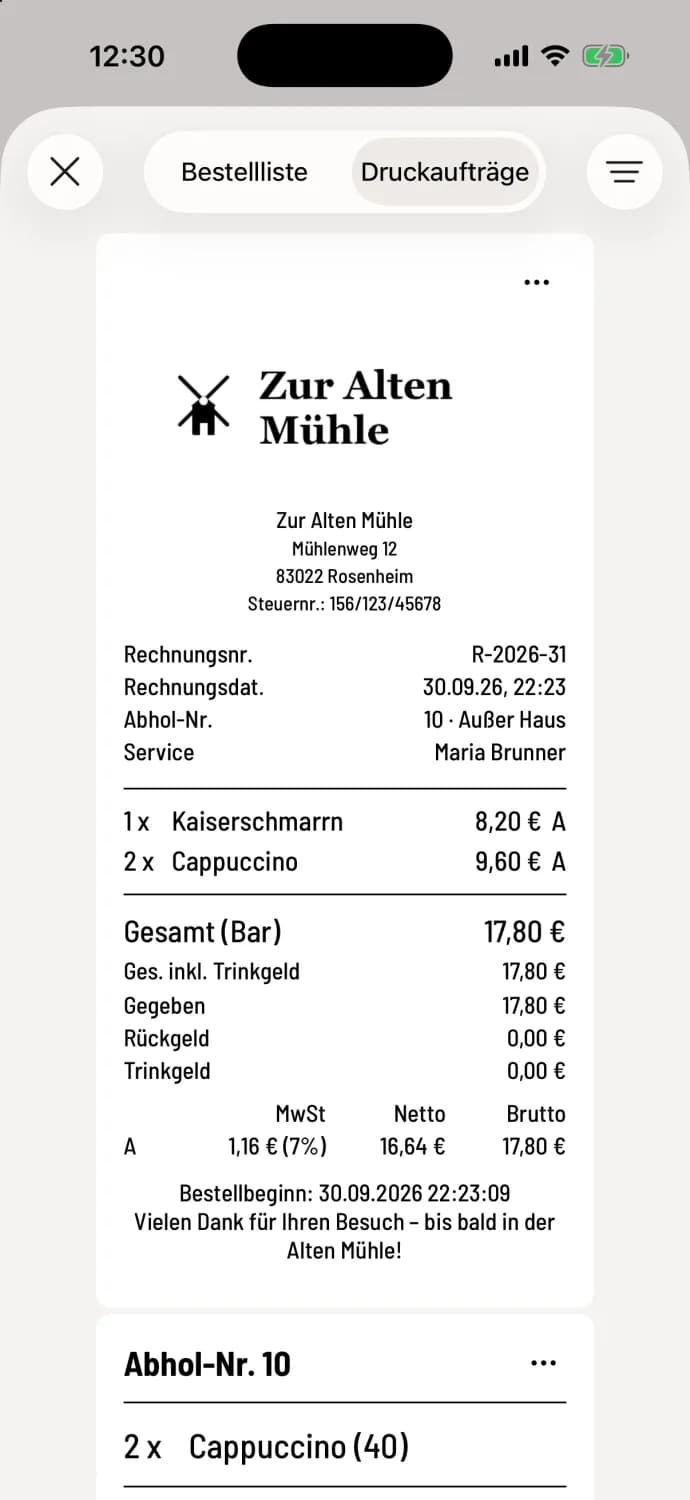
Open print jobs
In the table plan , tap the list icon in the upper right corner and select the Print Jobs tab at the top. The POS system remembers which tab you last had open.
What you see
The receipts from the current shift, the newest one at the top.
Receipts including cancellation, interim and credit notes, payments, kitchen and order slips, course approvals and changes, notes, vouchers, deposit returns, as well as X, Z and employee reports. If a printer is set to Online Orders, it will also print the total receipts for online orders.
A small printer icon appears on the receipt while it is still unprinted. See Open Print Jobs.
Without the right access to all shift data of the restaurant, you cannot see other employees' reports. If no printer is yet set up, the cash register will indicate this.
Filter
Use the filter icon in the top right corner to hide receipt types, areas or employees: Filter printouts and orders.
You can find receipts from previous shifts in the shift history. You can also reprint them there: Reprint booking.