
Return deposit
Pay out empty containers in cash or deduct them from the invoice amount when paying.
You can take back empty containers in two ways: either with a cash refund or as a deduction when paying for a new order.
Prerequisite: The owner creates the deposit types in the Web desk : Deposit Deposit. Without deposit items, both lists remain empty. The owner can hide the Deposit Return entry in the action menu or add a separate button next to it: Set Up Action Button.
Return only empty containers
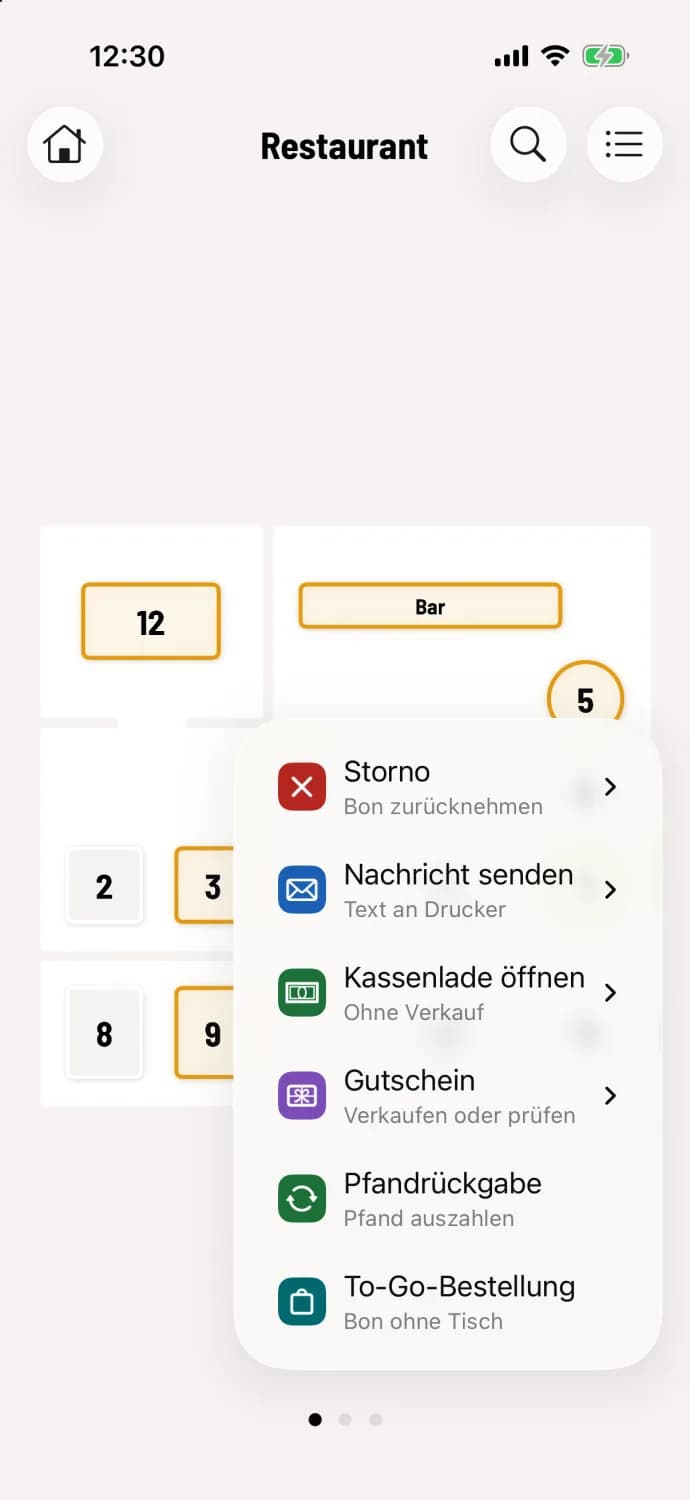
Step 1 of 2
Open deposit return
Tap the round … button and then Deposit Return. This works in the table plan and at the express checkout.
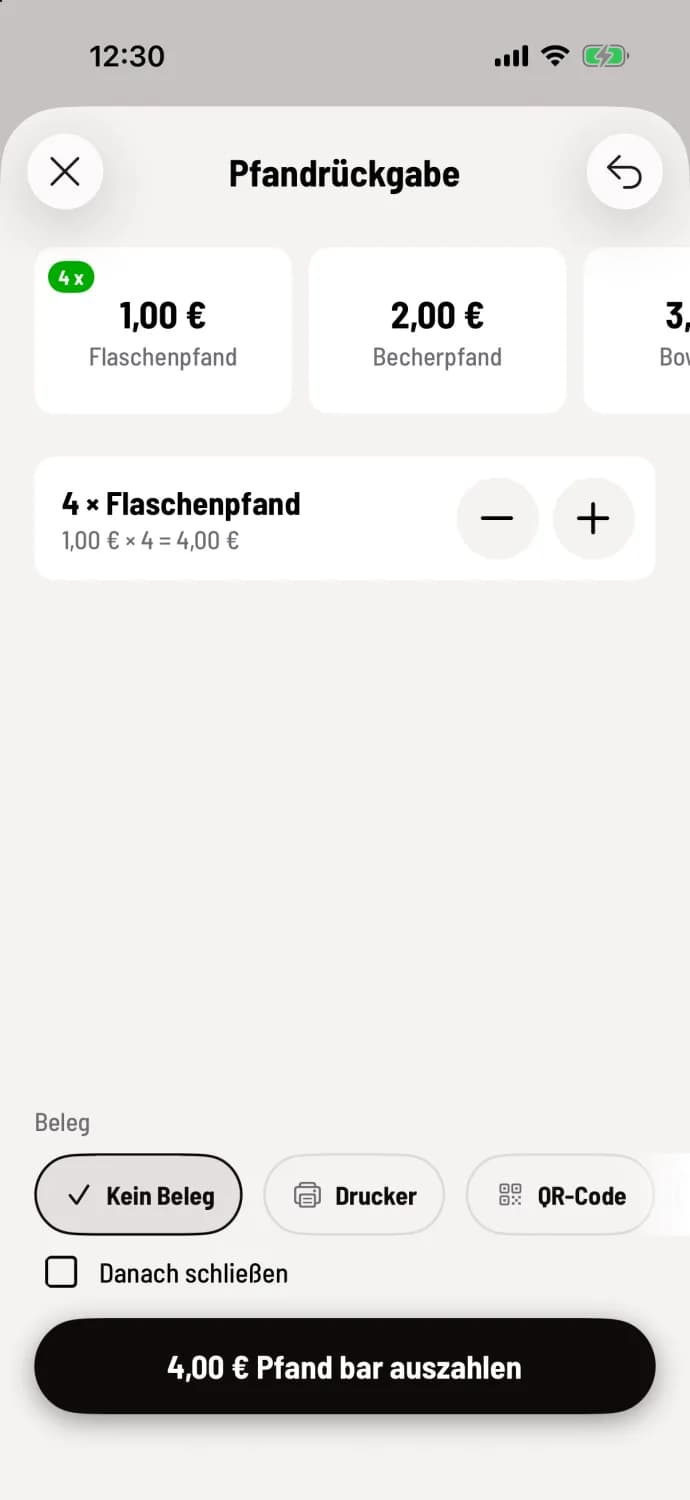
Step 2 of 2
Count and pay out
Each tap on a deposit tile, such as Bottle Deposit €1.00 or Cup Deposit €2.00, counts one item. Use − and + to correct the amount, and Undo to revert the last counted item. Select Receipt; the default is No Receipt. Tap the button, for example, Disburse €4.00 Deposit Cash, and dispense the money from the till.
The cash register displays a message indicating deposit refund processed. The next time you open the machine, the last refunded deposit will already be there, along with one item. Clicking Close now will automatically close the window after the refund is processed.
Returning deposit bottles and cans is always a cash payment and reduces the cash balance. With an active cash register system, the system checks beforehand whether there is enough cash on hand; for service-based cash registers, it checks the balance of your service-based cash register.
Deduct deposit when paying
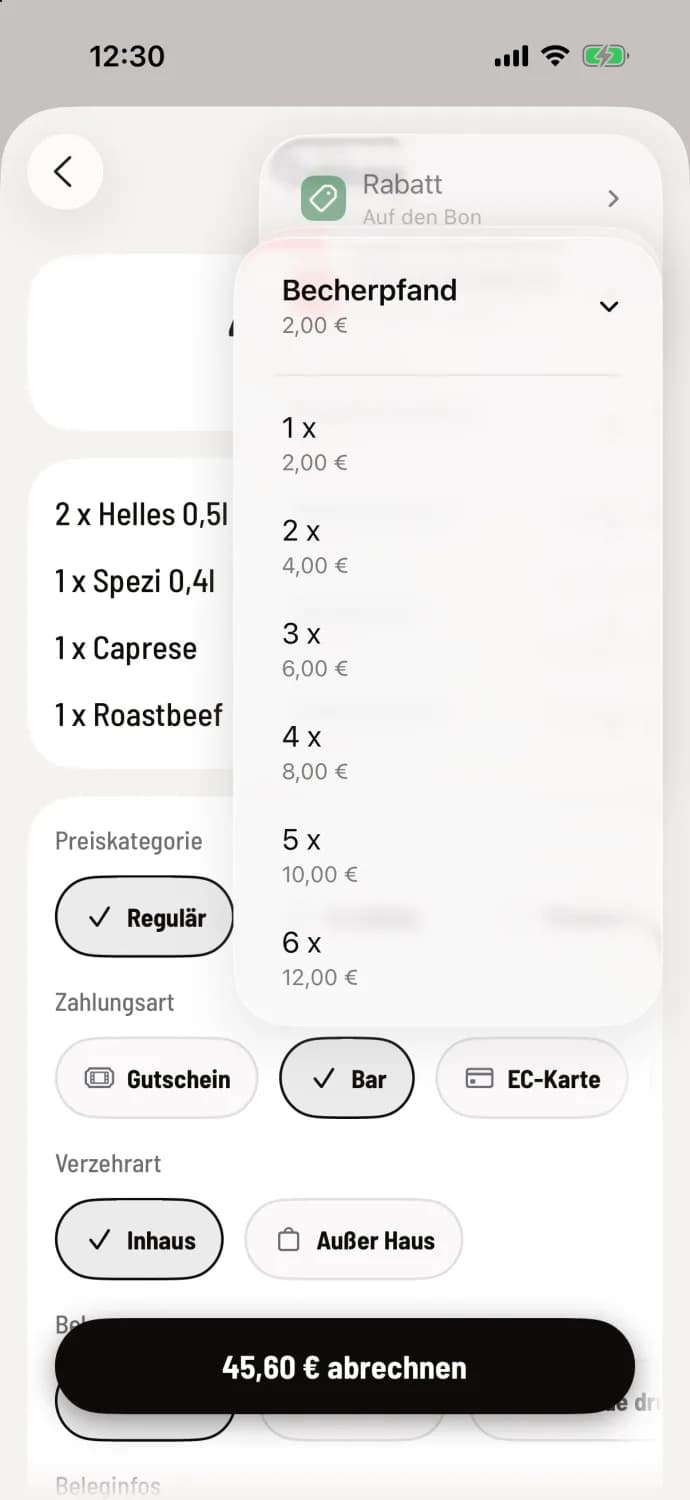
Step 1 of 2
Type and number of deposits
On the Payment screen, tap … in the upper right corner, then Deduct Deposit, and select the deposit type and quantity, for example, Cup Deposit and 2 x for €4.00. Only items that fit within the total amount due will be offered, with a maximum of 6 items per deposit type. In the express checkout, the entry will be displayed in the … section of the receipt.
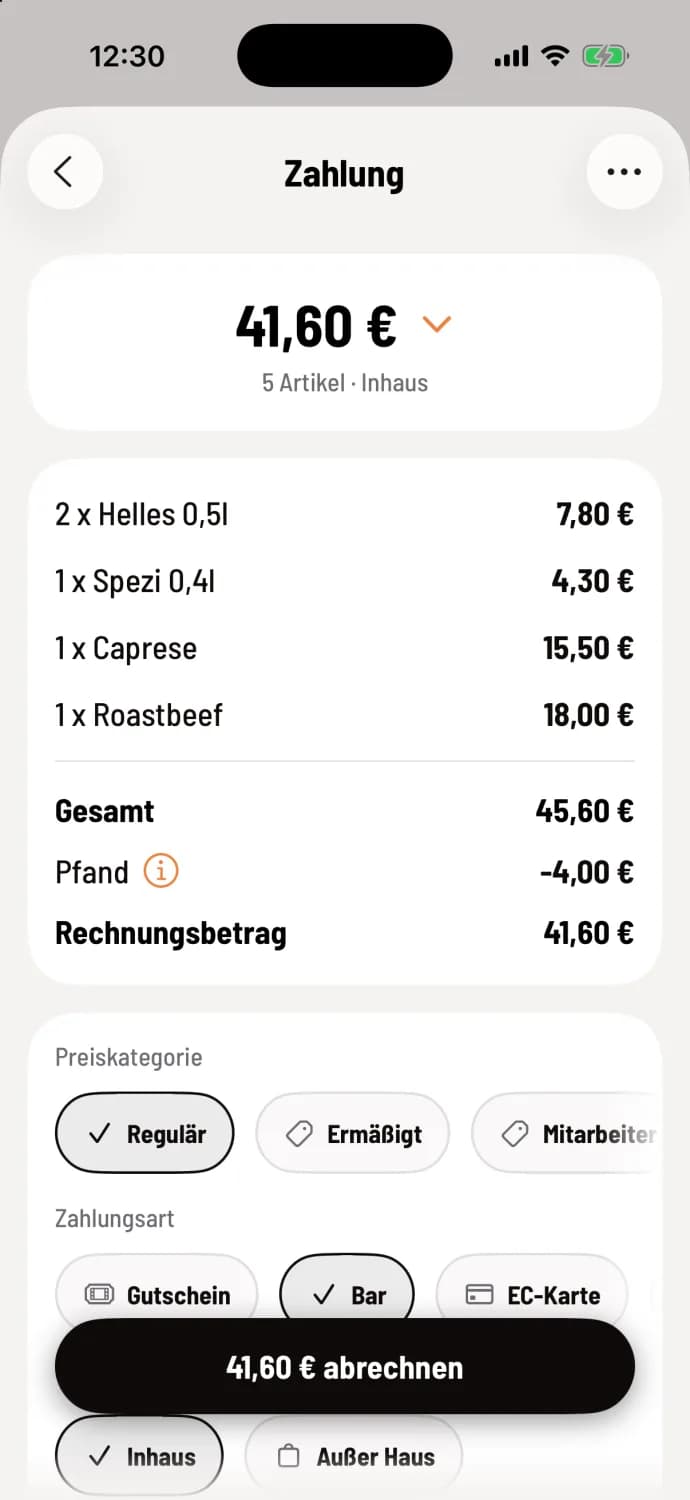
Step 2 of 2
Billing
The line Deposit deducts the amount. You remove it again using its ⓘ. Then you calculate as usual.
The invoice amount never falls below zero. If the guest brings more empty containers than they ordered, the difference is refunded via deposit return.