
Send from the express checkout to a table
Assign a voucher to a table and send it there as an open order.
If a guest decides to sit down or wants to pay later, you send their order slip to a table. The order goes to the kitchen and remains open at the table.
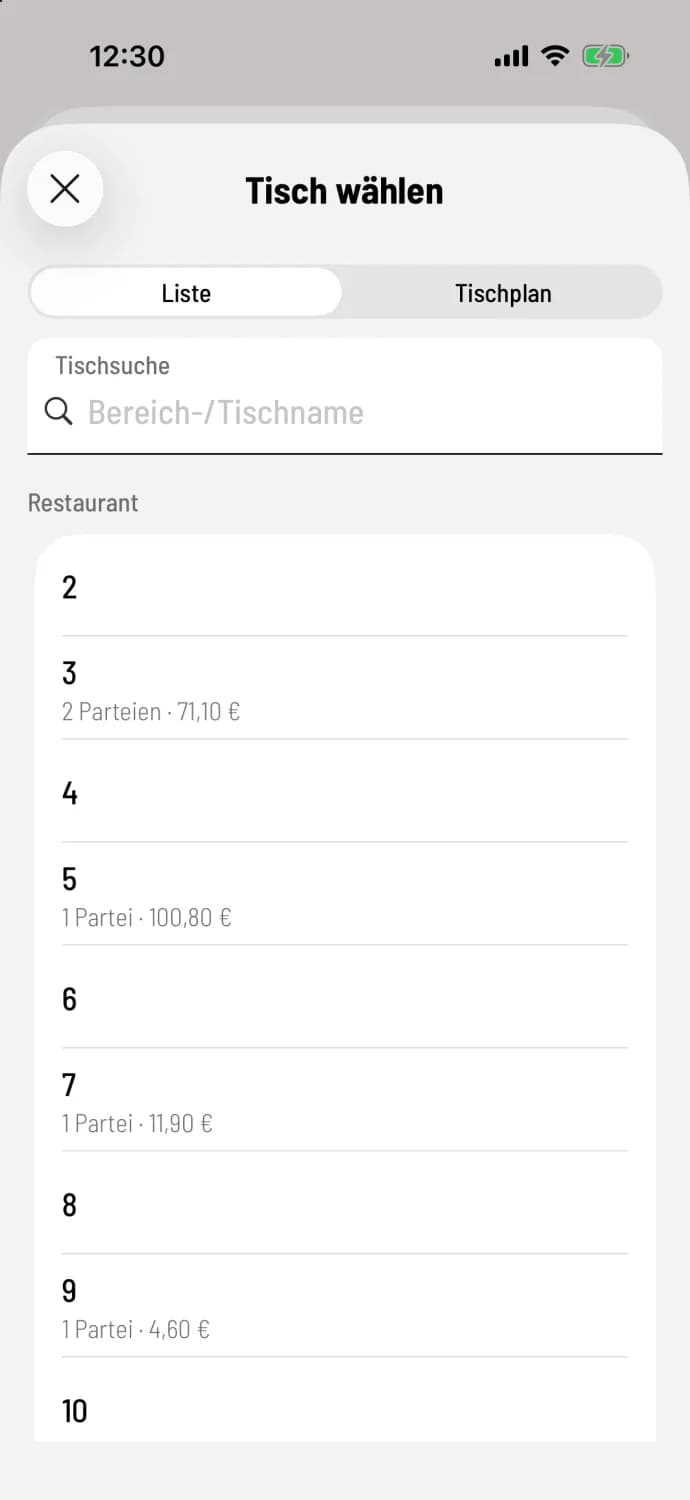
Step 1 of 2
Choose a table
Tap Assign Table at the top of the receipt. In the Select Table tab, tables are listed by area, occupied by parties, and by amount; the search field will find a table more quickly. Switch to ** table plan** at the top and tap the table in the room.
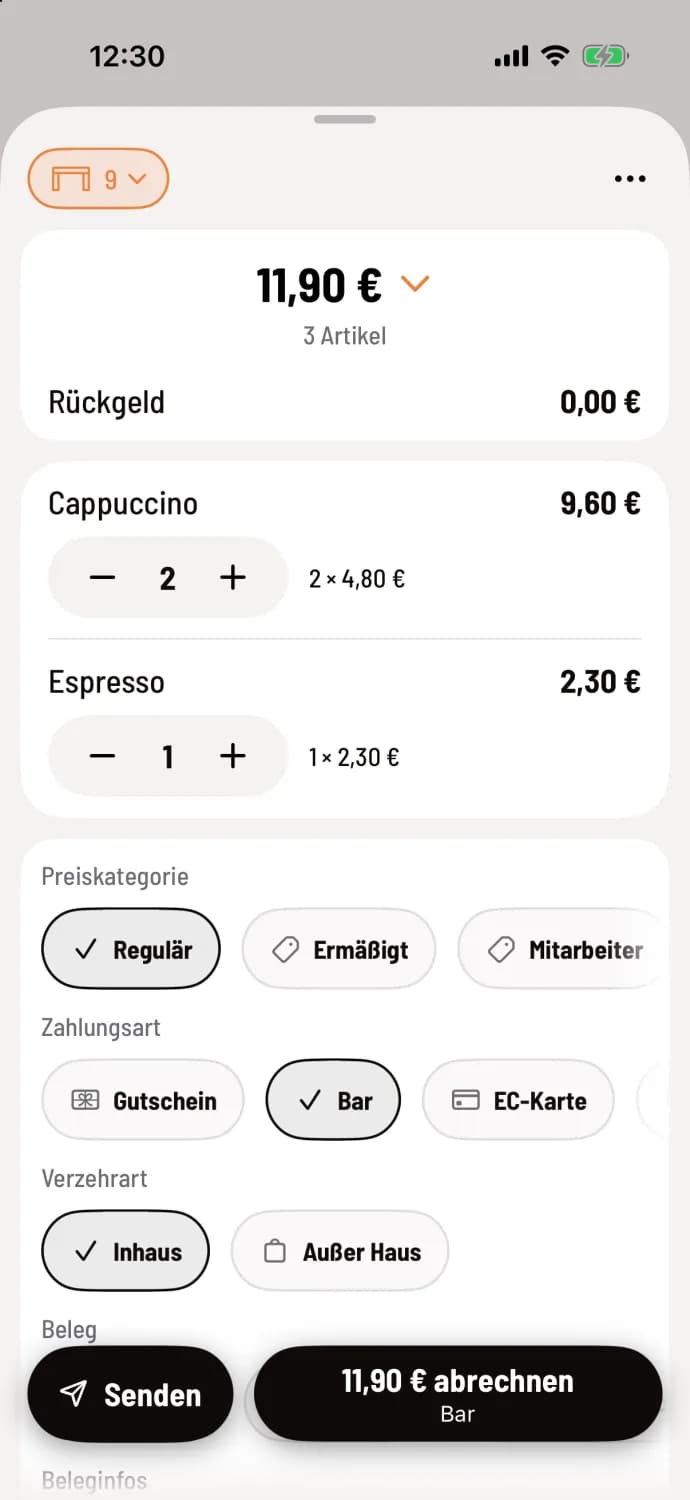
Step 2 of 2
Send
The table is now at the top of the receipt, for example, 9, and the dining type changes to In-House. Tap Send; use the amount button next to it to settle the bill immediately. The cash register confirms the order for the table, and the counter is clear again.
Deposit refund information, price category, and stamp reward details are lost during the transaction. The cash register prompts you beforehand, asking **Will be lost during ring up **, and offers the option Send anyway. A receipt discount is then applied to the items.
When a table is selected, the dining rules for tables apply, usually indoors. You can remove the table again in the Select Table menu, on iPhone and iPad via Remove Table, on Android via No Table.