
Use the express checkout
Tap on the item , check the receipt, change quantities, and undo mistakes.
The express checkout doesn't use a table plan. You tap on item , they appear immediately on the receipt, and you settle the bill directly. Designed for counter, snack bar , and cafes.
Prerequisite: The device is set to Express Checkout ( switch view ), a shift is running, and you have the right to "Take orders".
Playing loads YouTube (Google).Playing loads the video from YouTube and sends data to Google. Clicking allows external media. Privacy
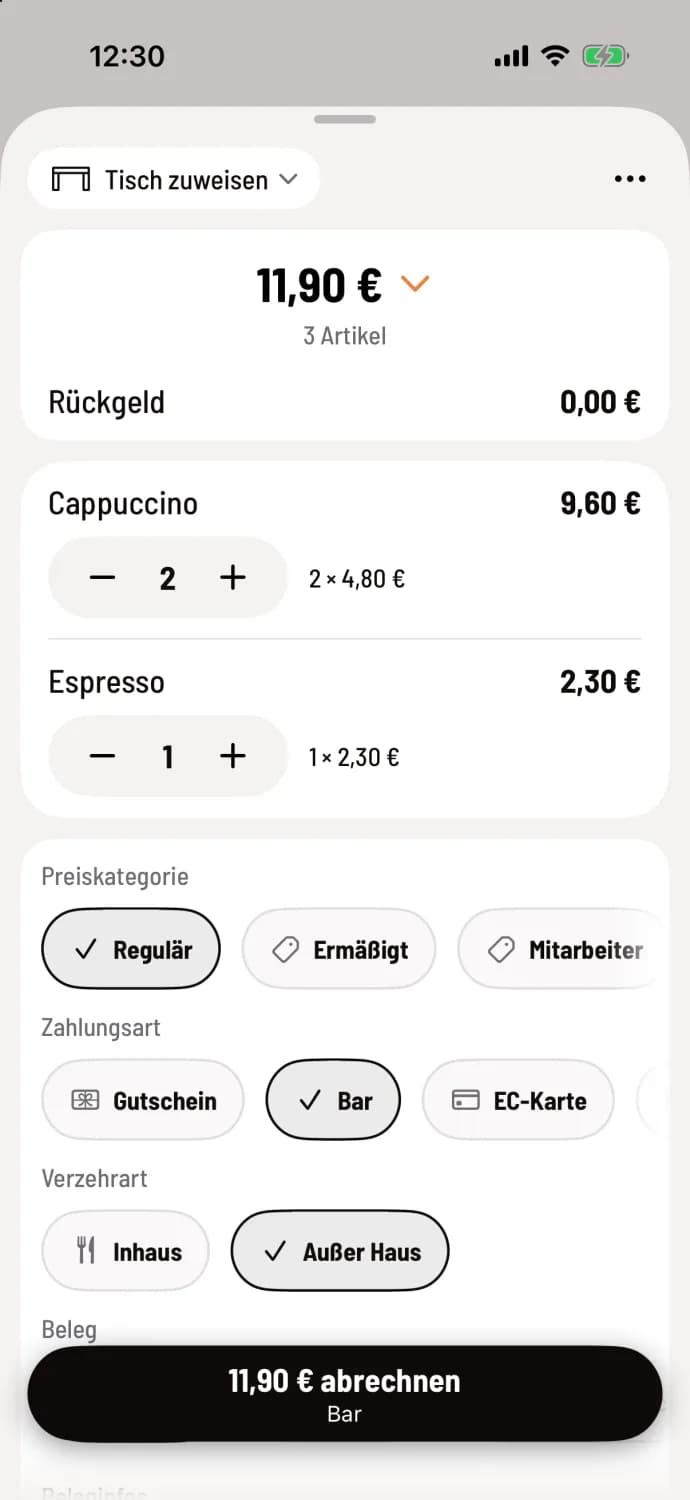
Step 1 of 2
Tap the item
Select the menu and category at the top and tap the tiles. A green indicator shows how many times an item appears on the receipt. At the counter , the categories are displayed as a swipeable bar, unless you've enabled tiles: Categories and Course Selection when ordering. On a tablet, the receipt is on the right; on a smartphone, you open it via Proceed to Payment. The receipt displays Assign Table and the total amount at the top, followed by each item with - and +, then Price Category, Payment Method, and Drink Type (usually Takeout at the counter ). At the bottom, you settle the bill using the amount button, for example, Balance €11.90 · Cash.
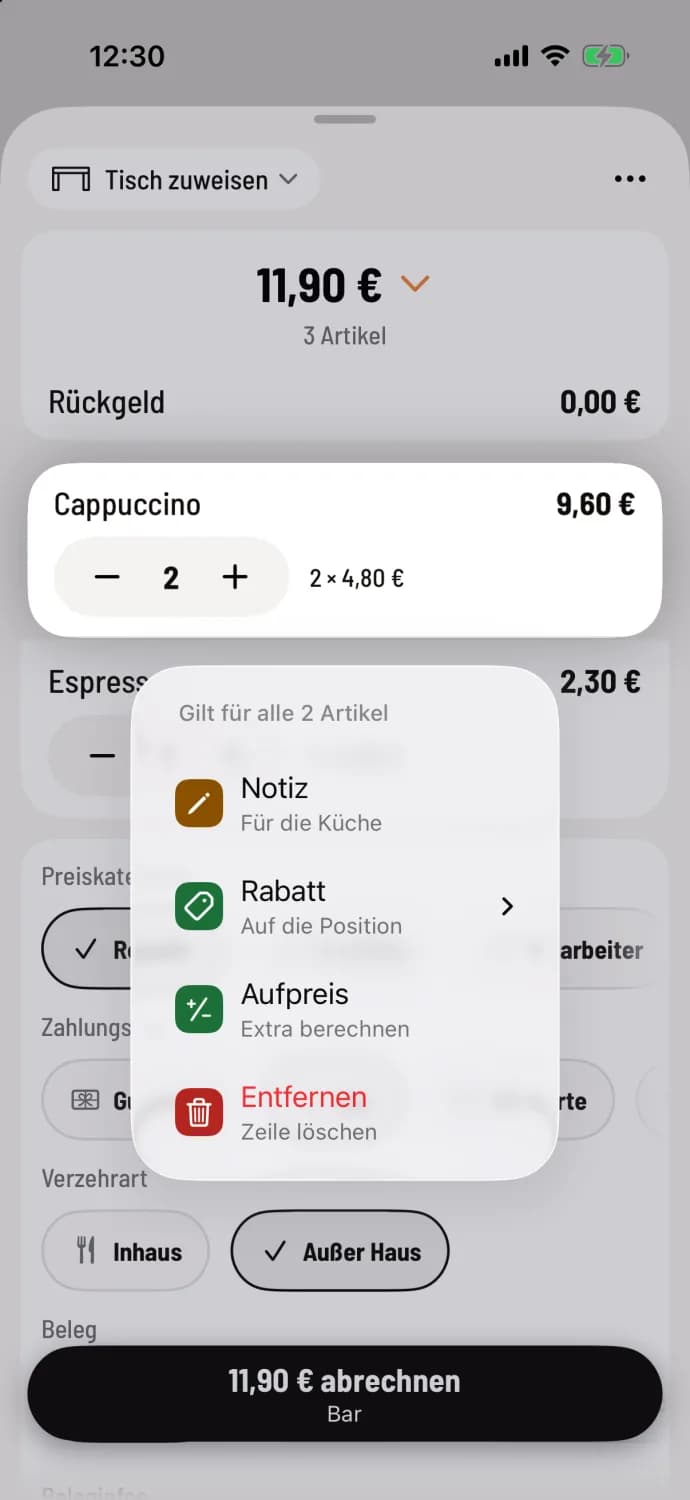
Step 2 of 2
Change quantity and edit line
Identical item are listed in the same row. Change the quantity using − and +, or swipe the row right (+1) or left (−1). Tapping the row displays each item individually. A long press offers Note, Discount, Surcharge, and Remove. After removing an item, you can undo the row for a few seconds.
Typo? The Undo arrow at the top removes the last selected item . A long press on a tile offers notes, favorites, and sold-out options. item requiring selection will only open the detailed order form.
A partially completed receipt will remain active if you switch views or restart the app, as long as the shift is running. Next, let's proceed with cashiering at the counter.