
Cancel receipt from a previous shift
Complaints from yesterday: Find the receipt in a completed shift and cancel it in the current one.
If a guest contacts you days later, you look for the receipt in the completed shift. The cancellation invoice counts towards the current shift; the old shift remains unchanged.
Requirement: You need the employee rights **Can cancel item ** and Can process orders and a current shift.
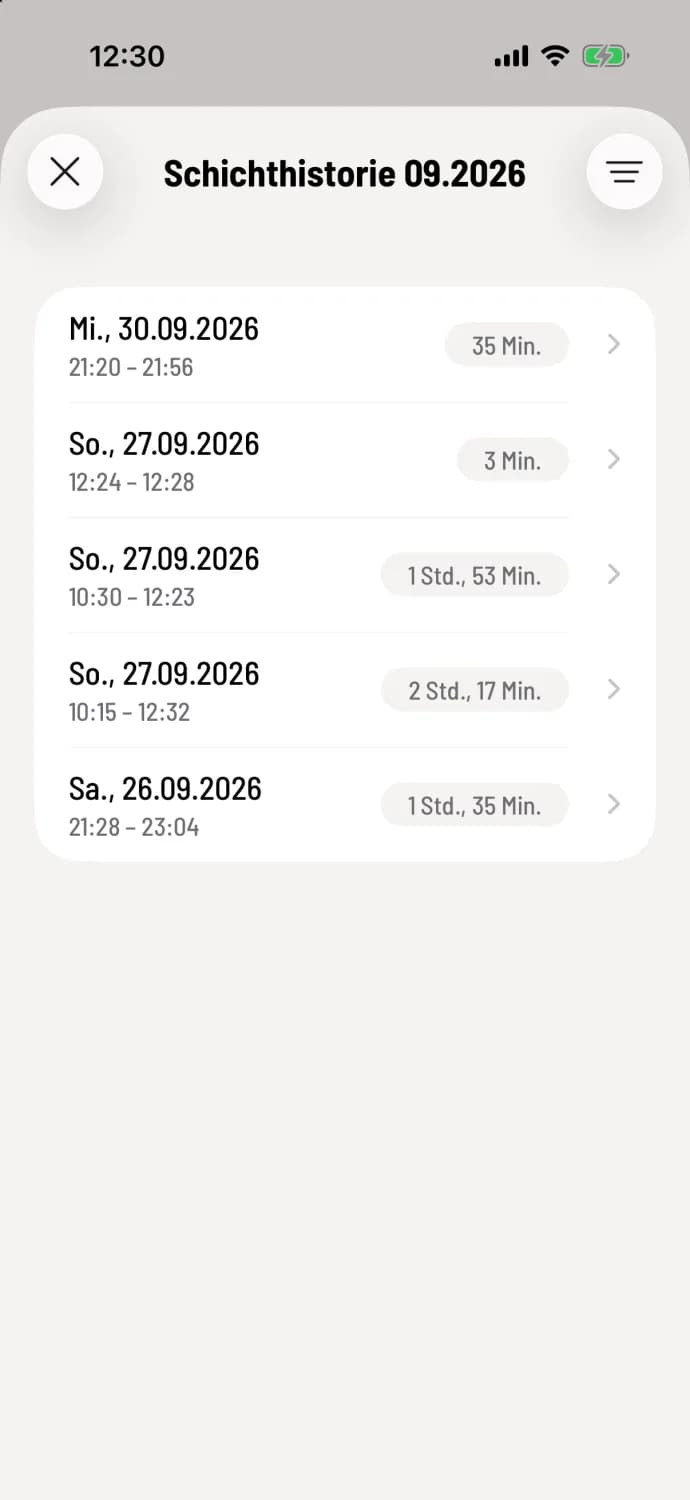
Step 1 of 3
Select past shift
Tap the round … button, then Cancel and Past shift. The Shift History shows the shifts for the current month.
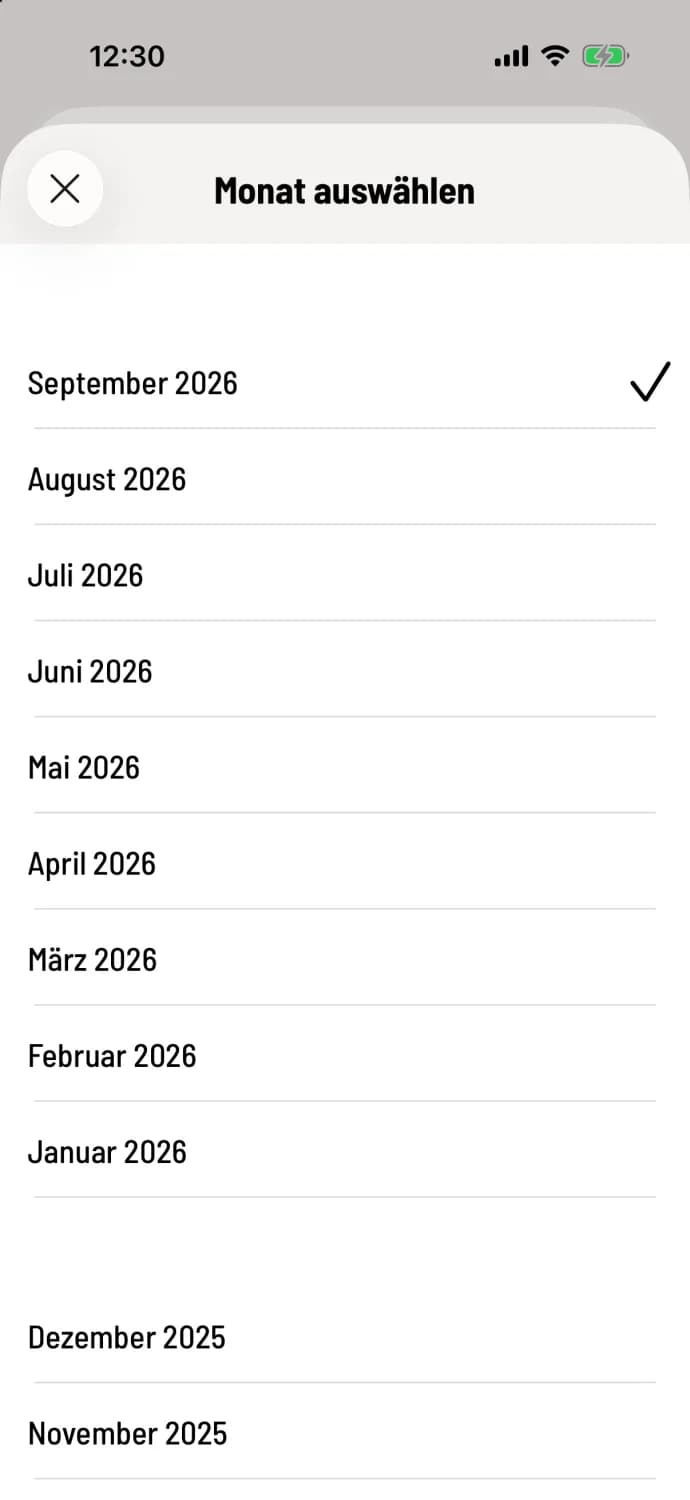
Step 2 of 3
Choose another month
You can change the month and year using the filter icon in the top right corner.
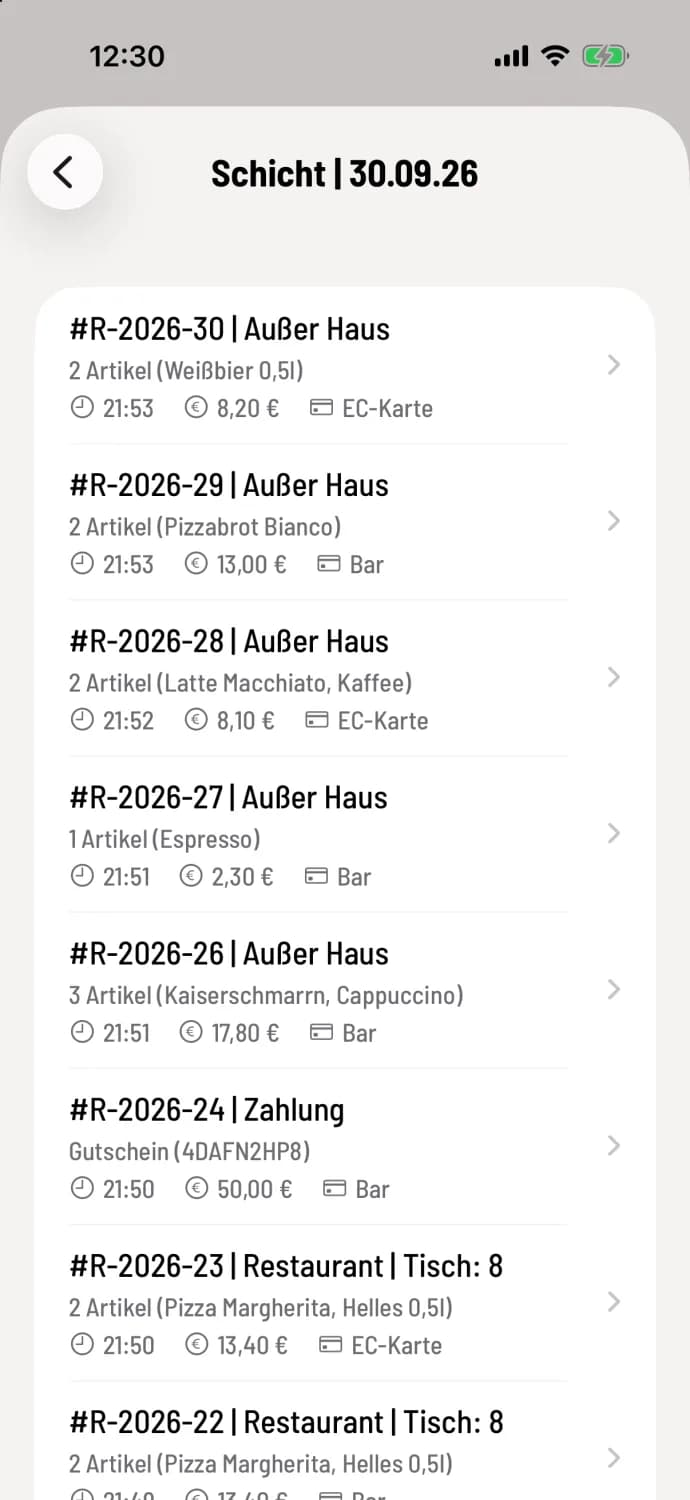
Step 3 of 3
Select document
Tap the shift . The list titled ** shift | Date ** displays its receipts with number, items, time, amount, and payment method. Tap the correct receipt.
After that, you cancel as usual: Cancel invoiced receipts. item that have already been canceled will not be offered again by the cash register.
If the previous month's return has already been sent to the tax advisor, let them know. The cancellation will appear in the current shift's report.