
Send message to printer
Print free text on the kitchen or counter , for example "Table 5 is waiting for the pizzas".
Prerequisite: Send message appears in the action button as soon as a printer is set up. In the Web desk, this entry can be hidden: Set up action button.
Sometimes the kitchen needs to know something that isn't part of any order: "Table 5 is waiting for the pizzas" or "The bar needs ice." With a message, you can print free text to a printer.
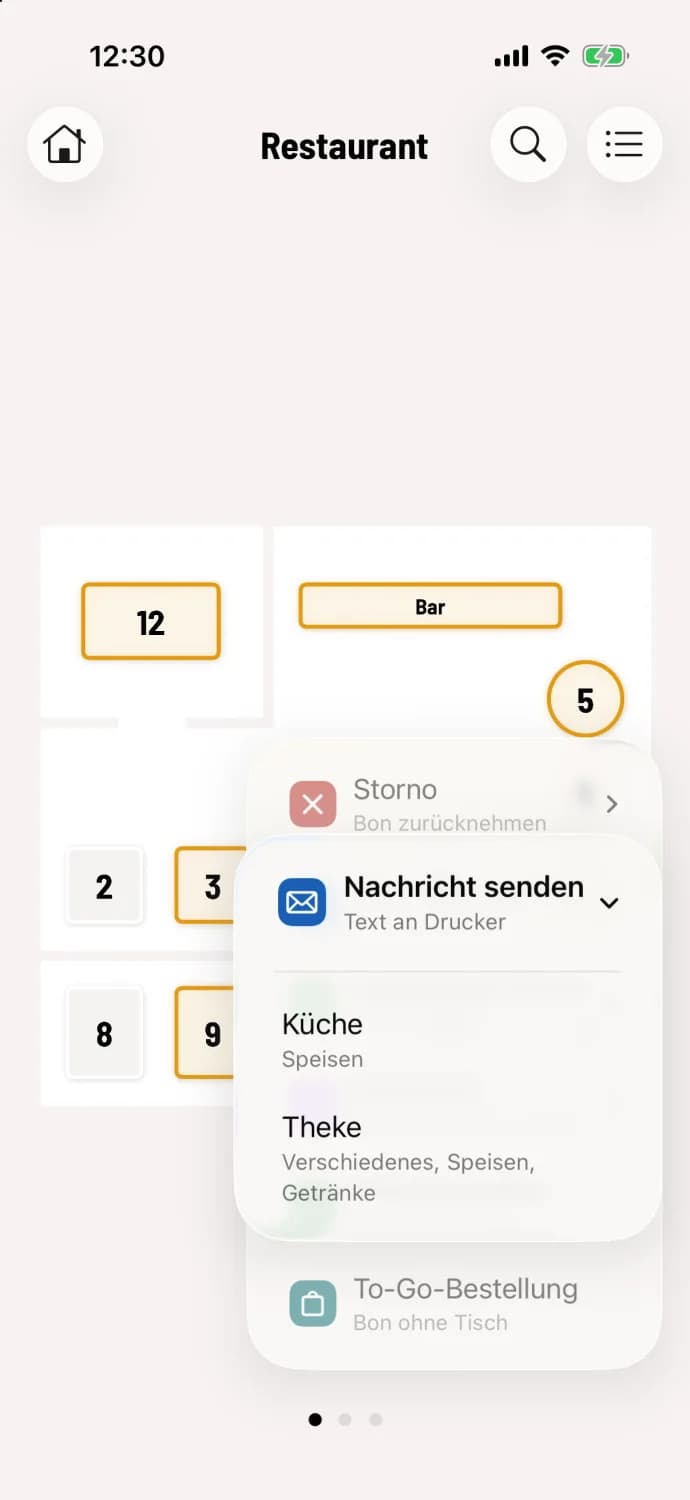
Step 1 of 2
Select printer
Tap the round action button in the bottom right corner and then tap Send message. Select the printer. Under each name, you'll see what it prints or its address. On Android, this selection is omitted if there's only one printer.
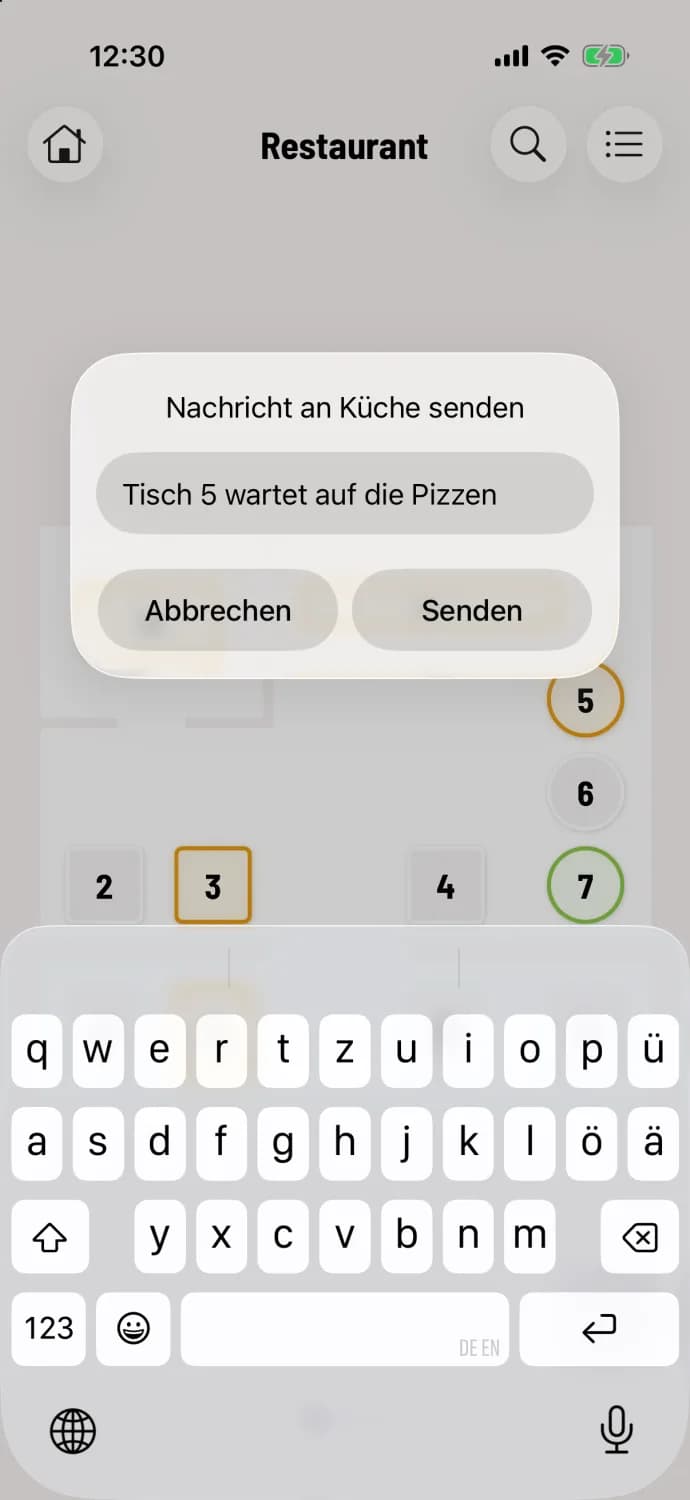
Step 2 of 2
Enter and send text
Type your message (maximum 300 characters) and then click Send. Once it's printed, the cash register will confirm with "Message sent".
The slip of paper contains your message, your name, and the time. In hub mode, the print center prints it, and the cash register then reports "Message sent to the hub".
Messages are not saved and do not appear in print jobs. If the printer is off or unavailable, the system will report that the message could not be printed. Please send it again.