
Open the service checkout: Enter the initial balance
Enter your change as the opening balance of the service cash register at the start of your shift.
With a self-service cash register, each server handles their own cash transactions. At the beginning, you enter how much change you'll start with.
Prerequisite: In the Web desk , Activate service cash register is enabled ( Set up service cash registers ) and a shift is running.
Playing loads YouTube (Google).Playing loads the video from YouTube and sends data to Google. Clicking allows external media. Privacy
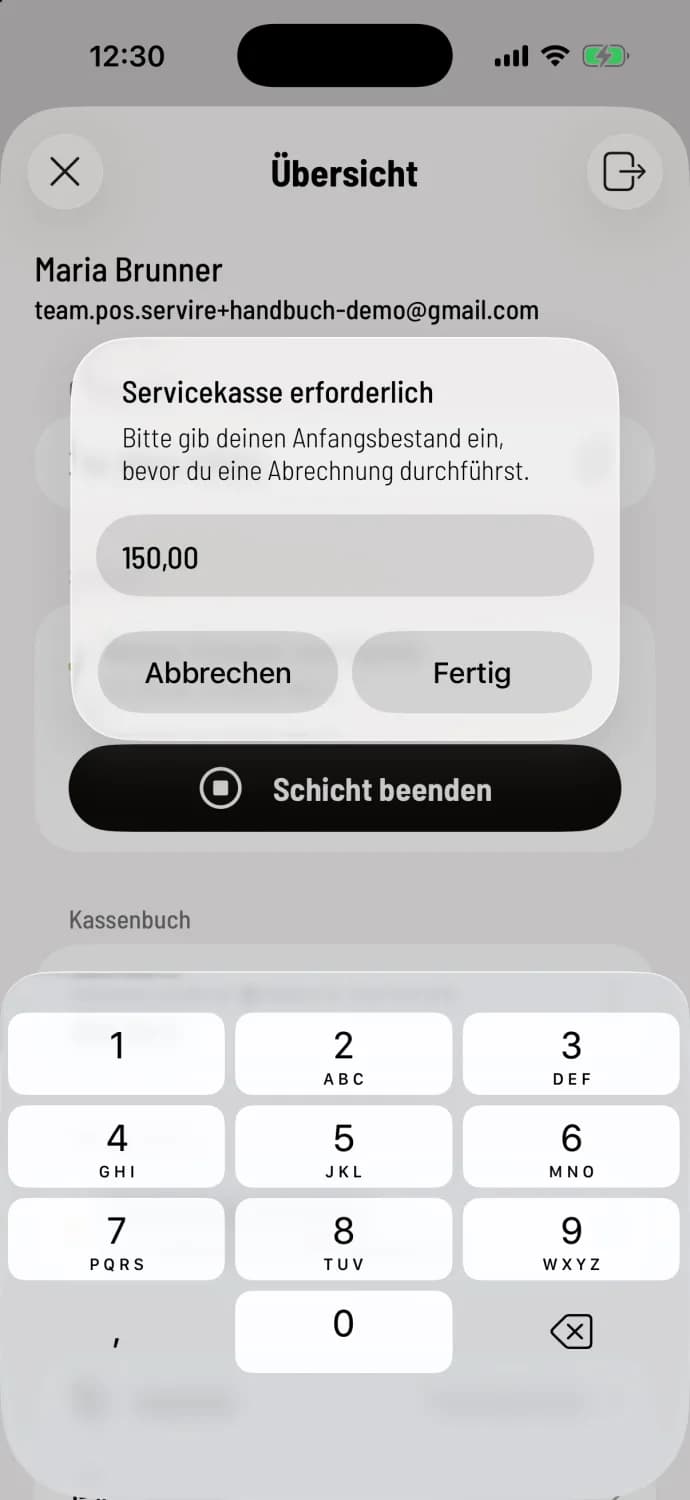
Step 1 of 2
Enter amount
Immediately after **Start shift **, the cash register will ask Enter opening balance. If you skipped this, Service cash register required ("Please enter your opening balance before performing a settlement") will appear before the first transaction. Count your change, enter the amount, for example, 150.00, and tap Done.
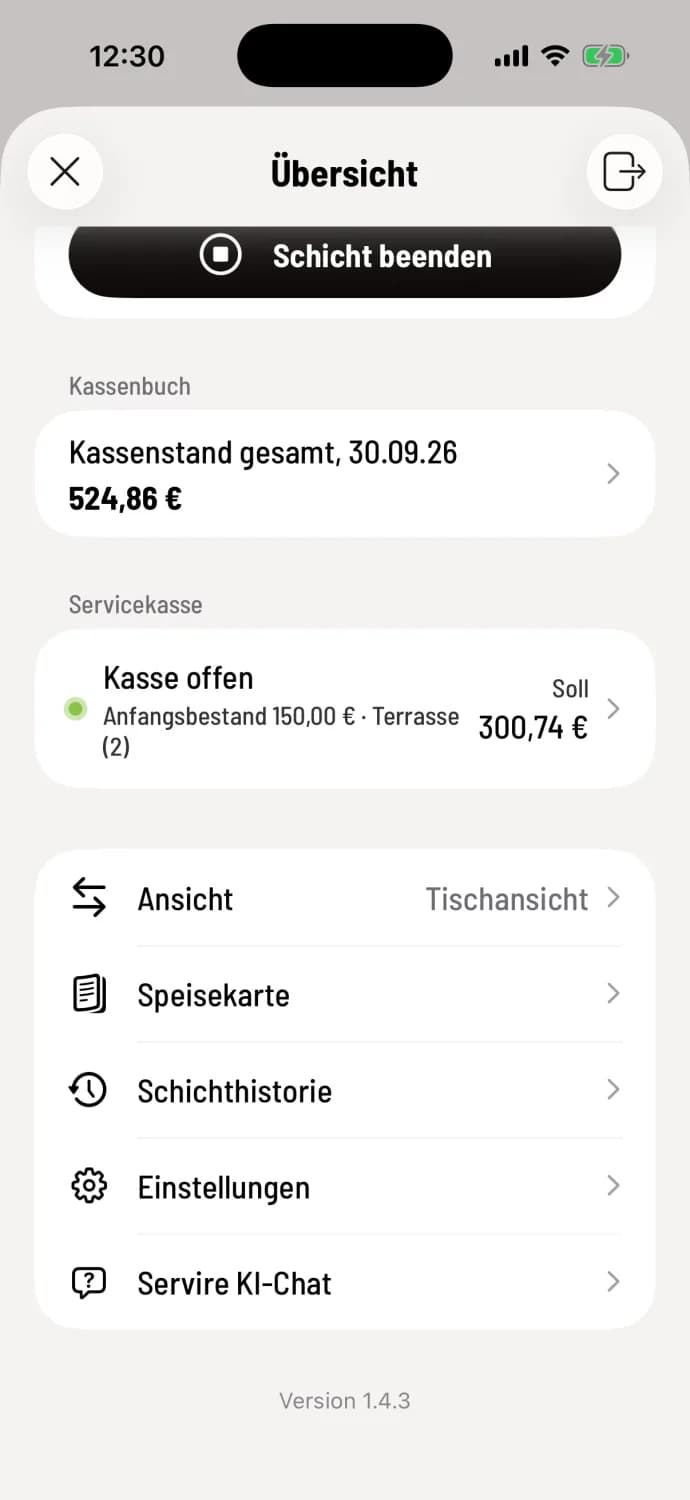
Step 2 of 2
Control
In the overview, under service checkout, it now says checkout open with initial balance and target.
If you cancelled, it will say Enter starting amount. Tap on it to do so. Before your first transaction, a cancellation, a deposit return, or a voucher sale, the checkout will ask: Service checkout required.
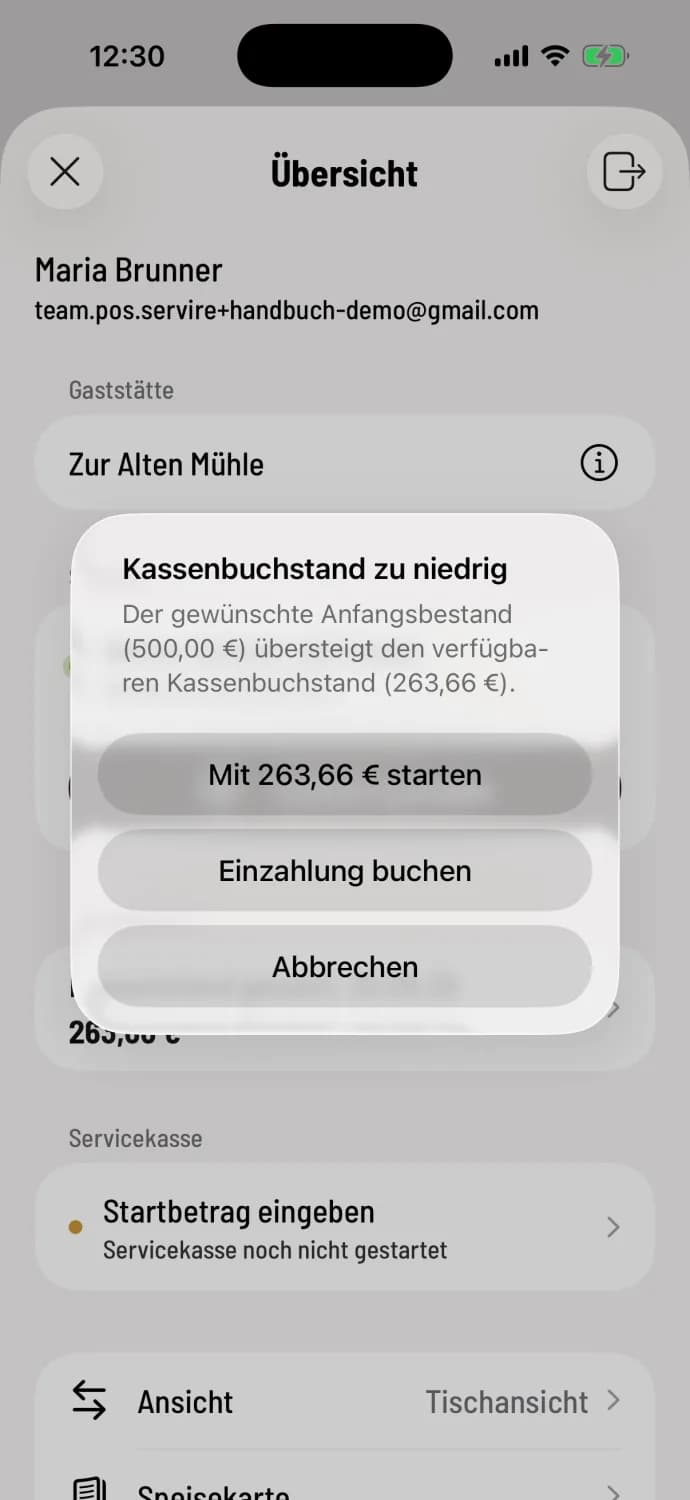
If there isn't enough money in the main till
With the cash book, the opening balance must not exceed the available cash in the main till. Otherwise, the system will report Cash book balance too low (Android: Amount exceeds cash balance). Select Start with… to begin with the available amount, or Post deposit if there is indeed more money available.
If you share a cash register with colleagues (service register group), the first person opens it with the initial balance; all others automatically join and see Shared Service Register. If the restaurant requires clocking in at the service register, the register will first ask Clock in now: Clocking in and out.