
Cashier at the counter
Pay the receipt at the express checkout with cash or card, including tip, change, and receipt.
In the express checkout, you set everything up on the receipt and process the payment with a single button. A separate payment screen does not appear.
Requirement: Right Allowed to process orders and a current shift.
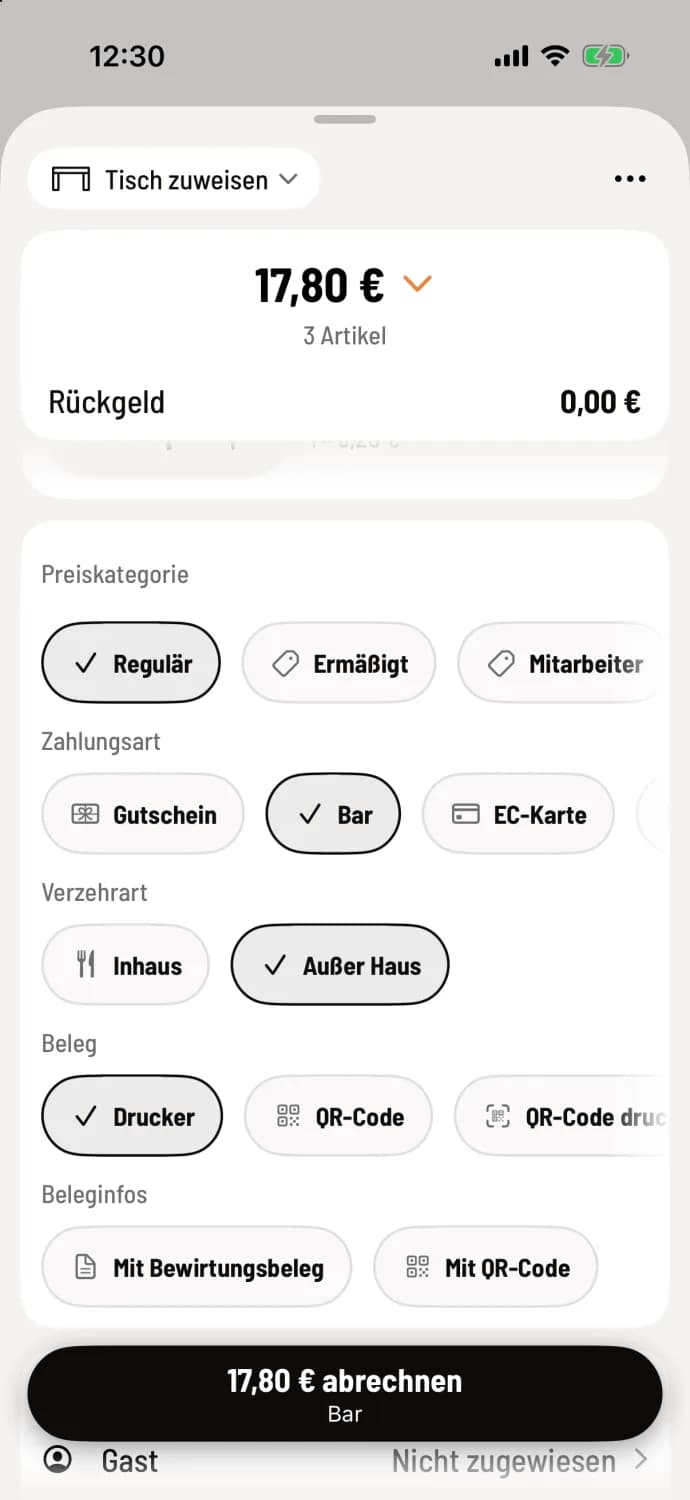
Step 1 of 2
Stop payment
On the receipt, select Payment Method, and if necessary, Price Category, Meal Type, and Receipt. The pre-selection comes from the Web desk.
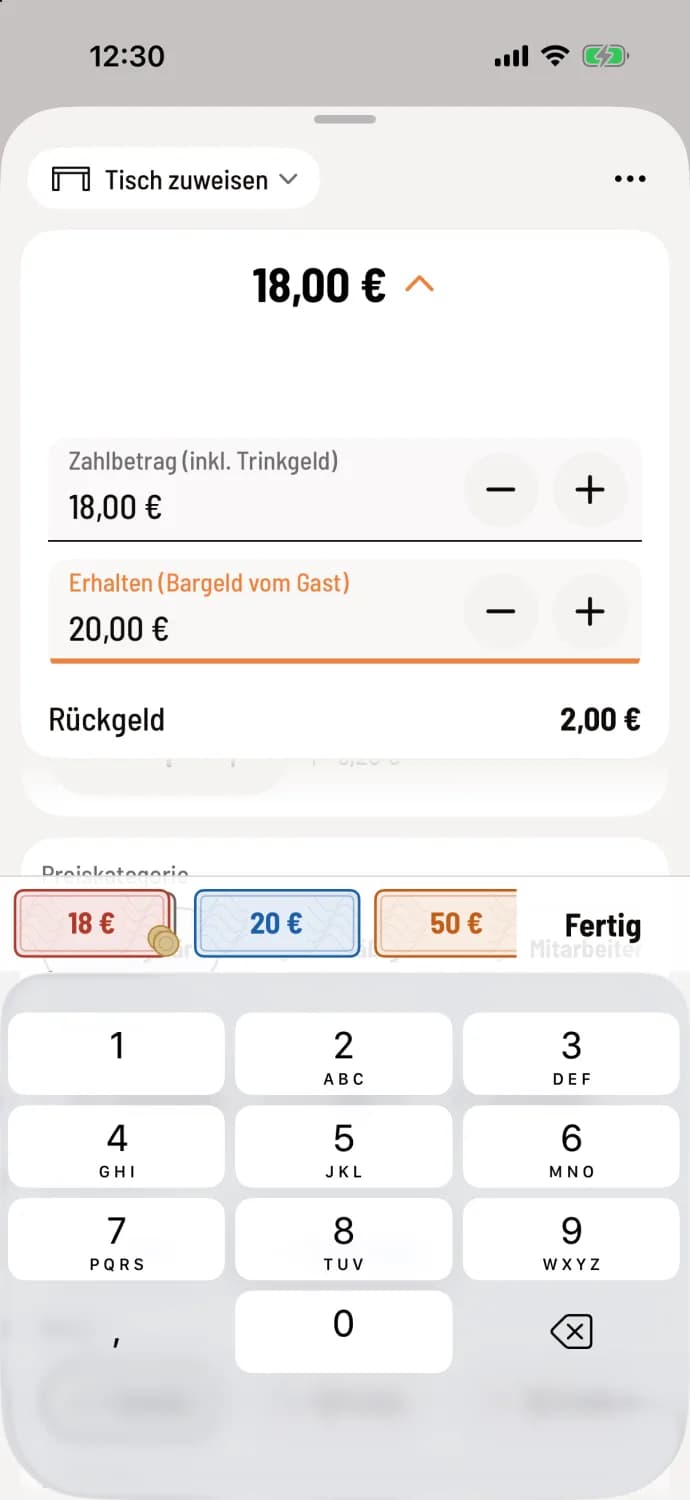
Step 2 of 2
Cash and tip
Tap the amount above, for example, €17.80 for two cappuccinos and a Kaiserschmarrn. A banknote button sets Receive, for example, €20.00; the cashier calculates the change. If the customer gives a tip, increase the total (including tip).
Settlement: Tap the amount button, for example, Settle €17.80. On the tablet, the cash register will then display the change in large letters; on the iPhone, it will briefly announce Order settled with the amount.
When a card is selected, the card reader displays the message: "Pay by card." For QR code or email, the receipt then opens. If no table is selected, the receipt receives a collection number.
cover letter
If the guest pays later, select the payment method Add a Payment Card on the receipt. If a name is missing, the Name Party page will open (with guest management Name / Guest). Then tap the button, for example, Add €12.40. The entire receipt is always added; on iPhone and iPad, the counter briefly displays Adding a Payment Card…. More information: Add a Payment Card.
More on tip: tip and change.