Skip to content
Servire – The POS system for your hospitality business

Setup

Install technical safety device (TSE)

How to set up the cloud-based TSE for tax office-compliant cash register management

For tax office-compliant use of Servire in Germany, a TSE (Technical Security Device) is legally required — §146a of the German Fiscal Code (AO) and the Cash Register Security Ordinance (KassenSichV). Servire uses the certified Cloud-TSE from Fiskaly, which is directly integrated into the POS app and the web interface.

No additional hardware required.

Cloud TSE runs entirely in the background via Fiskaly. No USB sticks, SD cards, or external devices are required. An active Servire Pro subscription is required.

When do I need a TSE?

The following businesses in Germany are required to use a TSE (Technical Security Equipment):

  • Restaurants, bars, cafés, bistros
  • Food trucks, snack bars, kiosks
  • Catering companies
  • Events with catering (above a certain size)

In short: If you regularly record cash receipts, you need a TSE. Exceptions apply only in very limited cases. If in doubt, consult your tax advisor.

TSE tab in the Server Web Desk settings with the note 'Server Pro required' and upgrade now button

How to set up the TSE

Step 1: Log in to the web desk

Open desk.servire.de and log in. Select the restaurant for which you want to set up the TSE.

Step 2: Open TSE setup

Go to Settings → KassenSichV / TSE. If you don't yet have a TSE, you will see the button Create TSE now.

Step 3: Confirm master data

Please complete the form with your business details. These are required for Fiskaly registration:

  • Company name / Owner
  • Restaurant address
  • VAT ID or tax number
  • Contact person for Fiskaly

All data is transmitted to Fiskaly in encrypted form and is protected by the German General Data Protection Regulation (GDPR).

Step 4: Have the TSE created

Click on Create TSE now. Servire will register a TSS (Technical Security Subsystem) with Fiskaly in the background and set up the first clients for your restaurant. This takes about one minute.

Step 5: Done

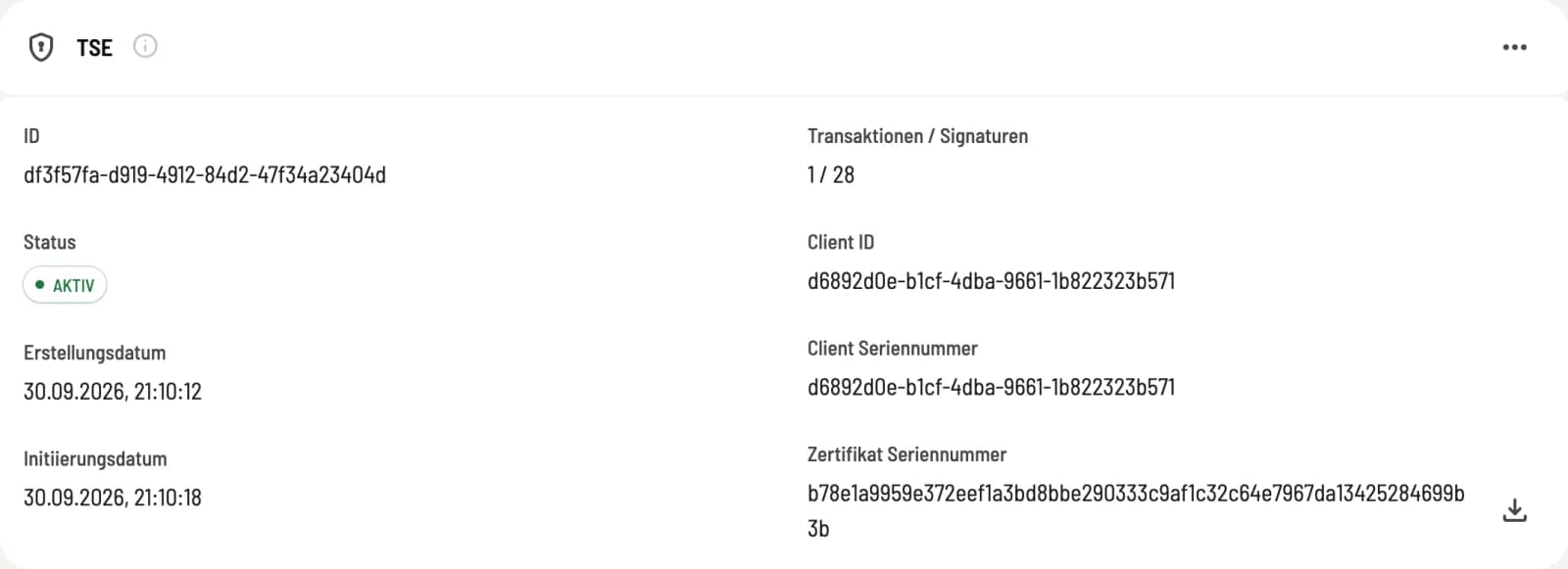
This will be displayed after successful registration. From now on, all new receipts will be automatically TSE-signed — both in the POS app and via the web desk.

Cash register notification to the tax office

Since January 1, 2025, you have been required to register your TSE (Technical Security Equipment) with the tax office (Section 146a of the German Fiscal Code - Reporting Obligation). Servire provides the necessary form for this:

Settings → Cash Register Security Ordinance / TSE → Cash Register Notification

Enter your tax advisor's and business location's information there and submit the notification directly from Servire. A separate notification via ELSTER (the German online tax filing system) is not required.

Please note the deadlines

New cash registers must be registered within one month of being put into operation. For existing cash registers, the registration requirement has been in effect since January 1, 2025. If in doubt, your tax advisor can take care of it.

What the TSE does in your cash register

The TSE (Technical Security Equipment) signs each individual receipt with a tamper-proof certificate. This signature contains:

  • Timestamp of the transaction
  • Sequential receipt number
  • Amount and tax amounts
  • Unique device ID of the POS terminal

The signature is visible to customers as a QR code or small code block on the receipt — mandatory since the German Cash Register Security Ordinance (KassenSichV).

What happens without a TSE?

Without an active TSE (Technical Security Equipment), you can still take orders and manage tables, but you can no longer generate receipts that comply with tax office regulations. The POS app will clearly indicate this. You should therefore not use Servire for cash receipts—otherwise, you risk consequences during a tax audit.

For testing, training, or simply taking orders without invoicing, Servire is fully usable in the free plan even without a TSE.

Install technical safety device (TSE) – Servire Handbook | Servire