
Manage labels (allergens, additives, properties)
This is how you manage allergens, additives and properties such as vegan or spicy.
Labels include allergens (for example, A contains gluten), additives (for example, 1 contains colorant), and characteristics such as Vegan or Spicy. They appear after the item name, on the digital menu, in the PDF of the menu generator, and in the item details view at the point of sale.
Included labels
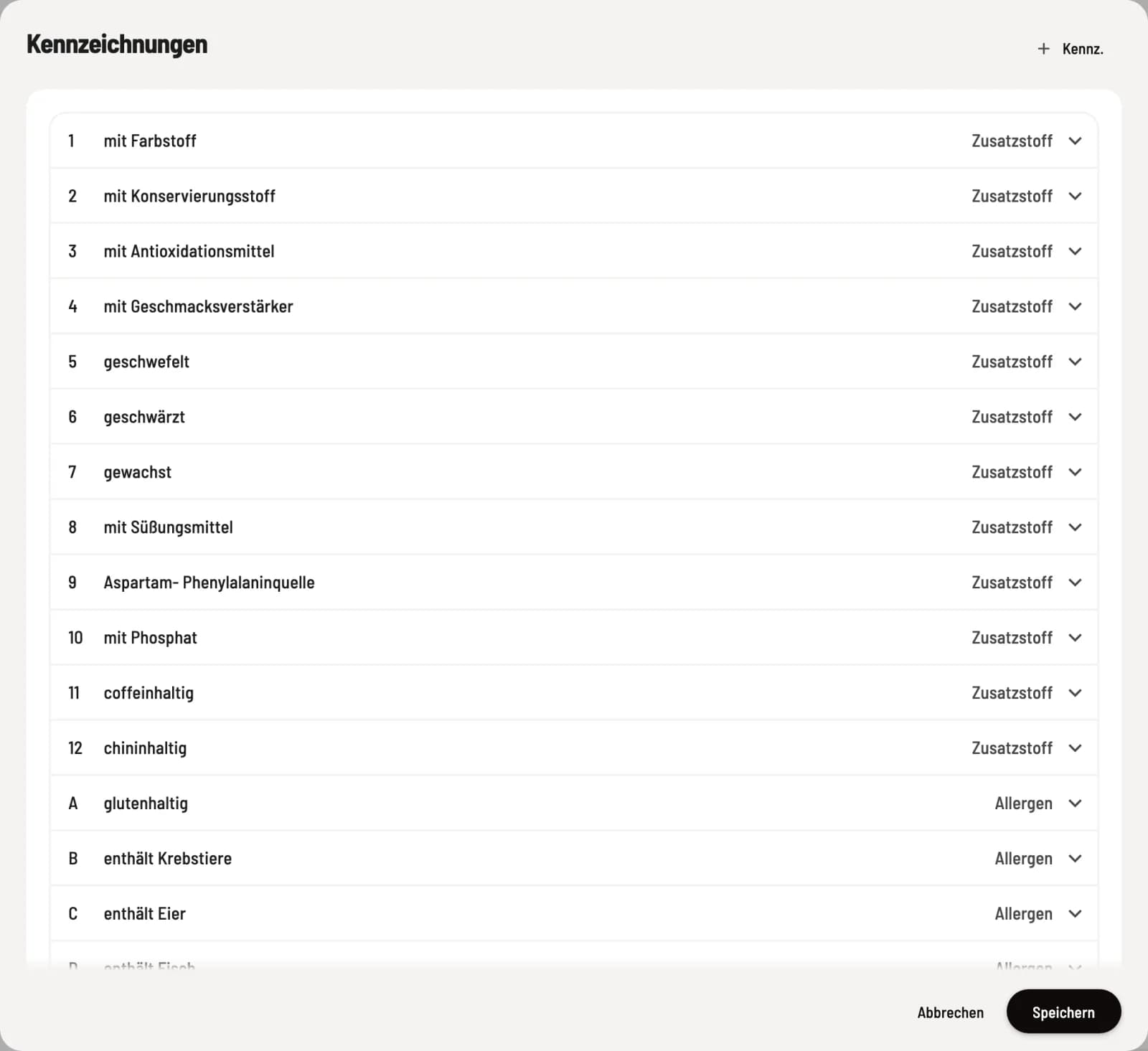
Each new restaurant receives 14 allergens, 12 additives and 11 properties: Spicy, Very Spicy, Vegan, Vegetarian, Regional, Organic, Recommended, New, Homemade, Gluten-free and Lactose-free.
Edit labels
Step 1 of 2
Open labels
Click on ⋯ in the menu header and select Edit Tags. The list displays the tag, name, and type. + Tag creates a new tag; clicking on a line expands it.
Step 2 of 2
Name, type and identifier
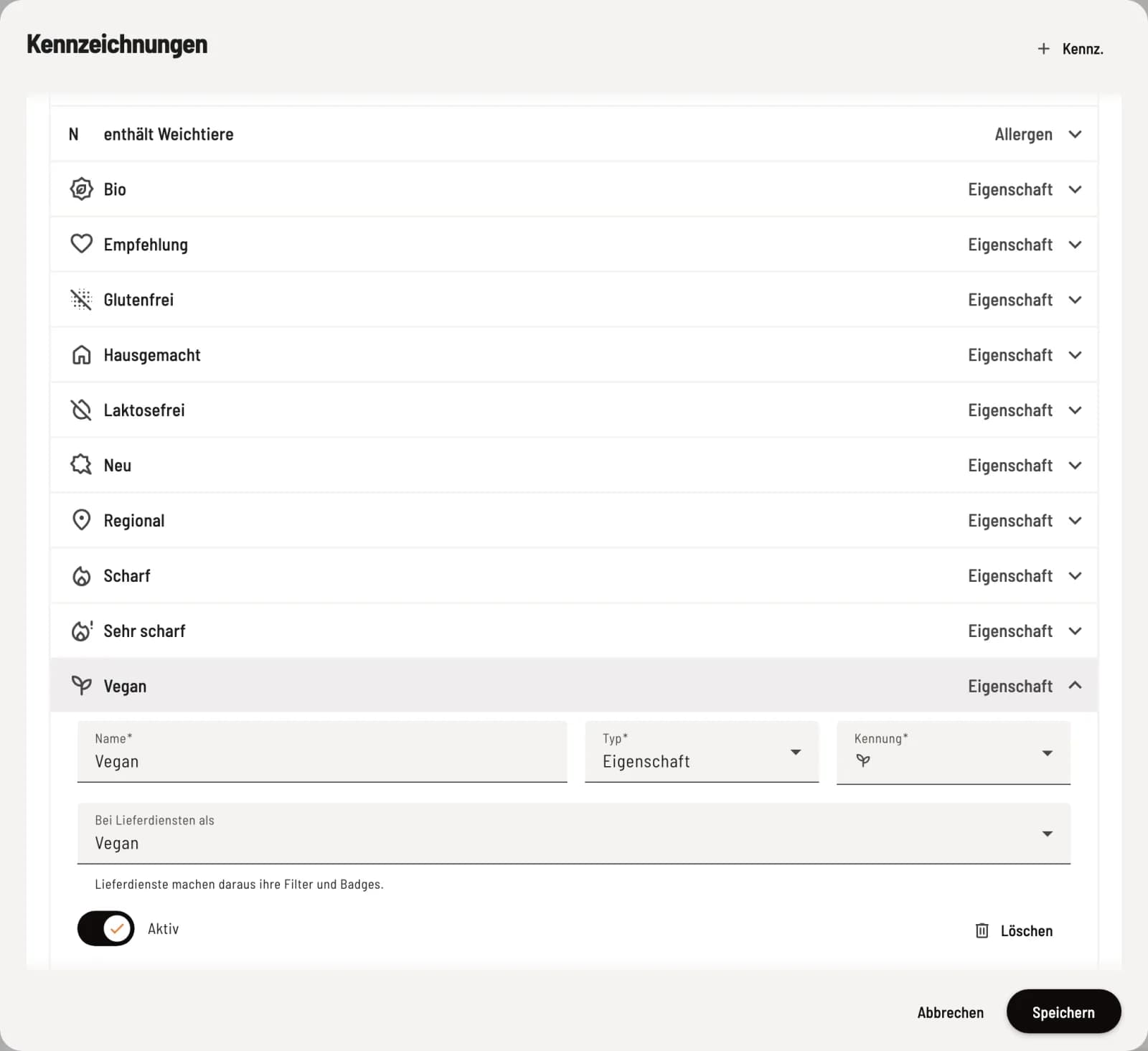
Enter the name and type (allergen, additive, or property). The identifier depends on the type: letters for allergens, numbers from 1 to 100 for additives, and a symbol from a fixed selection for properties. For properties, you also specify how they are considered by delivery services (vegan, vegetarian, gluten-free).
The Active switch deactivates a flag. It disappears from all selection lists and guest views, but remains legible on printed documents. If a flag is still attached to items or options, Delete offers Deactivation instead of deletion. All changes take effect only after Save.
Assign labels
For the item , you select them in the Labels tab; for a variant option, in the Labels field of the option.
You must be able to inform your guests about the 14 main allergens and additives that require labeling. If you are unsure which information applies to your specific offerings, consult your local food safety authority.