
Cancel subscription or withdraw cancellation
Terminating the subscription at the end of the paid period – and what happens to the cash register and TSE afterwards.
Prerequisite: Only the owner can cancel. In the Web desk , open Settings → Subscription and for the restaurant, open … → Cancel.
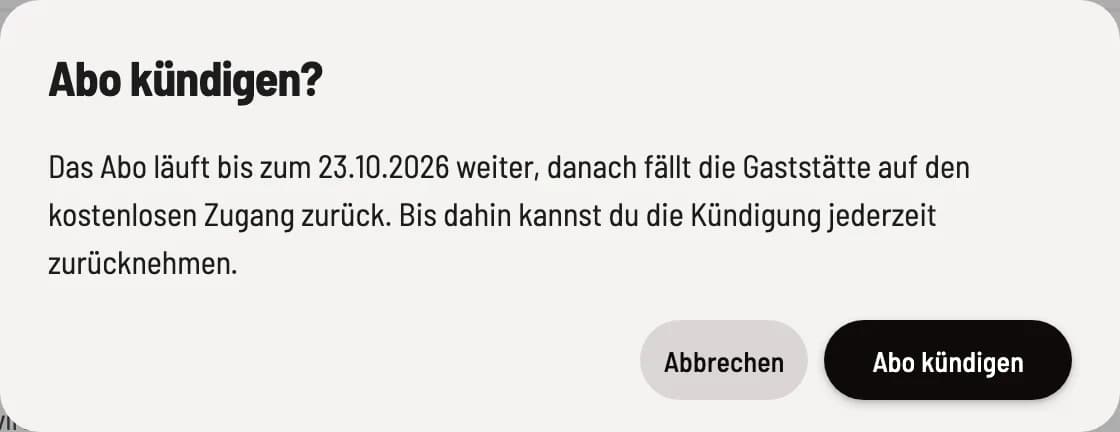
Check end date
The dialog box Cancel subscription? states the end of the current billing period. Only Cancel subscription confirms the cancellation; Cancel leaves everything as it is.
Until the end date
The subscription and its features remain active until the displayed date; the line reads Ends on…. Reactivate reverses the cancellation as long as the subscription is still active; the existing subscription will then simply continue. An email reminder will be sent to the subscriber seven, three, and one day before the end date.
After the end
On the expiration date, Servire will shut down the POS system: If you had a TSE ( Technical Security Equipment), a final DSFinV-K export will be generated, the POS system will be deregistered with the tax office, and the TSE will be deactivated. Afterward, the restaurant will continue operating on the free Free plan. TSE signing, the subscription exports, and the Max modules will no longer be available, but your data will be retained. You can subscribe to a new plan via Subscribe.
The cash register will only be deregistered with the tax office if you registered it via the Web desk . If you registered it yourself, you must also report its decommissioning within one month: deregister the cash register and deactivate the TSE ( Technical Security Equipment). The last DSFinV-K export will remain downloadable.
A cancellation will not result in a planned tariff change. If you only want to change your tariff: Change subscription tariff.