
Send documents to the tax advisor
This is how you put together the accounting package, check the period and send it to your tax advisor via email.
In the Web desk, under Settings → DATEV Export, click on Send to tax advisor. The Servire will send the selected documents as a bundle via email. Replies will be sent to your restaurant's email address, if provided.
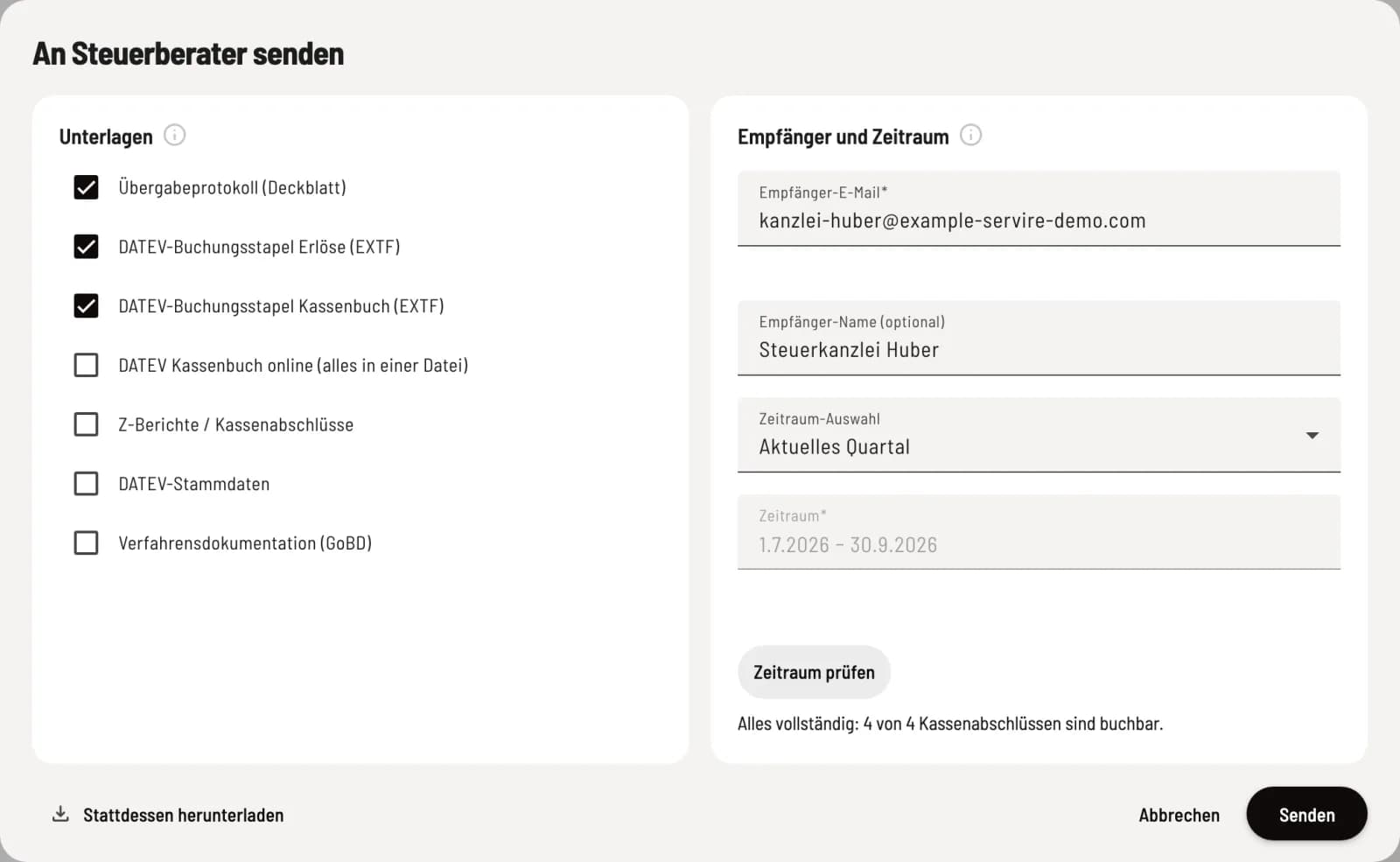
Fill out the dialog box
On the left, you select the documents, on the right recipient and time period. The handover protocol and the two EXTF posting batches for the current quarter are pre-selected.
Documents
Handover protocol (cover sheet): what was handed over, with checksums for reconciliation.
** DATEV-Revenue posting batch (EXTF)**: sales as postings.
** DATEV- Cash Book Posting Batch (EXTF)**: Deposits, withdrawals, and cash purchases. Without it, the cash balance cannot be calculated.
** DATEV Cash Book online (everything in one file)**: instead of the two EXTF batches, not in addition. If you select both, the dialog will warn you.
Z-Reports / Cash Reports: the cash reports as PDFs.
Posted: Write-offs, Transfers, Open Items: a CSV file containing everything that was posted, reopened, entered as a transfer, or reversed in the Web desk during the specified period, along with the open items at the time of posting. Amounts are broken down by tax rates, as they appeared on the document at the time of the transaction. Not pre-selected, only required if you are posting: Posted in the Web desk.
** DATEV master data**: Account assignment, tax rates and payment methods, during setup or after changes.
Process documentation (GoBD): the section describing the cash register system. You add the section about your business yourself. Once a year or after any changes.
Recipient and period
Recipient email is mandatory; Recipient name (optional) will appear in the email and the handover protocol. Under Period Selection, you choose the current or last month, quarter, or year; under Custom, you can select a maximum of 366 days. Check Period counts the cash register closings and shows how many are available and what is missing. No data is sent during this process.
Send or download
Only clicking Send will send the email. If data is missing for individual documents, the confirmation will state what was skipped. Download instead opens the DATEV download for a single file.
You can find the DSFinV-K export for cash register audits and tax audits under Settings → TSE.