
Download TSE and DSFinV-K exports
This is how you create the data that the tax office may request during a cash register inspection or company audit.
During a cash register audit or tax audit, the tax office may request two exports: the TSE archive and the DSFinV-K export (the cash register data in the prescribed format). You create both in the Web desk under Settings → TSE. Inquire about the timeframe the auditor requires.
Prerequisite: A subscription from Solo upwards and a configured TSE.
DSFinV-K Export
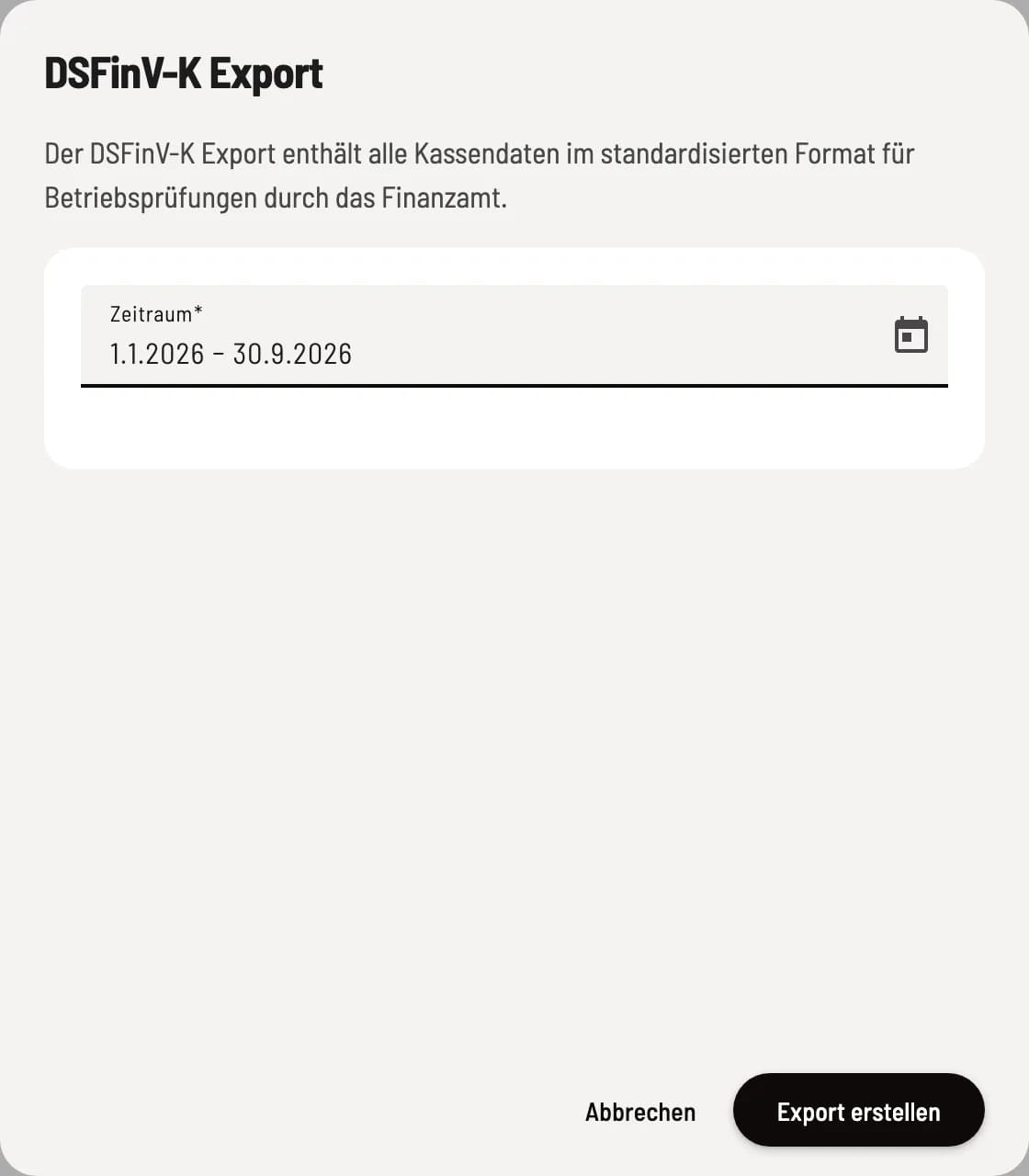
Step 1 of 2
Select time period
Under ** DSFinV-K Exports**, click on Export. The default date range is January 1st to the present day. Adjust the date range and click on Create Export.

Step 2 of 2
Download file
The export process runs in the background. Once the line shows Completed, download the ZIP file using the download icon.
TSE Export

TSE Archive
The Export function under ** TSE Exports** creates a complete archive of all signatures as a TAR file. Once Completed, you can download it using the download icon.
After logging out
When the cash register is deactivated, Servire automatically creates a final DSFinV-K export. It remains downloadable under Final DSFinV-K Export even without a subscription.
The DATEV export is intended for ongoing accounting purposes, not the DSFinV-K export.