
Set up vouchers at the checkout
Specify the voucher type, the amounts in voucher sales, and the automatic opening upon redemption.
Prerequisite: Only those with the employee right to Change payment settings are allowed to change this.
Open Settings → Cash Register, click on the pencil icon under Payments, and scroll to the Vouchers section. These settings apply to sales and redemptions in the cash register app.
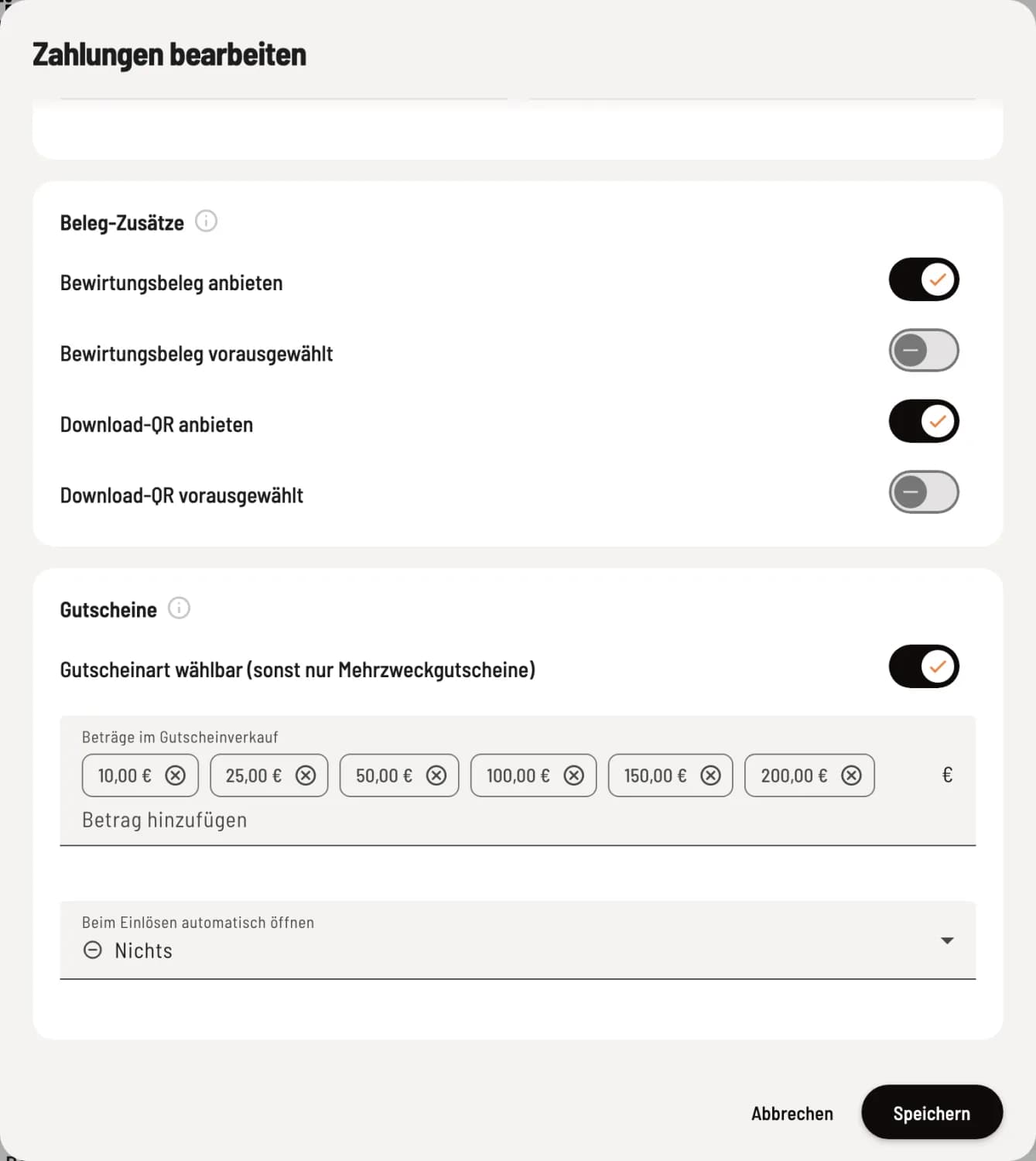
Set voucher options
Voucher type selectable (otherwise only multi-purpose vouchers) – during the sale, the staff selects between multi-purpose and single-purpose vouchers. The cash register only sells multi-purpose vouchers. Below are Amounts in voucher sales and Open automatically upon redemption.
Amounts in voucher sales
These are the amounts the cash register offers for selection during a sale. Type an amount into the Add Amount field and confirm with Enter; the x next to an amount removes it. A maximum of 8 amounts from €1 to €1,000 are allowed. If you leave the field blank, the cash register offers €10, €25, €50, €100, €150, and €200, and the card will then display Standard. Any custom amount is always sold via Individual.
Open automatically upon redemption
Nothing – the staff enters the voucher code.
Voucher Scanner – the camera starts and reads the QR code of the voucher.
Card reading – NFC card reading is starting. This only works on devices with NFC, not on the iPad.
Vouchers can always be redeemed, even if voucher sales are closed at the checkout.
You can toggle the menu item for sales and balance checks on and off using the action button under Vouchers at the checkout. When it's off, the card hides the voucher type and amounts. Online vouchers have a separate setting: Set up online voucher sales.