
Set number of people and service time instructions
Make the number of people mandatory when ordering and color-code tables according to waiting time.
Open Settings → Cash Register and click on the pencil icon under More Settings. You can also toggle the switches directly on the card.
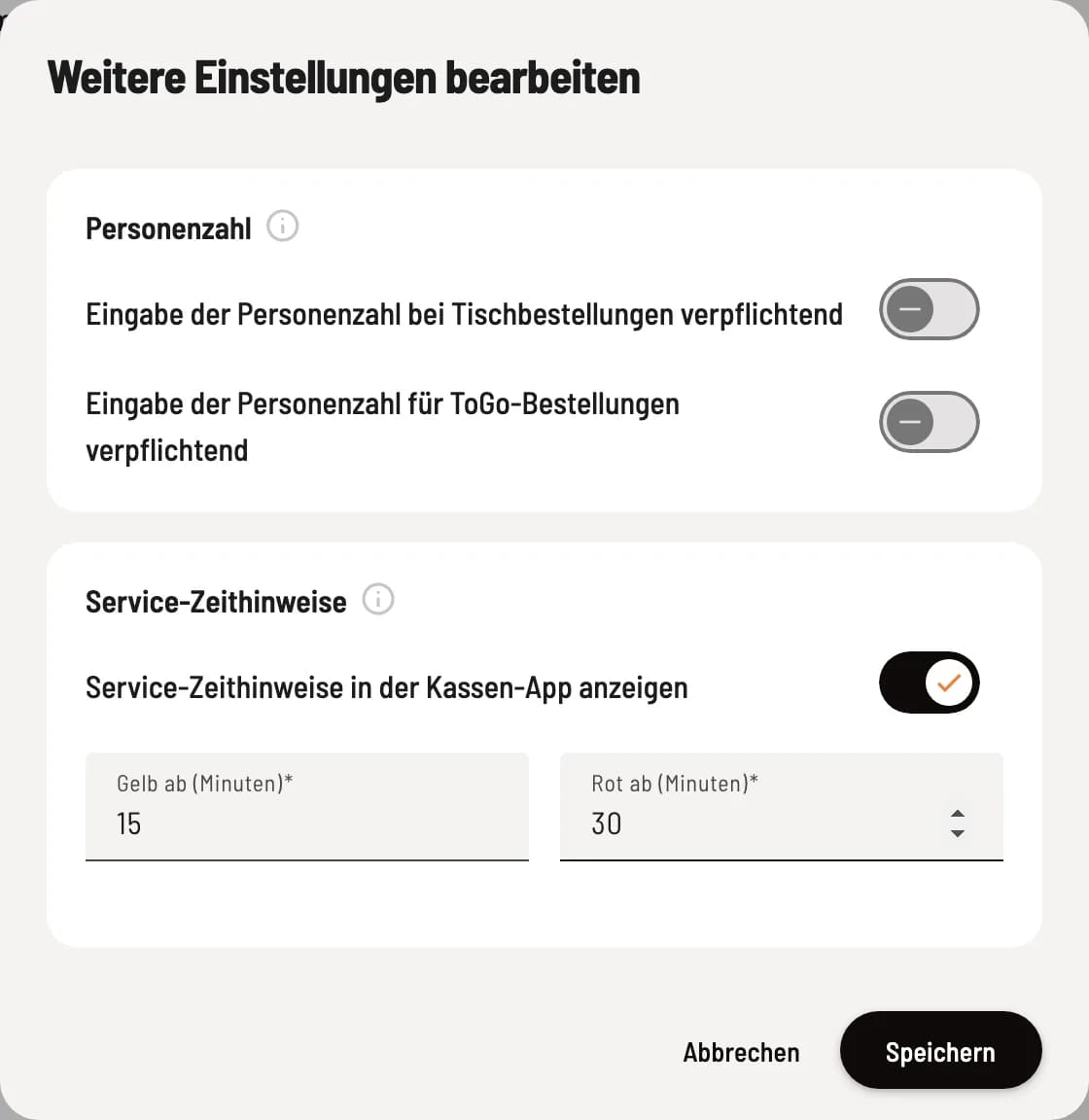
Edit further settings
At the top are the two switches for number of people, below them the service time indicators. The fields Yellow from (minutes) and Red from (minutes) appear as soon as the time indicators are activated. Confirm with Save.
number of people
Entering the number of people is mandatory when making table reservations – when the menu is first opened at the table, the cashier will ask for the number of people. Without this information, the reservation cannot proceed.
Entering the number of people is mandatory for takeaway orders – the same applies to orders without a table. This currently only works in the POS app on Android.
The number of people is shown at the top of the table and results in the number of guests and the revenue per guest in the X and Z-report .
Service time information
Show service time indicators in the POS app colors the tables on the table plan according to the time since the last order: first green, then yellow, then red. This way you can see where no one has been for a while. Under Yellow from and Red from, you can define how many minutes it takes for the color to change, for example, 15 and 30.
The information is based on the date of the last order, not the date the order is served. It only changes the display.