
Set consumption method and payment method
Determine which consumption method and payment method will be used to start the billing process at the table and counter .
Prerequisite: Only employees with the "Change Payment Settings" employee right can change this. Without this right, the card displays a message, and the pen icon is locked.
The type of consumption determines which tax rate appears on the receipt: Each item has a rate for dine-in and one for takeaway. You can set these rates under Settings → Cash Register in the Payments tab. This setting applies to all cash registers in the restaurant.
Step 1 of 2
View card payments
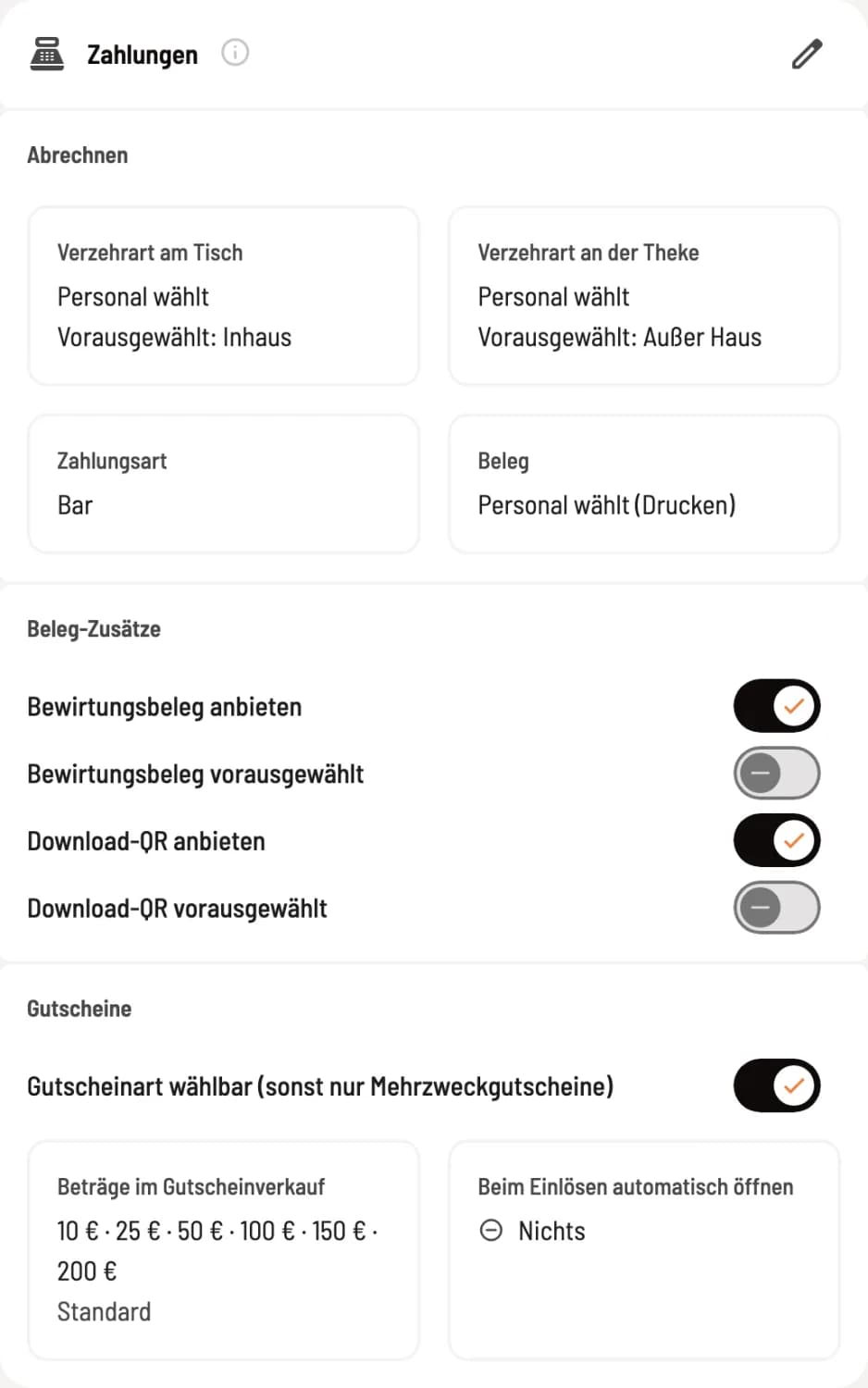
Under Settlement you will see Meeting Type at Table, Meeting Type at the counter, Payment Method and Receipt. Click on the pencil to change them.
Step 2 of 2
Choose dining option and payment method
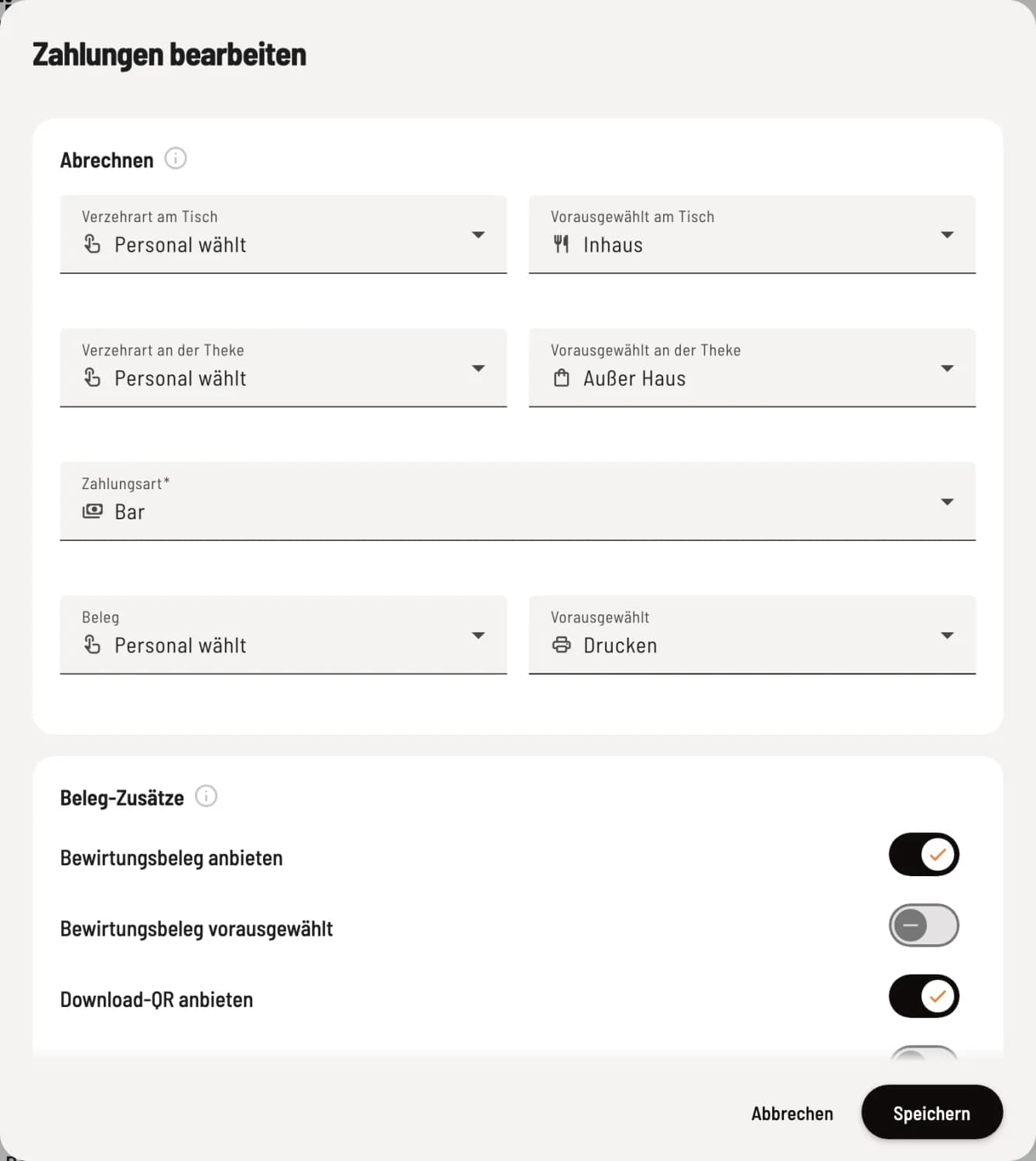
Dining at a Table applies to orders placed at a table, Dining at the counter applies to the express checkout and to-go orders. Next to this, you select what is pre-selected. Under Payment Method, you specify which payment method is highlighted first at checkout. Confirm with Save.
Staff chooses or is predetermined
Staff selects – when processing payments, staff tap In-house or Takeaway. Preselected at the table or Preselected at the counter is highlighted first.
Always eat in, Always takeaway – the choice is not made at the checkout. Each item is subject to the tax rate of that consumption method.
A fixed VAT rate only applies to items that have different rates for dine-in and takeaway. Since January 1, 2026, the rate is generally 7% for food and 19% for drinks in both cases. Only select this rate if every order at this location is consumed in this way, for example, Always Takeaway at a dedicated pickup counter.
Preselect payment method
Select an active payment method, for example, Cash. Staff can tap a different one at any time during checkout. If the selected payment method is currently unavailable on a device, for example, because the card terminal is not connected, the POS system will use the first payment method on your list. You can define the order under Manage Payment Methods.
Name / Guest on the payment screen
Under Assignment, you can separately enable or disable Name / Guest at Table and Name / Guest at counter. If the line is disabled, it will be missing from the payment screen for that area, for example, at a counter without a name. New restaurants start without it at the counter , but with it at the table.
With active guest management, the line is always displayed, as well as when a name has already been entered for the order. Cover letter asks for the name if none has been entered yet: Name or Guest of a Party.
In the same dialog: Receipt printing, receipt additions, and vouchers at the checkout. The same settings are available in the POS app: Configure payments at the checkout.