
Change subscription plan
Check the costs and timing before switching to a larger or smaller plan.
Prerequisite: Only the owner can change the rate, and only with an active subscription. Without a subscription, you can take one out: Subscribe for a restaurant.
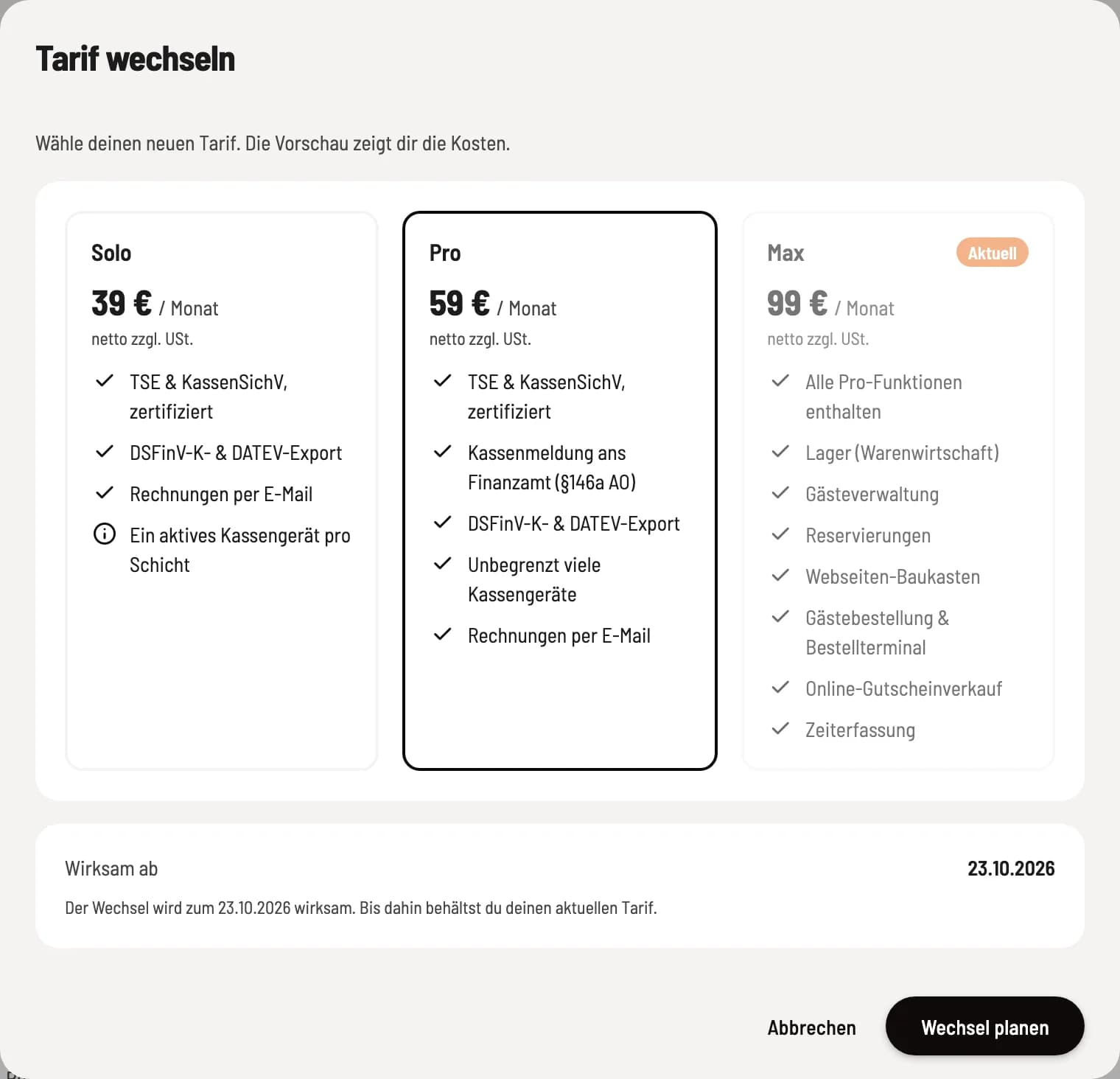
Select a new tariff
Open Settings → Subscription and under the restaurant, go to … → Change Plan. The current plan is marked Current. Select a different one; the preview shows what is due today, the new monthly price, and when the change takes effect.
For your information: Solo €39, Pro €59, Max €99 per restaurant per month plus VAT: Rates and trial period.
Choose a larger plan
An upgrade is effective immediately and will be billed proportionally. Review the preview and confirm with Upgrade Now. If your bank requires payment confirmation, you will be briefly redirected.
Choose a smaller plan
A downgrade takes effect at the end of the current billing period; until then, you retain your current plan. Planning a switch will mark the change. The subscription line will then display Planned switch to… on…; you can cancel it before the effective date by clicking … → Cancel planned switch. A cancellation will also cancel a planned switch.
Before downgrading, check what your business needs: Solo allows one active POS device per shift, POS reporting is available from Pro onwards, and the Max modules are only available in Max.