
Copy and renew restaurant PIN
Your employees use the restaurant PIN to connect their Servire account to your business.
The PIN is located under Settings → Restaurant in the PIN section. Your employees enter it in the POS app to link their account to your restaurant; see Connecting to a Restaurant.
This PIN is not the personal employee PIN for logging in at the checkout. It links an account to your business only once.
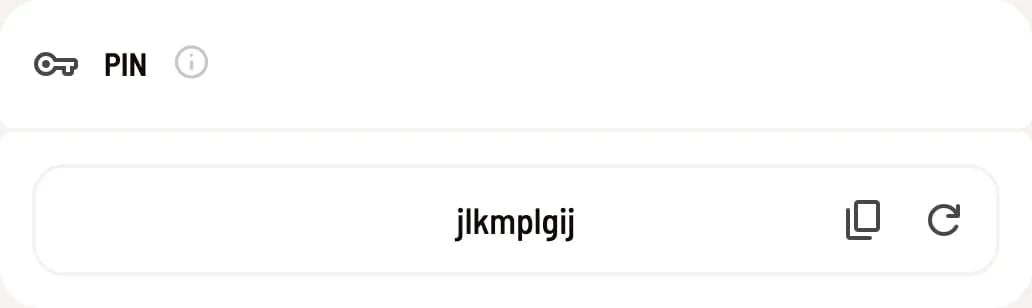
Copy PIN
Click the copy icon next to the PIN. It will then be copied to your clipboard, and you can send it, for example, via message. Any number of employees can use the same PIN.
Assign a new PIN
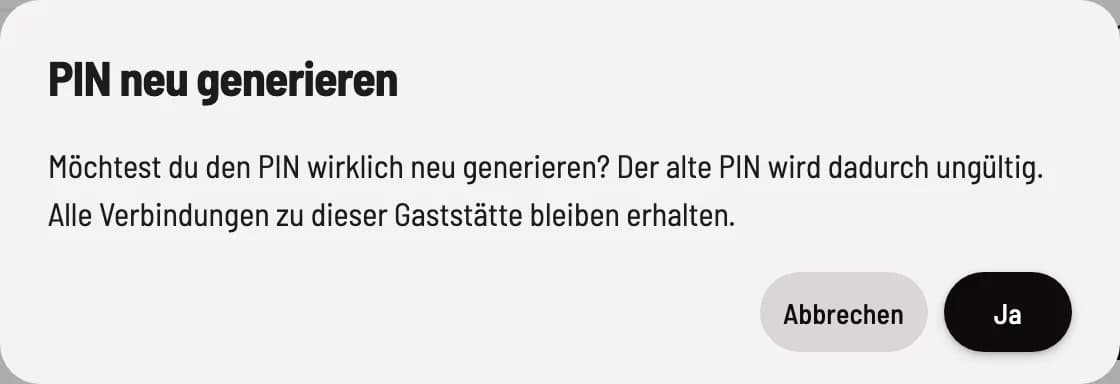
Regenerate PIN
Click on the arrow icon (Regenerate PIN) and confirm with Yes. Cancel leaves everything as it is.
The old PIN will no longer work for new connections. Existing linked accounts will remain linked; no one will lose access. A new PIN is only advisable if the old one has fallen into the wrong hands.
Only the owner of the restaurant can assign a new PIN.