
Setting up storage
This is how you activate the warehouse in the Web desk and create the first warehouse items.
In the Web desk under Warehouse, you manage stock levels, book deliveries, place orders with suppliers, and conduct inventory counts. When the warehouse is active, every sale automatically reduces the stock of the linked warehouse items.
Prerequisite: The warehouse belongs to the Max tariff; newly registered accounts test it for 14 days. The owner and employees with the Manage Warehouse right (Web desk under Employees, section ** Web desk & Master Data**) are authorized to create, book, and order items.
Setup using the wizard
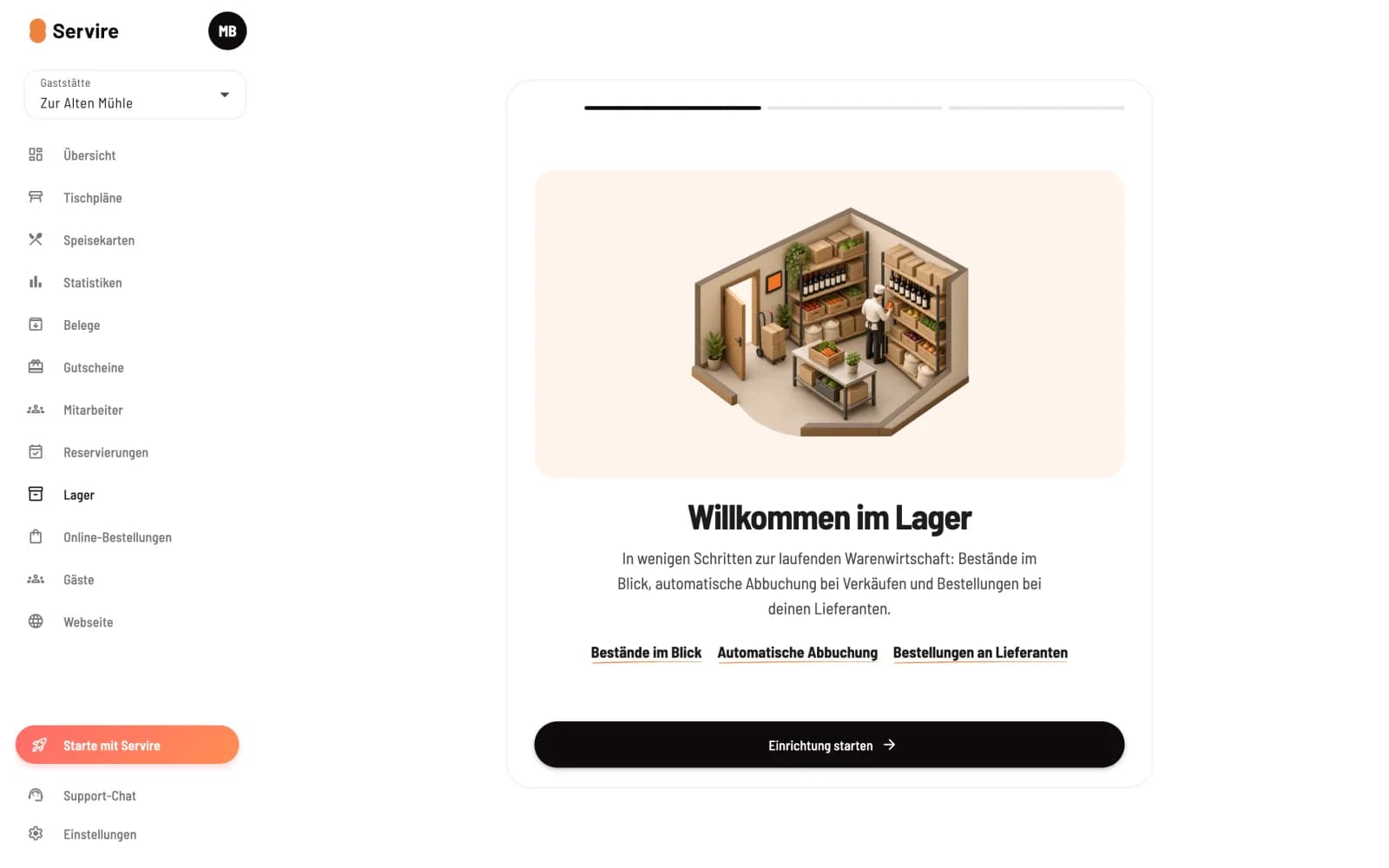
Open warehouse
Click on Inventory on the left. If there are no items in stock yet, the assistant will greet you. Click on Start Setup.
In the second step, you select the sales items you want to track, for example, your bottled drinks. A stock item is created for each item in units, from which 1 is deducted with each sale. You can also leave this step blank and click Next. Finally, click Activate Stock: From now on, each sale will reduce the stock level of the linked stock items.
Enter the inventory directly.
The inventory items from the assistant start with no stock. Immediately afterwards, perform an inventory count or a goods receipt. Otherwise, the stock level will drop below zero on the first sale, and the item will be displayed as sold out at the checkout.
Turn direct debit on and off
Next to the heading Inventory you will see Active or Inactive. Clicking on it toggles automatic deduction after a confirmation prompt. When deactivated, inventory items, stock levels, and transactions are retained; sales simply no longer reduce the stock.
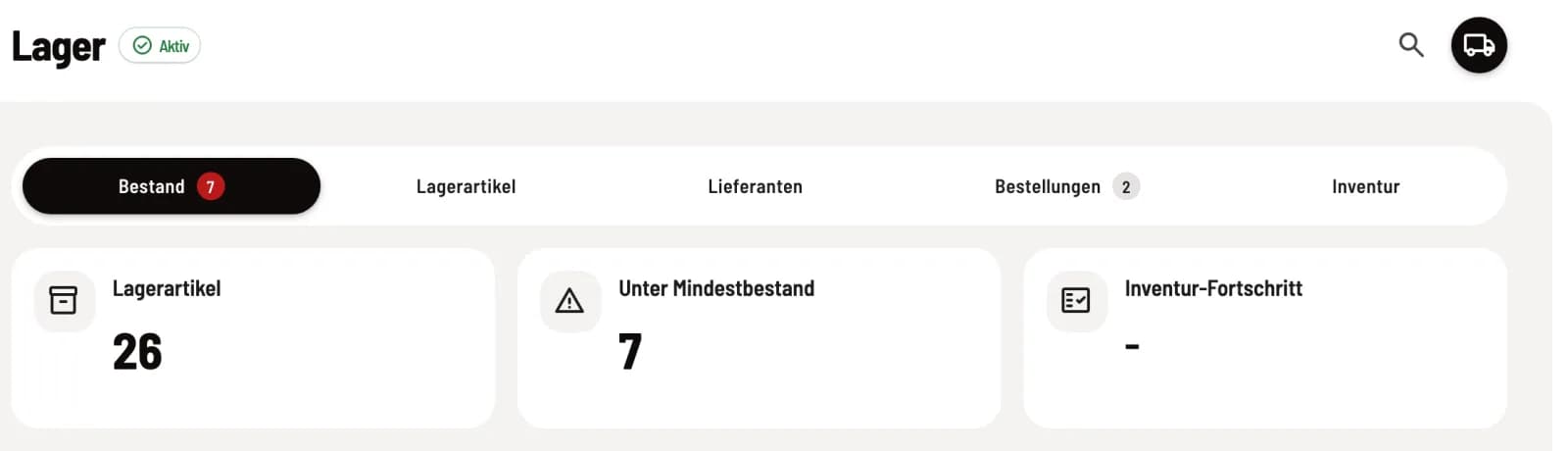
The Five Horsemen
Inventory: what's available, what's running low, adjustments. See Check and adjust inventory.
Stock items: what you buy and count. See Creating stock items.
Suppliers: Who you buy from. See Manage Suppliers.
Orders: Reorder via email or PDF. See Ordering from Suppliers.
Inventory: Count and reconcile stock levels. See Conducting an Inventory.
What the health insurance company notices about this
The POS app does not have a separate inventory view. Payment is processed upon ring up, regardless of whether it's at the register, via guest orders, the order terminal, or a delivery service; a cancellation reverses the transaction. If an item is out of stock, the POS displays the linked item as sold out until new stock is added ( by marking the item as sold out ).