
Open cash drawer
Open the drawer automatically upon cash payment or via the action button without a sale.
The cash drawer is connected to the receipt printer via cable. The cash register opens it via this printer.
Automatically when paying in cash
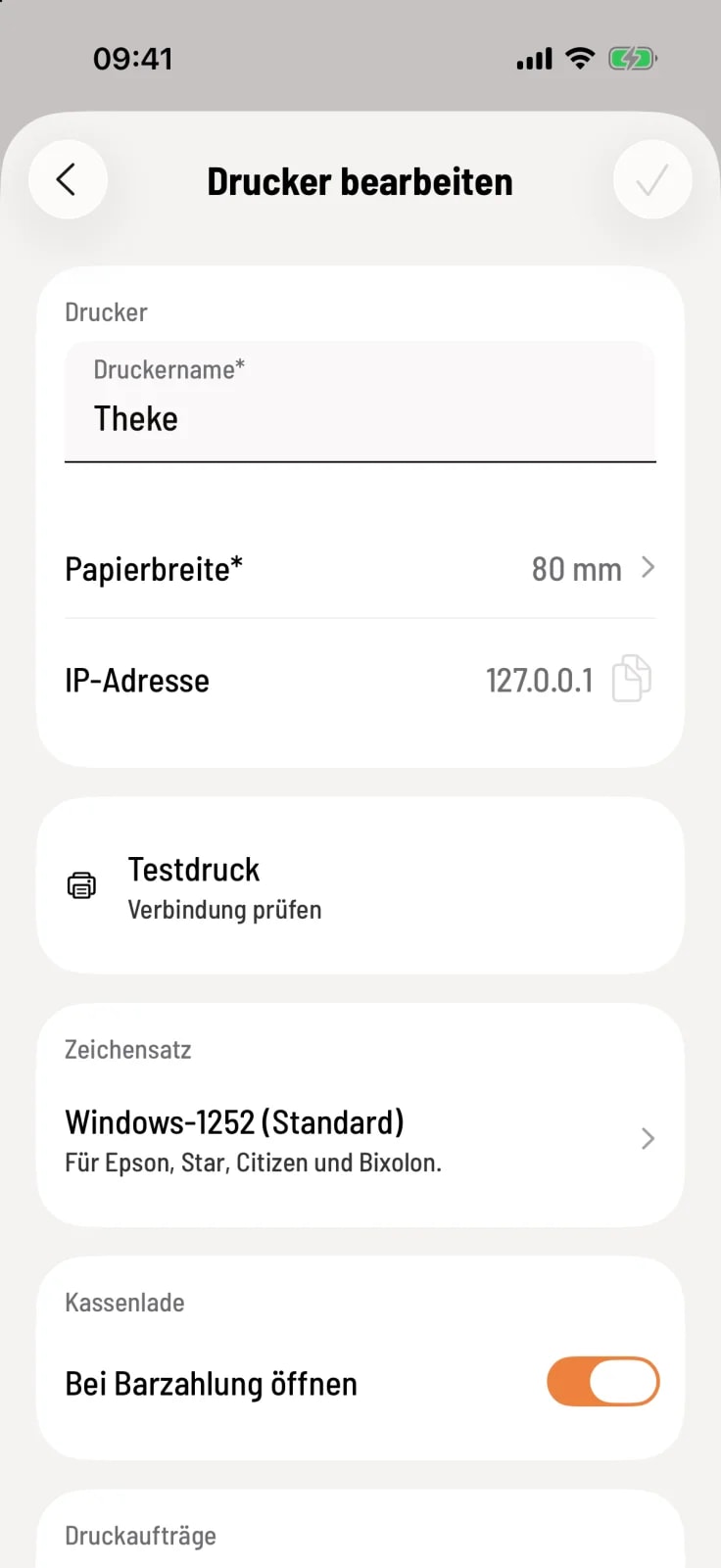
Turn on the switch
Open the printer to which the cash drawer is connected under Settings › Printers. Under Cash Drawer, enable Open on Cash Payment and save with the checkmark.
The drawer opens when this printer prints a receipt or deposit refund and payment was made in cash. For this to work, the printer must have the Invoices & Vouchers or Deposit Returns function enabled. The drawer remains closed for card payments, reprints, and test prints.
This setting is specific to the printer. Therefore, it applies to every cash register that prints via this printer.
Open without sales
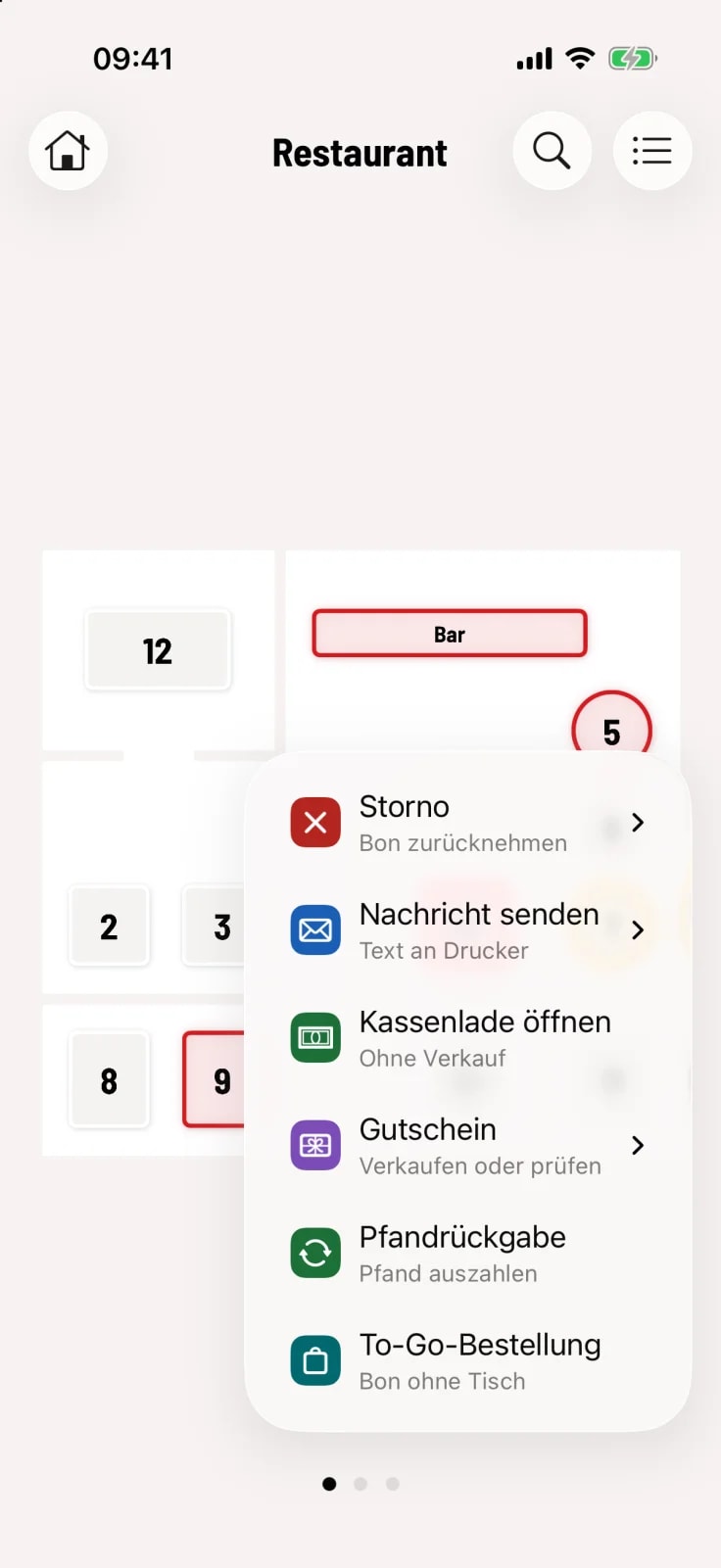
Open cash drawer
Tap the round action button in the bottom right corner and select Open cash drawer. If you have multiple printers, then select the one with the drawer.
The tray opens immediately, without a receipt. A brief message indicates whether it worked or whether the printer was currently in use or unavailable.
The "Open cash drawer" option only appears if a printer is configured and you have the "May open cash drawer" permission. The owner always has this permission. In the Web desk, you can hide this entry by configuring the action button. Opening the cash drawer during checkout is not dependent on this permission.