
Set up prepaid credit
This is how you offer guests a rechargeable credit – at the checkout and, if desired, also online via the guest account.
With credit, a guest pays in advance and uses it to pay later, e.g., regular guests or companies. You can set this up in the Web desk under Guests → Gear icon → Credit tab.
Guest management is included in the Max plan. The first time you open Guests, a wizard will guide you through the setup; before that, you, as the owner, must conclude the data processing agreement (DPA). Only those with the Manage Guests right can change the settings – everyone else can only view them.
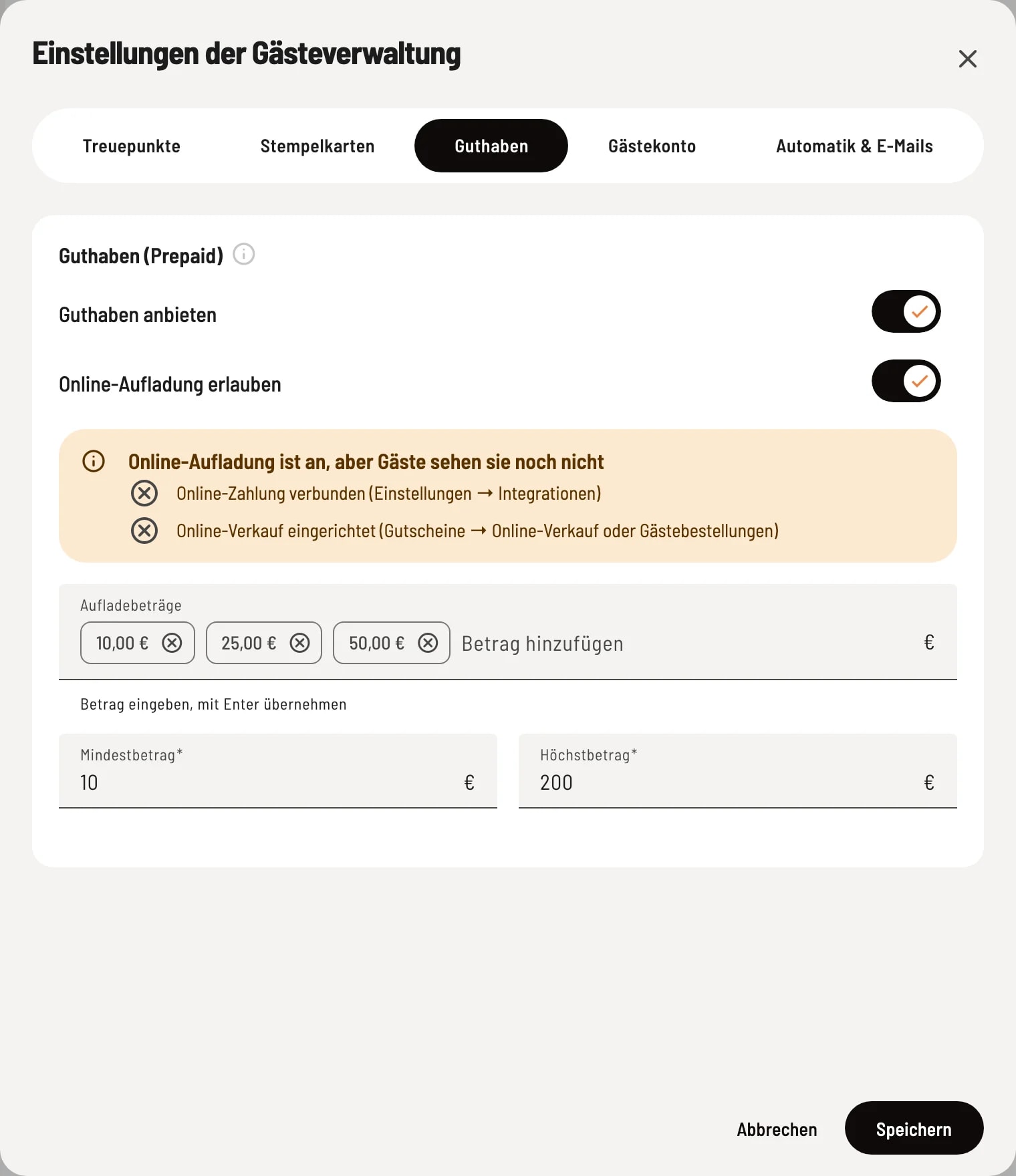
Rider Credit
Enable Offer credit. For online top-ups, also enable Allow online top-ups and set amounts and limits. If a requirement is still missing, the box above will show what it is – guests won't see the top-up yet.
The fields
- Offer credit – At checkout, you add credit to a guest's profile, which they can then use to pay later. When this feature is disabled, no further top-ups are possible; existing credit remains redeemable at all times. - Allow online top-up – Guests can top up their credit themselves in their guest account and pay online. - Top-up amounts – Amounts that guests can select with a tap, e.g., €10, €25, and €50. Enter the amount and press Enter to confirm; maximum of six top-ups. - Minimum amount, Maximum amount – Limits for a freely entered amount, between €1 and €1,000.
When guests can top up online
Guests will only see the top-up button in their guest account once all the following conditions are met: - Max tariff, guest management active, Offer credit and Allow online top-up enabled - Activate self-service for guests in the Guest account tab (see Guest Access ) - an online sales setup (Vouchers → Online Sales or Guest Orders) - a ready-to-use online payment provider (Settings → Integrations) - a completed data processing agreement
validity
Topped-up credit is valid until December 31st of the third year after the top-up – so, for a top-up in 2026, it's valid until December 31st, 2029.