
Tariffs and trial period
What Free, Solo, Pro and Max include, how the 14-day Max works and how many devices are allowed to collect.
Servire is available in four plans. The plan applies per restaurant, not per account. Orders, table plan, menus, vouchers, shifts, Z-report, cash register records, card payments, and printing are included in all plans.
The four tariffs
Free (€0) – all basic functions, one active POS terminal per shift, 5 scans per week for AI menu import.
Solo (€39) – including TSE, DSFinV-K and DATEV export, sevdesk, invoices via email and 20 AI scans per week; also one active POS device per shift.
Pro (€59) – plus unlimited cash registers and cash register reporting to the tax office via the Web desk.
Max (99 €) – everything from Pro plus reservations, guest ordering and order terminal, storage, guest management, website builder, online voucher sales and time tracking.
Prices are per restaurant per month, plus VAT, billed via Stripe, and cancel monthly. The information provided at the time of signing up is definitive: Subscribe to a restaurant plan.
14 days Max free
The first restaurant to create a new account will run on the Max plan for 14 days, without any payment data. This trial period is limited to one per account; subsequent restaurants will start with the Free plan.
TSE and cash register reporting are not part of the test phase; they require a paid subscription.
If you book a subscription during this time, the higher rate will apply until the end of the trial period, and the booked rate will apply thereafter.
If you don't book anything, the restaurant will continue with Free mode. The Max modules will deactivate, but your data will be retained.
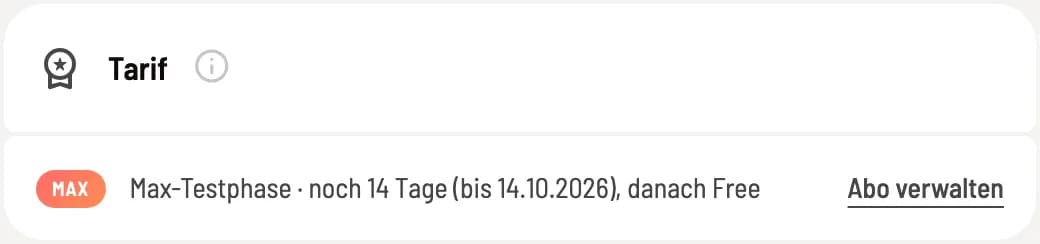
View runtime
The tariff and remaining contract term are displayed in the Web desk under Settings → Restaurant in the Tariff section and under Settings → Subscription. In the POS app, they are shown in the restaurant details.
One cash register per shift
Take over the cash register: In Free and Solo, only one device may operate the register per shift . If you open the register on a second device, Cash register active on another device will appear. Take over the cash register here makes this device the active register after a confirmation prompt; the other device is immediately blocked. This requires an internet connection. Only the active device can end the shift .
You can log in to your account on any number of devices. Multiple cash registers simultaneously are available starting with the Pro plan: Switch to a different subscription plan.