
Reservations: Times and capacity
Specify reservation duration, time slots, buffers, table occupancy duration and service periods for online reservations.
In the Times & Capacity tab of the reservation settings, you determine how long a table is reserved, which times guests can choose, and how many guests are allowed to arrive at the same time. To do this, open Reservations → Gear icon → Times & Capacity.
Slots & Times

Duration, interval, buffer
Standard Reservation Duration – how long a table remains occupied per reservation. Determines the end time and when the table is available again. Time Slot Interval – the increments at which guests select times, e.g., every 30 minutes: 6:00 PM, 6:30 PM, 7:00 PM. Buffer Time Between Reservations – time that remains free after each reservation at the same table, for example, for clearing and setting the table.
Table occupancy duration (turn-time)
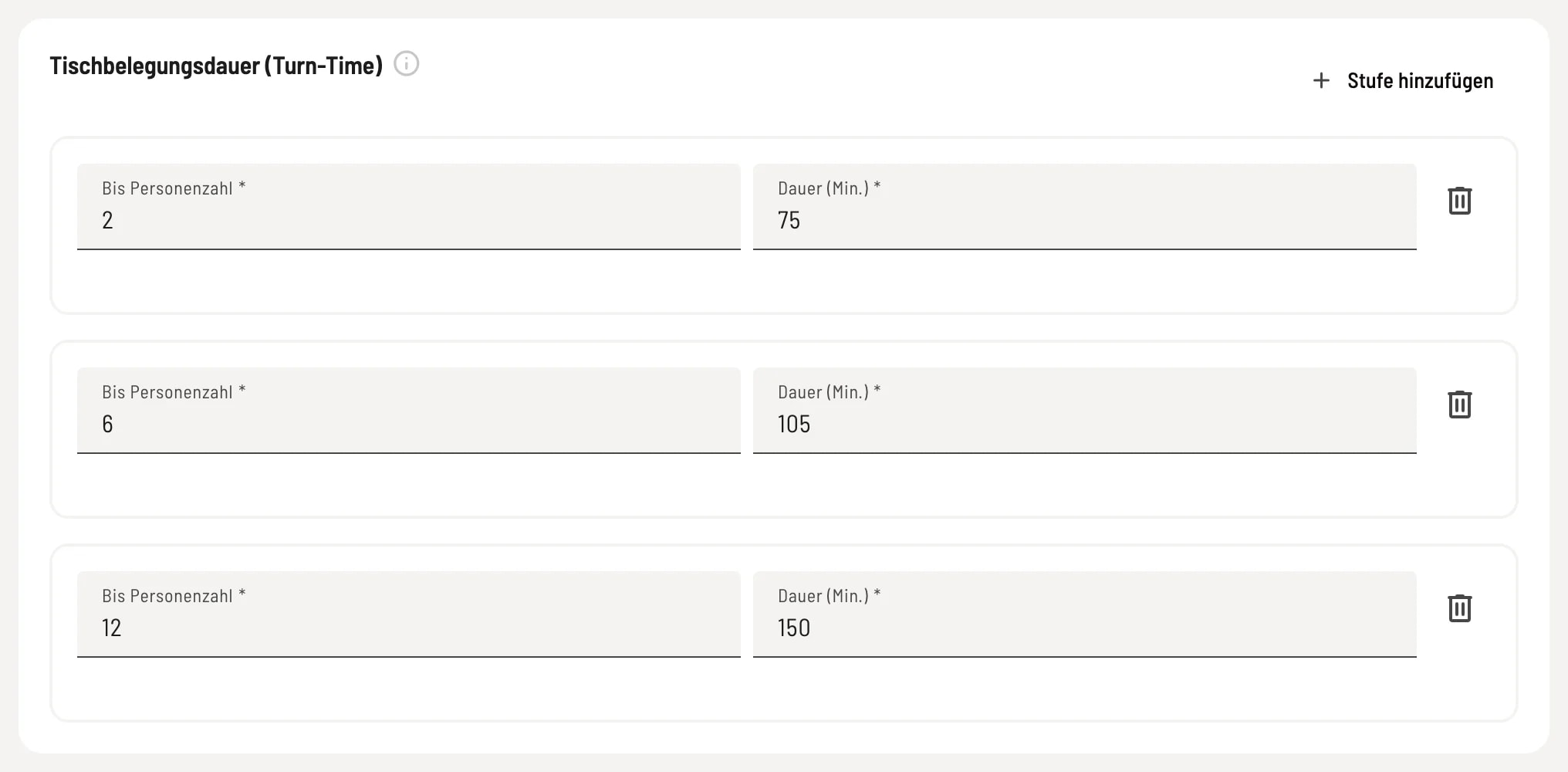
Duration depending on group size
With Add Level, you define the booking duration for each group size: Up to Number of People and Duration (Min.). For example: up to 2 people 75 minutes, up to 6 people 105 minutes, up to 12 people 150 minutes. The levels must be ascending, and the highest level must extend to the Max. Number of People – otherwise, the settings cannot be saved. Without levels, the standard booking duration applies to everyone.
Service periods
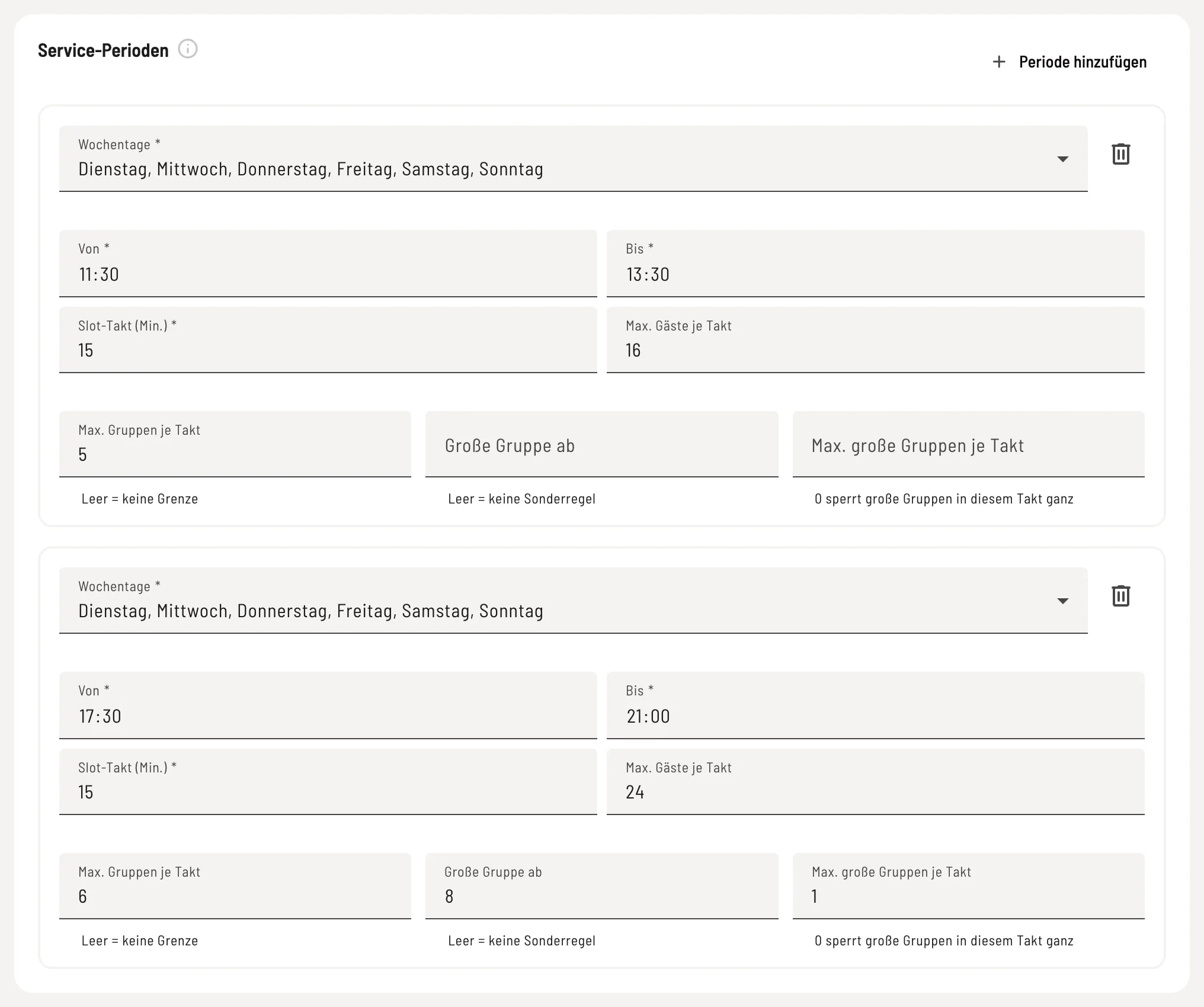
Lunch and dinner are separate.
With Add Period, you create time slots for online reservations, for example, lunch 11:30–13:30 and dinner 17:30–21:00. Without periods, the entire opening time is bookable; periods only apply within the opening hours. Weekdays, From, To – when the period applies; the end time can be after midnight, for a maximum of 20 hours. Slot Increment (Min.) – the interval between selectable times within this period. The following limits apply per slot. Max. Guests per Slot – the total number of guests allowed per slot. Empty = no limit. Max. Groups per Slot – the maximum number of reservations allowed per slot, regardless of size. Large Group from and Max. Large Groups per Slot – further limit large groups, e.g., a maximum of one group of 8 or more people per slot. 0 completely blocks large groups during this period.
Reservations received as requests do not count towards service period limits. You can configure which reservations are received as requests under Confirmation & Emails.