
Print center settings
Set prices on order slips, COPY note, breakdown and print time per item group in the hub.
Click on your profile (gear icon) in the sidebar at the bottom and select the Print Center tab. Under Print Settings, you'll find three expandable sections. These settings apply to the entire restaurant; you'll see the same settings in the POS system under Print Settings.
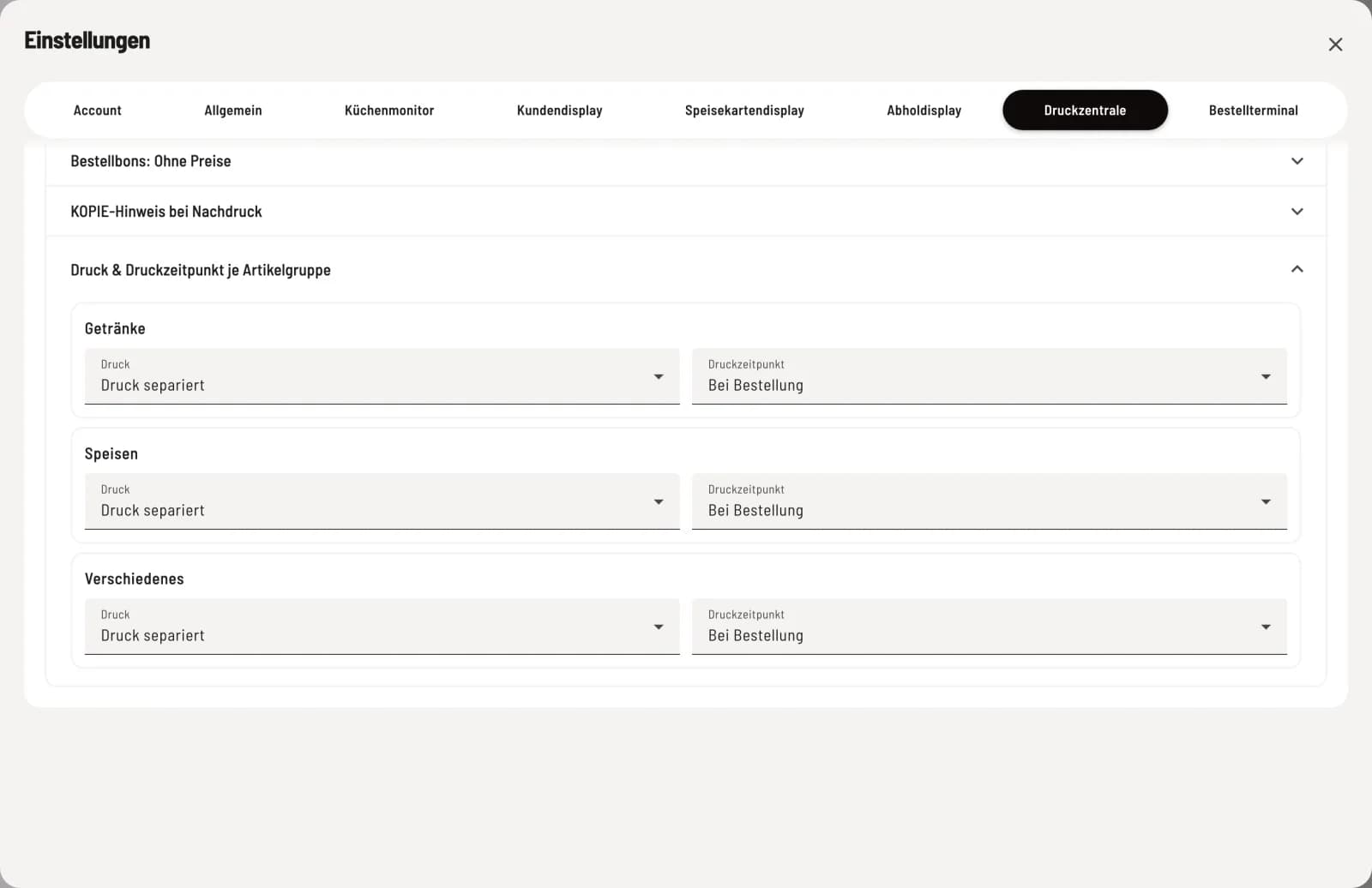
Order slips – With prices or Without prices.
COPY notice for reprints – separately for receipts/invoices and kitchen/order slips: Show or Hide.
Print & Print Time per Item Group – for each group the breakdown (Print Separated, Print Combined, Per Piece) and the Print Time.
Time of printing
By default, every receipt prints on order. With on ready or on finished, a group's receipt only prints when the kitchen sets this status on the kitchen monitor. This way, for example, the server receives a receipt as soon as the food is ready.
Print Hub Only: The delayed print time only works if the print hub is active. If the POS app prints itself, these receipts will not be printed; the hub will indicate this.
Interaction: If automatic status assignment is active on the kitchen monitor, a payment or cancellation at the cash register will change the status. The receipt will then print when payment is made, not when the order is actually completed.