
Reservations: Texts for guests
Maintain the welcome and confirmation text, widget texts and cancellation policy of the reservation page.
In the Guest Texts tab of the reservation settings, you can define what guests read on the reservation page and in the confirmation email. To do this, open Reservations → Gear icon → Guest Texts.
Welcome & Confirmation
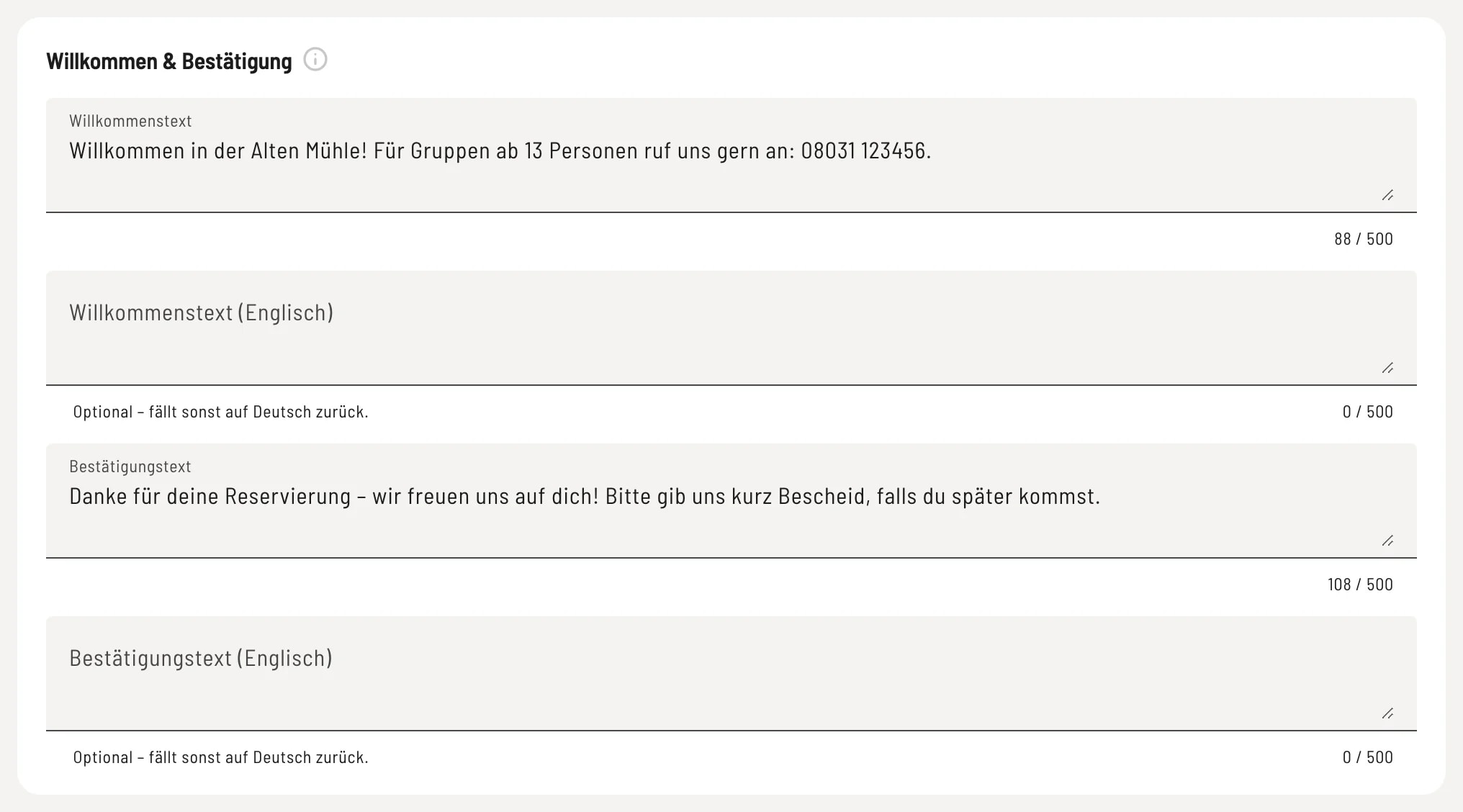
Welcome and thanks
Welcome text – appears at the top of the booking page, e.g., a short greeting or a note for large groups. Confirmation text – guests see this after booking; it is also included in the confirmation email.
Texts in the reservation widget
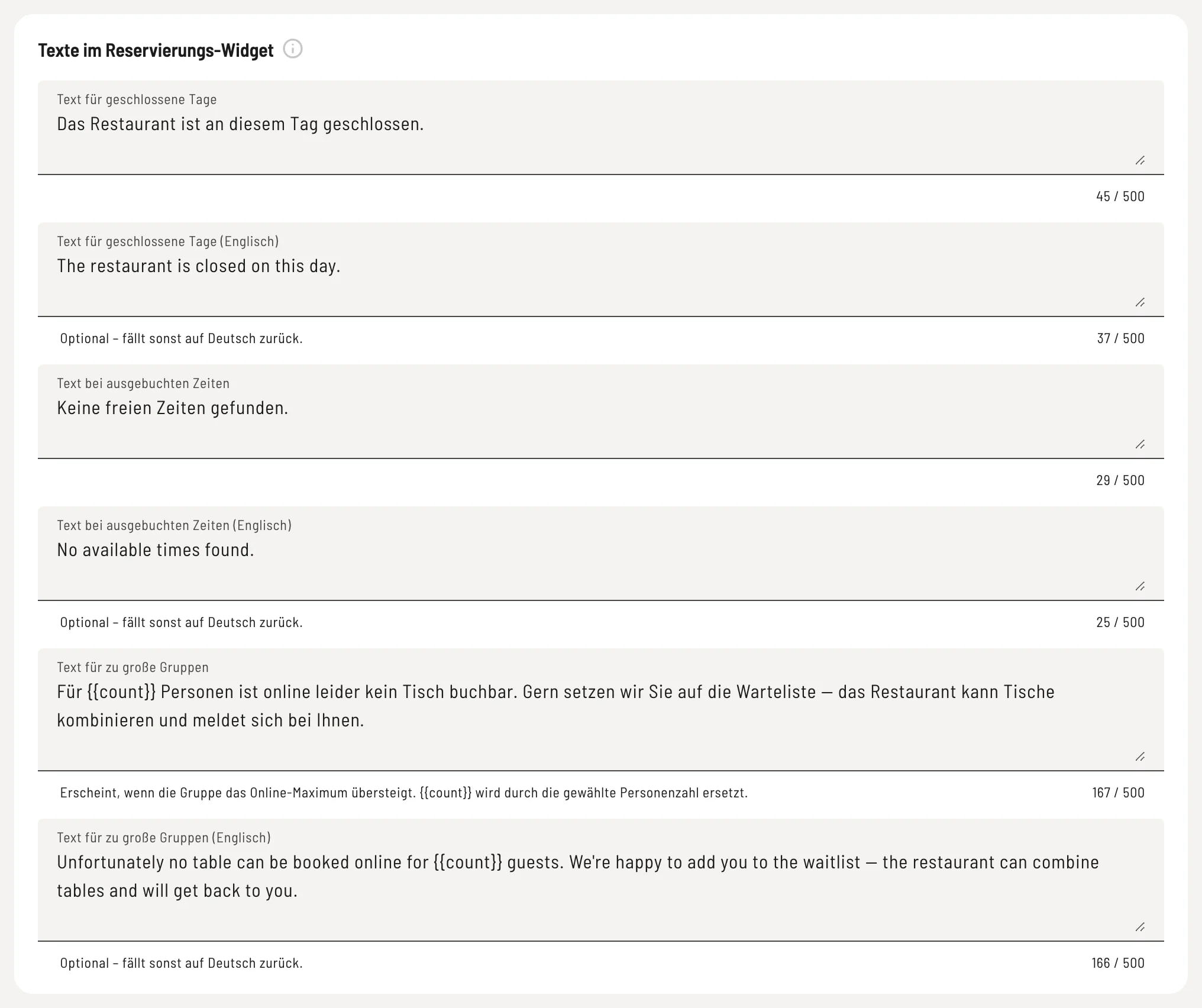
Special cases
These texts are displayed to guests in special cases: Text for closed days (the selected day is closed), Text for fully booked times (no availability on the selected day), and Text for oversized groups (the group exceeds the maximum number of people). They are pre-filled with the standard text; an empty field displays the standard text again. In the text for oversized groups, {{count}} is replaced by the selected number of people.
Cancellation policy & self-service
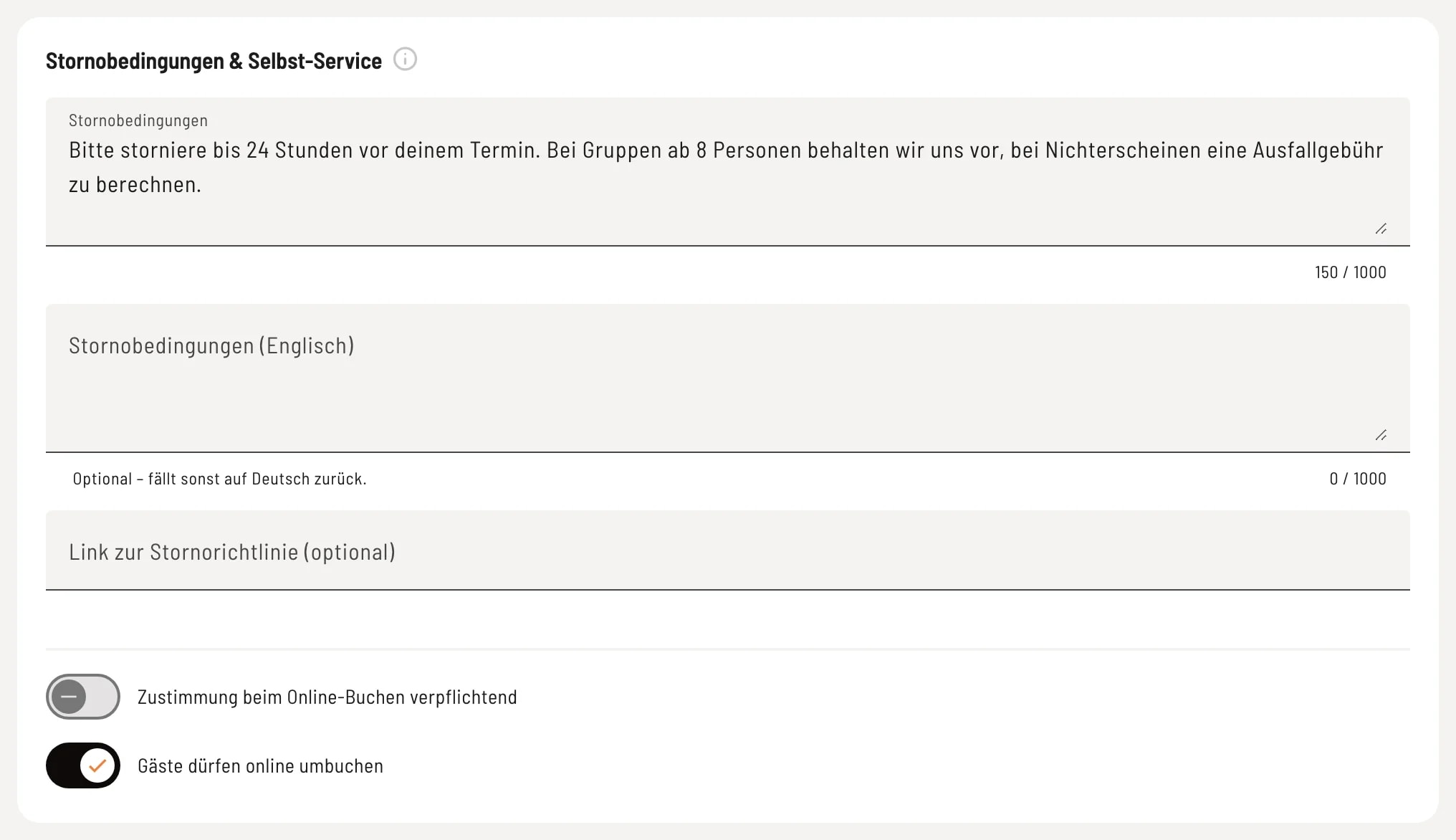
Rules and rebooking
Cancellation Policy – Guests see this when booking online, e.g., deadlines or rules for no-shows. Under Link to Cancellation Policy (optional), you link to a detailed page (with https://). Agreement required when booking online – Guests must actively agree to the terms and conditions before booking. This only applies if the policy text is entered. Guests may change their booking online – via the link in the confirmation email, guests can change the date, time, and number of people themselves, up to the minimum notice period before the booking. Guests can cancel independently of this.
Each text has a field (English). Guests who speak English will see this version; if it is left blank, they will see the German version.