
Clock in for colleagues
Colleagues can clock in and out on the shared device without logging out yourself – using their login PIN.
The colleague has already logged in to this device, is a company employee, and has a personal login PIN. Furthermore, a shift is currently in progress.
If a colleague arrives for work while you are logged in at the checkout, nobody needs to switch: You clock him in via your overview, he confirms with his PIN.
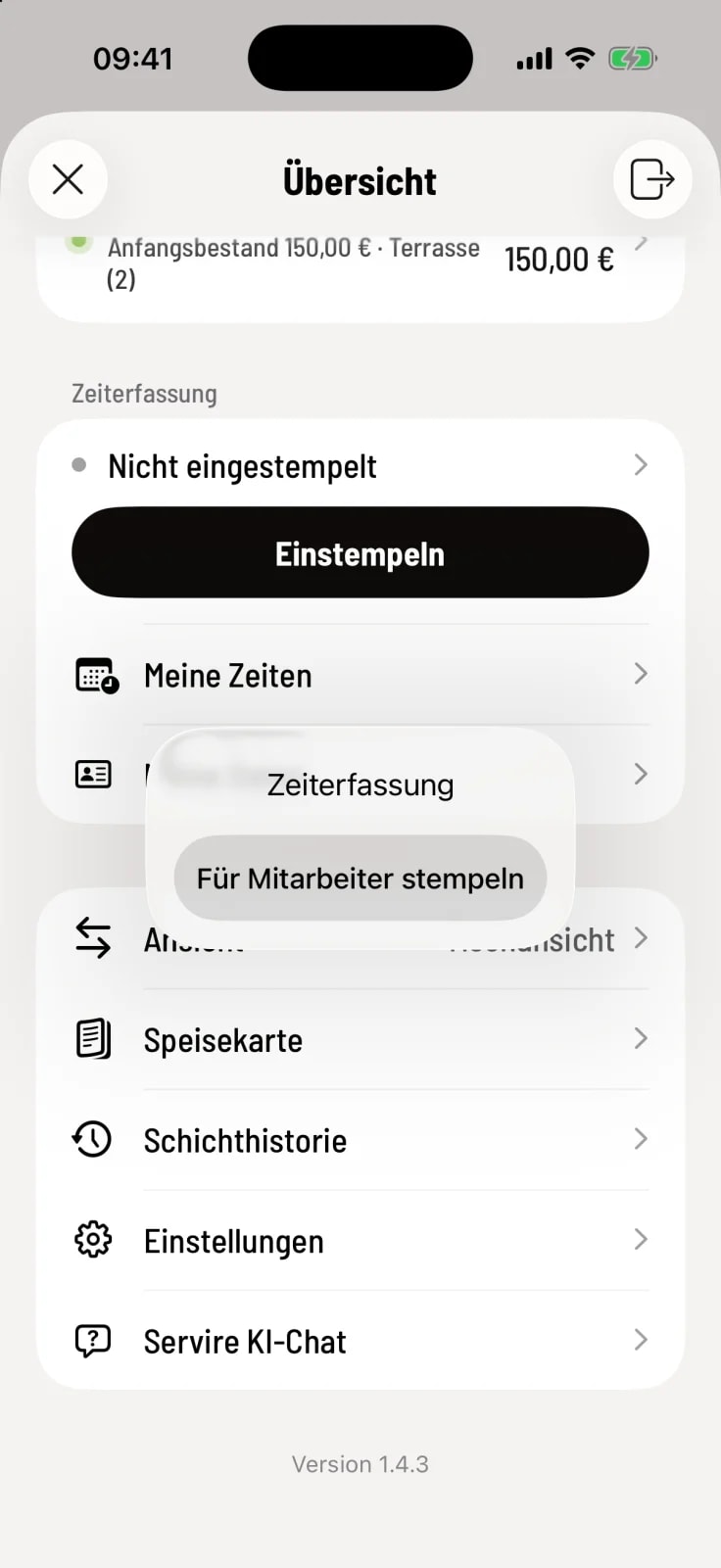
Step 1 of 3
Open menu
In the Time Tracking card, tap your status bar (it will then have an arrow) and select Clock In for Employees.
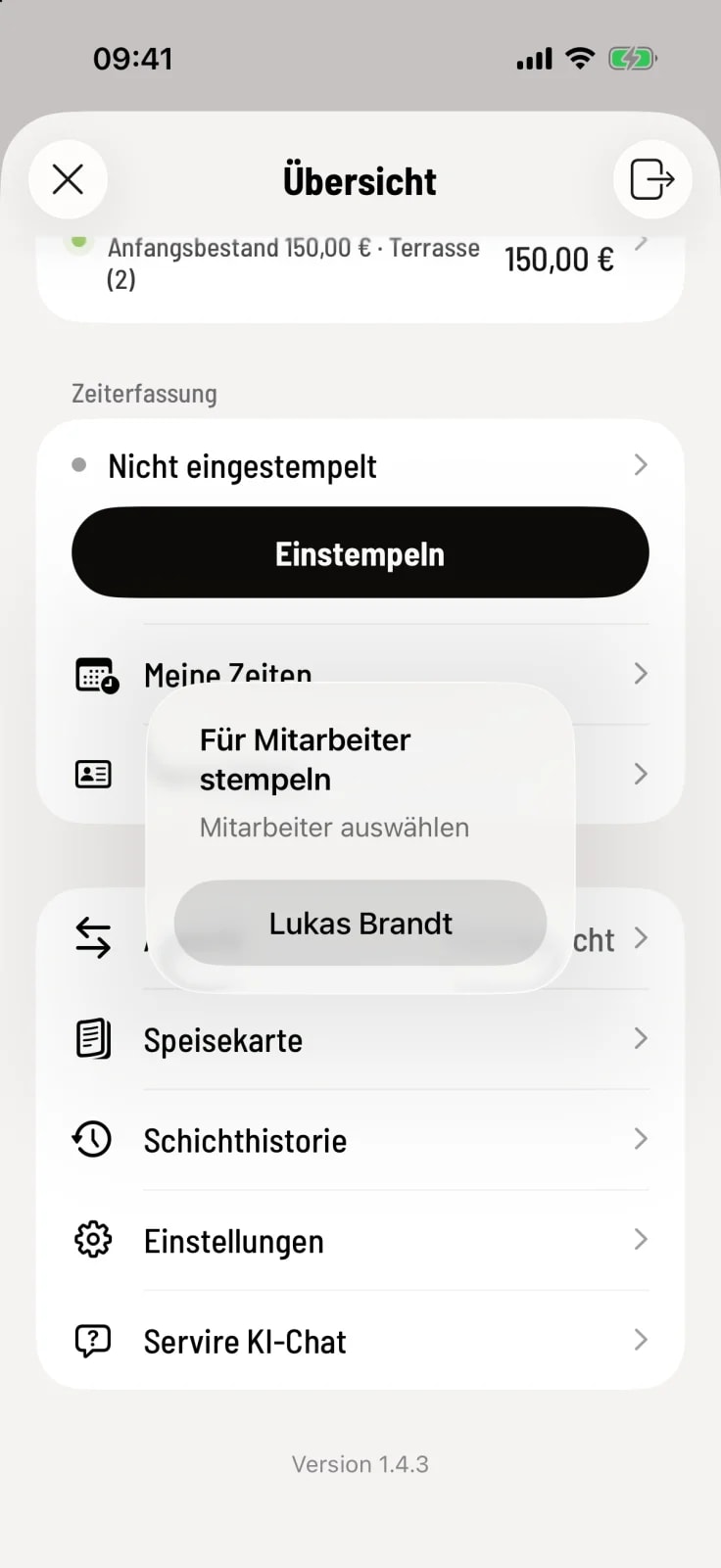
Step 2 of 3
Select person
Select the name. The cash register will first ask who has just clocked in.
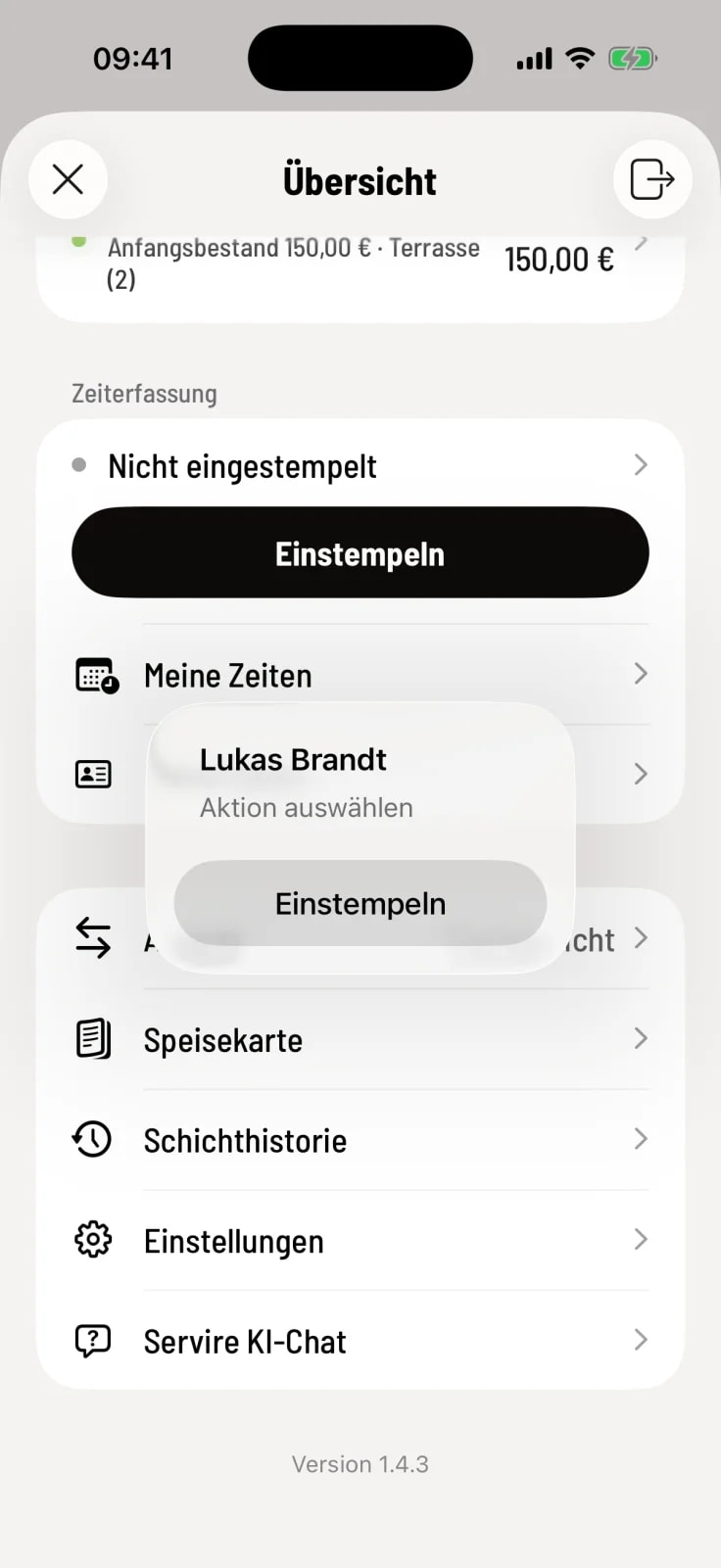
Step 3 of 3
Select action
The cash register only offers the necessary options: Clock in, or, if an entry is in progress, Start break, End break, and Clock out. Afterwards, the colleague enters their login PIN.
Your own registration will remain active. The entry, of course, belongs to your colleague.
If a name doesn't appear in the list, that person has never logged in on that device. Logging in and out once is sufficient.