
Send newsletter campaign
This is how you write a newsletter email in the Web desk , check it in the preview and send it to your subscribers.
A campaign is an email sent to all guests who have confirmed their subscription to your newsletter. You can find it in Guests under the Newsletter tab.
Prerequisite: Guest management is part of the Max plan ( change plan ) and must be activated ( set up guest management ). Only those with Manage Guests permission can make changes; all others can only view the settings. Sending emails requires a completed data processing agreement and complete information about your establishment (name, street, postal code, city, email, manager) under Settings → Establishment; this information will be included as the legal notice in every email.
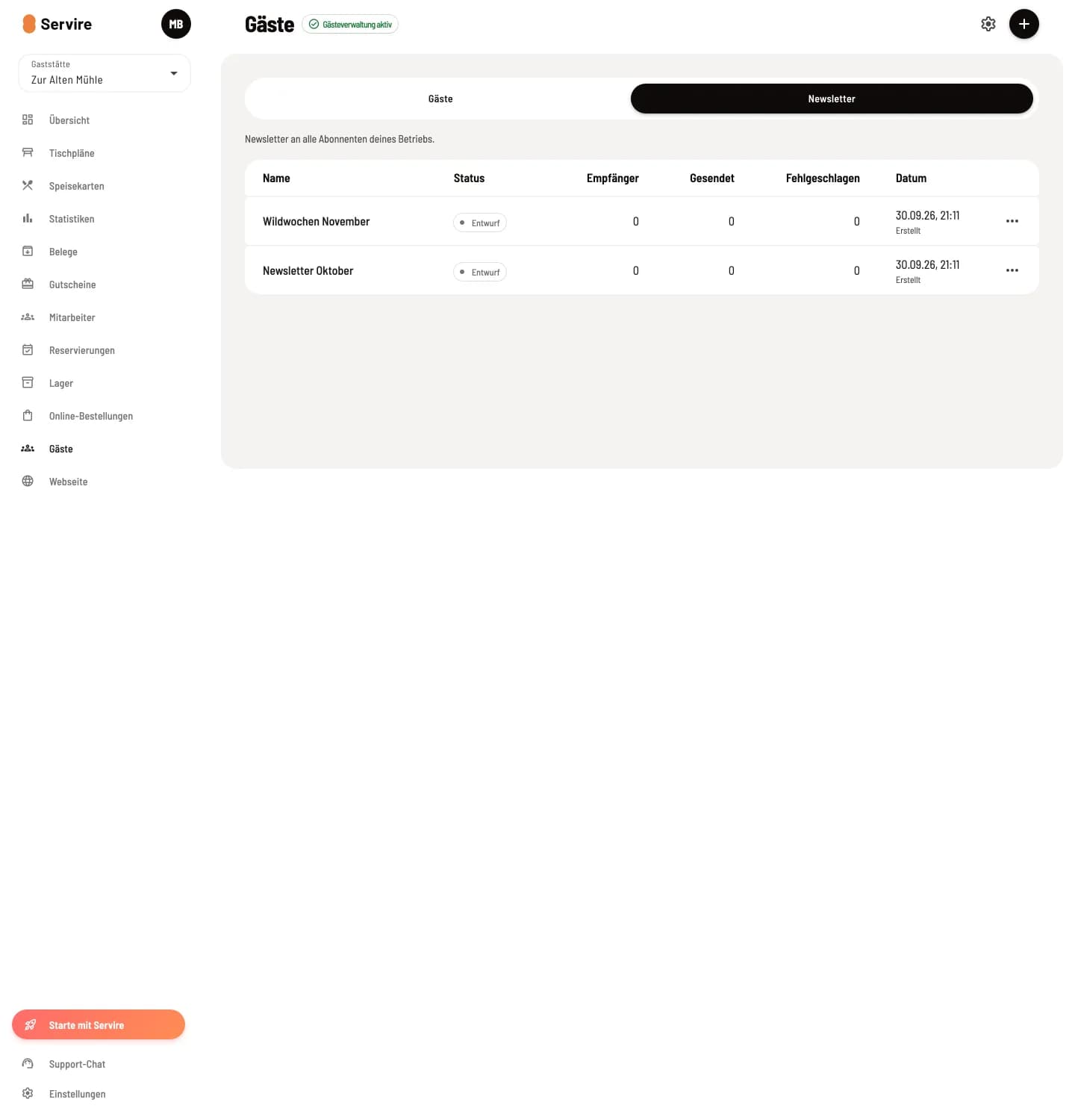
Campaign overview
The Newsletter tab lists your campaigns with their Status (Draft, Sending, Sent, Cancelled), Recipient, Sent, Failed, and date. You can Open, Duplicate, and Delete drafts using the ⋮ button.
Write a campaign
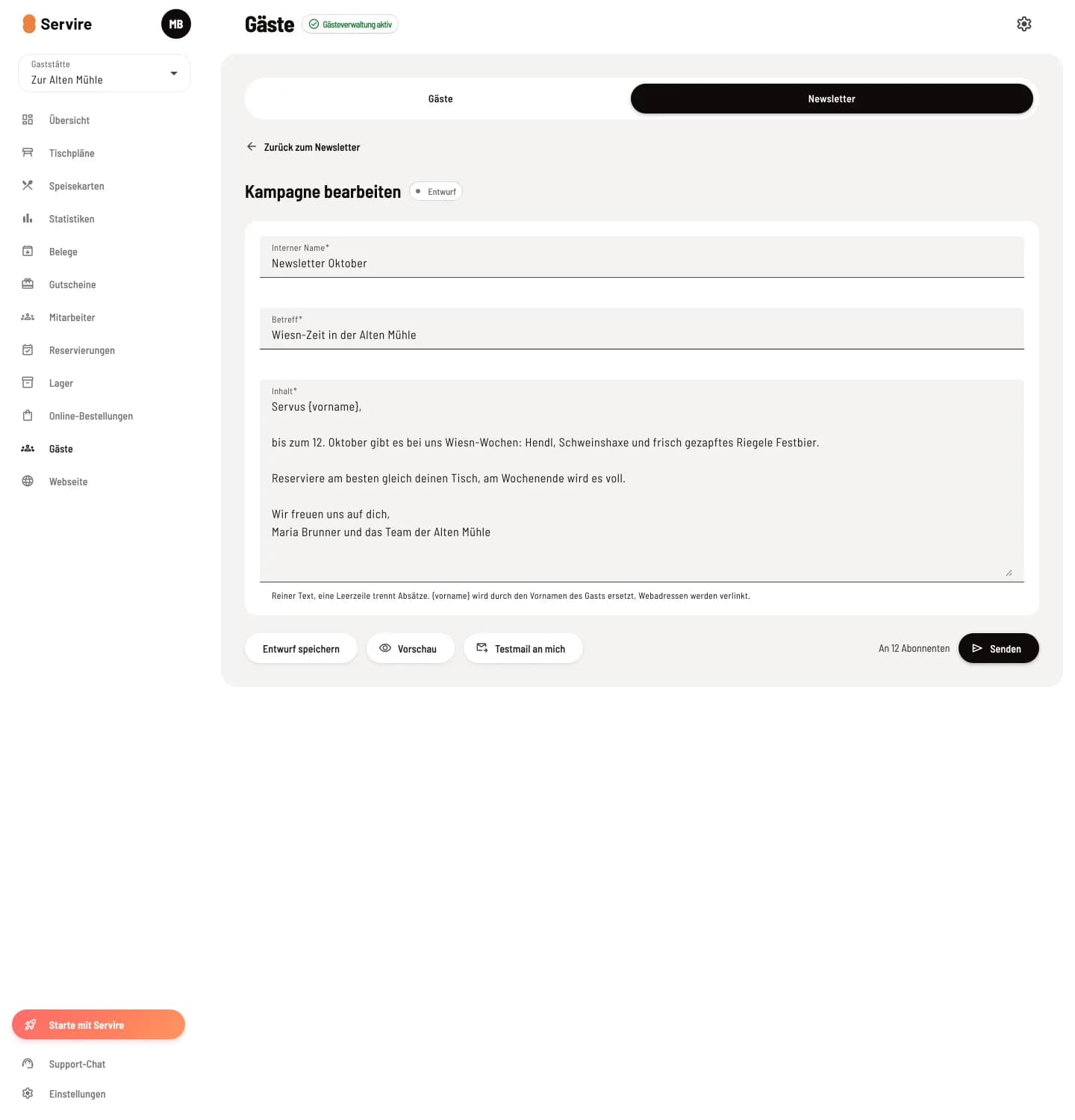
Step 1 of 2
New campaign
Click on + in the upper right corner. Enter an Internal Name (for your use only), the Subject, and the Content. The content is plain text; a blank line separates paragraphs. {first name}} will be replaced with the first name, and web addresses will be linked. Save Draft saves the changes.
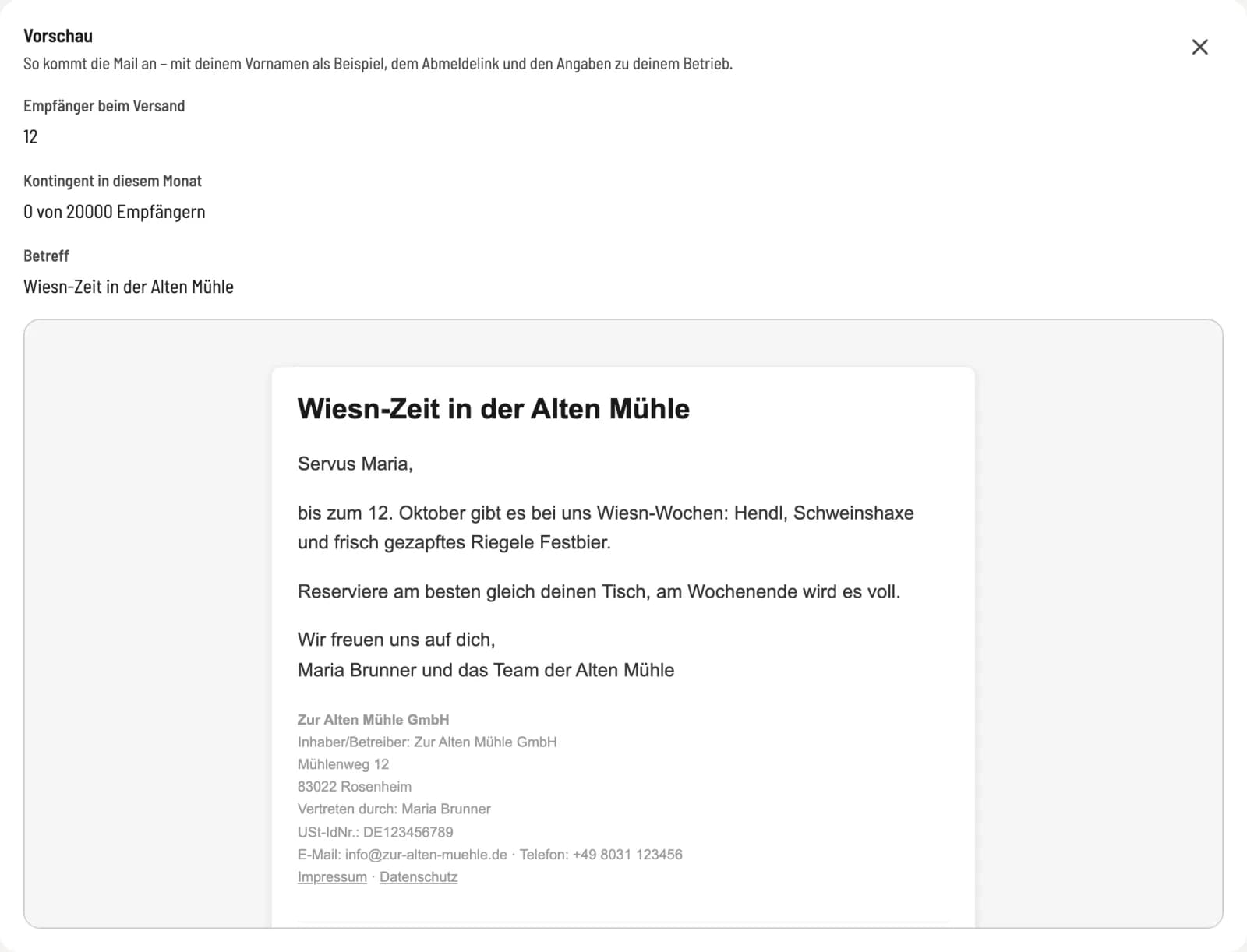
Step 2 of 2
Check preview
Preview opens the email below the text as it will arrive, with your first name as an example, an unsubscribe link, and legal notice. It also shows: Recipient of the email, your email allowance this month, and who will not be contacted, e.g., without consent or with an undeliverable address.
Send
Test email to me sends the email only to your own address. Send shows how many confirmed recipients it will go to; Send now starts the sending process. The numbers update continuously. Stop sending pauses an ongoing campaign; anyone who hasn't received anything by then will no longer be contacted.
A sent campaign cannot be edited. For a similar email, use Duplicate.
Limits: A maximum of 20,000 recipients per month are allowed per restaurant. If too many recipients report a campaign as spam, Servire blocks the sending; then support can help.