
Conclude a data processing agreement
Why Servire needs this contract before storing guest or employee data, and how to conclude it.
Servire processes personal data on your behalf, such as guest information, reservation details, and working hours. The GDPR requires a data processing agreement (DPA) according to Article 28 for each establishment. You remain responsible for the data.
Prerequisite: Only the person listed as the owner of the restaurant can close it. Employees can see in the same place who they need to contact.
When the contract is needed
It must be in place before you use any of these modules; it is the first step in their setup wizard:
Guest management (guest profiles, customer card, stamp cards, newsletter)
Reservations
Guest orders and order terminal
Delivery services
Online voucher sales in the voucher shop
Time recording
Cash register, receipts, billing, menu and table plan all run without him.
Complete
In the Web desk, under Settings → Restaurant, the Order Processing status is displayed on the map. View Contract Text opens the general version. Clicking Conclude Contract opens the contract: Below the text, you'll find Company, Street and House Number, Postal Code, City, and Country, pre-filled with your billing data and editable here. Enter Your Name and your job title, check the box, and confirm with Conclude Contract.
The copy will be sent as a PDF via email to the billing address of your subscription, otherwise to the email address of the restaurant or your account.
Completed contract
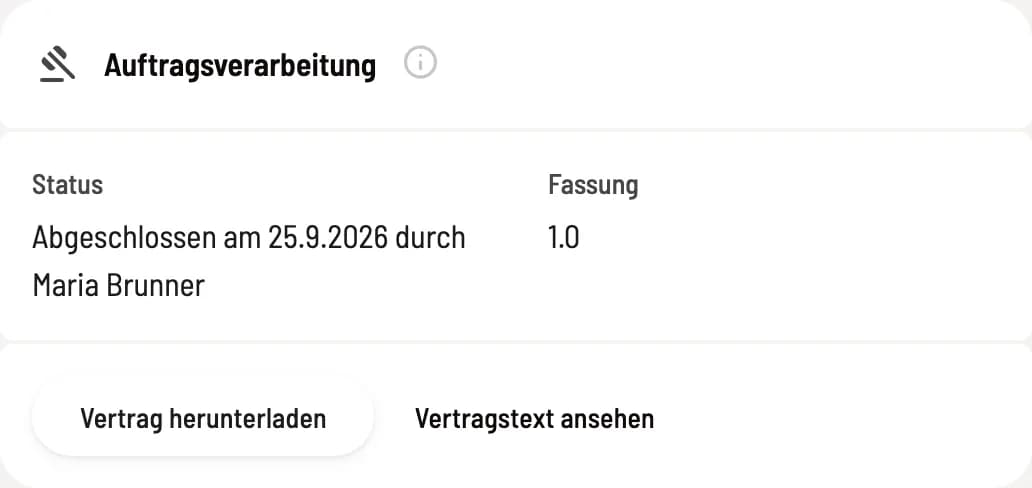
Order processing card
The card shows when and by whom the contract was concluded, and the version. Download contract opens your copy. If the email did not arrive, Resend will appear.
If a new version is available, the card will display a notification. Your modules will continue to run; confirm them when you have a chance by clicking Confirm new version.
If Servire uses another service provider, you will be informed in advance via email to your billing address and can object for data protection reasons.