
Connecting employees with the restaurant
Here's how to recruit new employees to your restaurant using a company PIN.
You don't create employee accounts yourself. Each person registers their own Servire account and connects it to your company once – all they need is the company PIN. Everything else you need to provide is explained in the Connect Employees dialog.
Only the restaurant owner can see the dialogue.
Open dialog
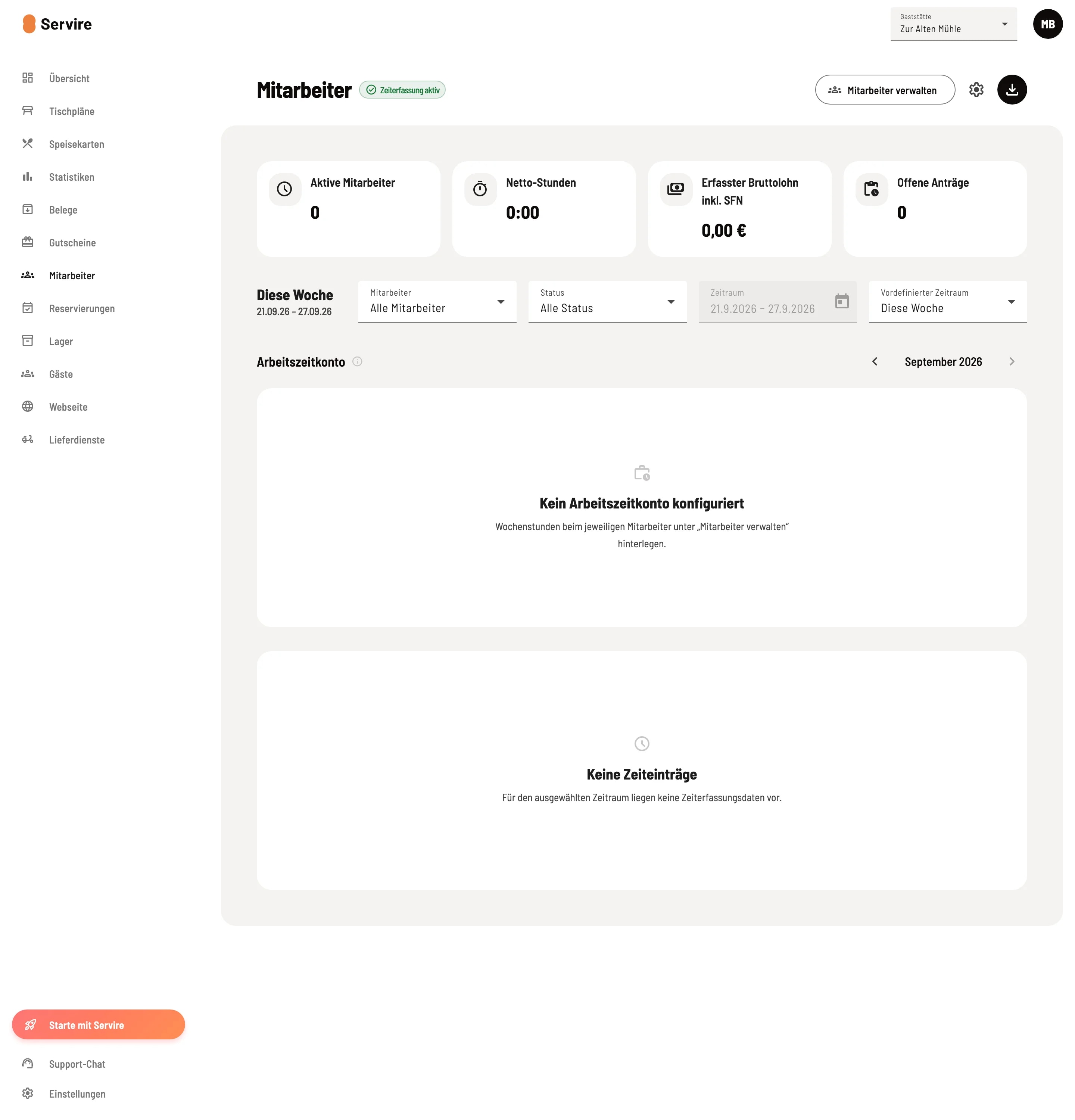
Step 1 of 2
Employees open
Tap on Employees in the navigation. If time tracking is active, you can open the list via Manage Employees in the top right corner. Without time tracking, the list is displayed directly on the page.
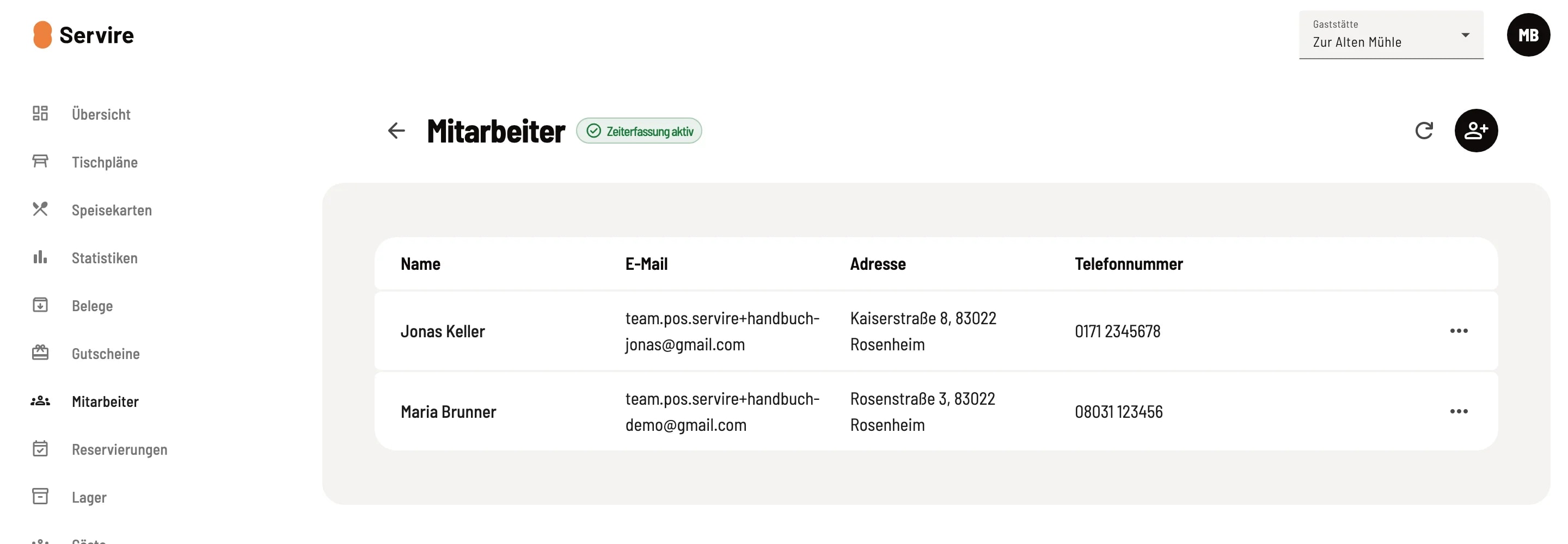
Step 2 of 2
Employees connect
Tap the icon with the person and the plus sign in the top right corner (Connect employee).
Share PIN
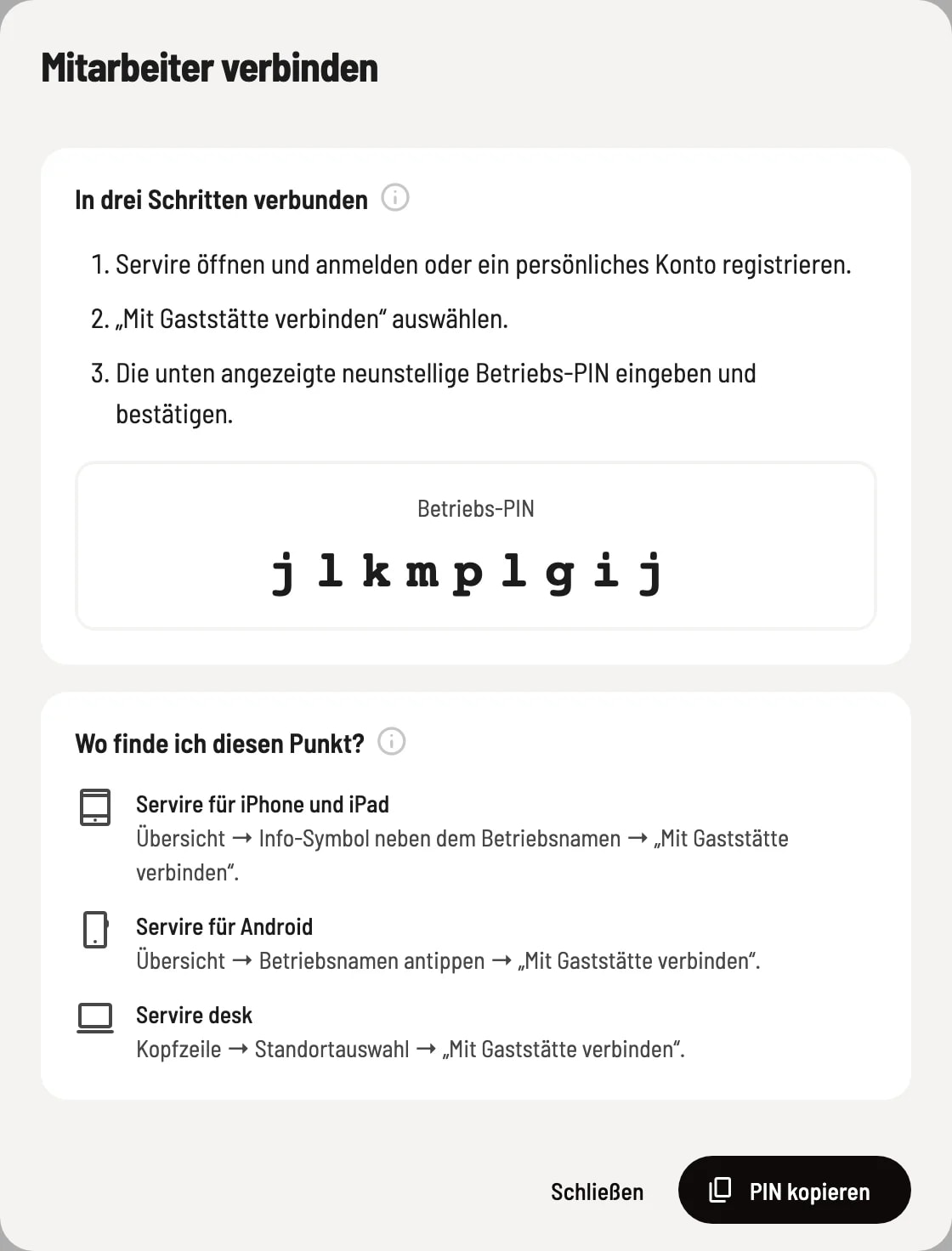
Connected in three steps
The dialog box displays the nine-digit company PIN in large print and outlines the three steps for your employees: Open the Servire and log in or register, select Connect to Restaurant, enter the PIN and confirm. Copy PIN saves it to the clipboard – ready to be sent via message.
Under Where can I find this option? the directions are provided for each interface: - ** Servire for iPhone and iPad:** Overview → Info icon next to the business name → "Connect to Restaurant". - ** Servire for Android:** Overview → Tap business name → "Connect to Restaurant". - ** Servire desktop:** Header → Location selection → "Connect to Restaurant". New registrants will see "Connect to Restaurant" immediately after their first login. The process from the employee's perspective is described in "Connect to a Restaurant ".
After connecting
The person will appear immediately in the employee list. Newly added employees have all cash register rights, but no web desk access; their administrative rights are disabled. You can change this under Edit Employee.
Protect PIN
Anyone who knows the PIN can connect to your business. Only share it with your employees. In case of suspected misuse or after an employee leaves, you can renew it under Settings → Restaurant – existing connections will be retained.