
Setting up guest orders
Here's how to set up ordering at the table via QR code, online prices, order acceptance and collection for guest orders.
With guest orders, guests can order using their own mobile phones – at the table via QR code or in advance for pickup. You can find the settings in the Web desk under Guests → Guest Orders tab → gear icon. Payment, tip , and QR codes are described in the Guest Orders section: Payment and QR Codes.
Guest orders are included in the Max plan. Upon first opening the account, an assistant will guide you through the ordering process, menu, payment, and access; prior to this, you, as the owner, must sign the data processing agreement. Only those with the Manage Guest Orders right are authorized to change these settings. Orders can only be placed while a shift is open at the register.
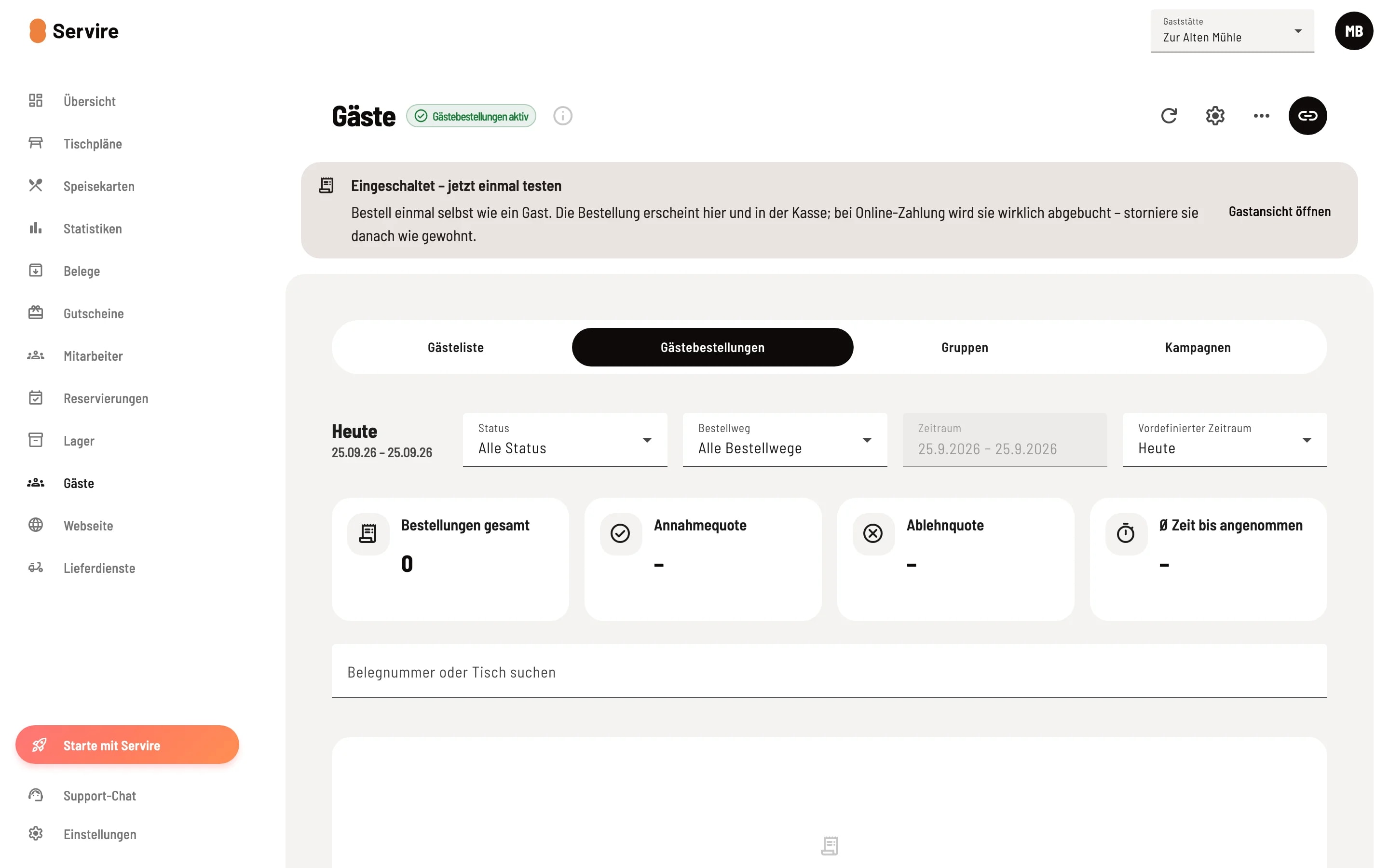
Open guest orders
Open Guests and then the Guest Orders tab. The badge next to the title indicates whether guest orders are active. The gear icon in the upper right corner opens Guest Order Settings.
Generally
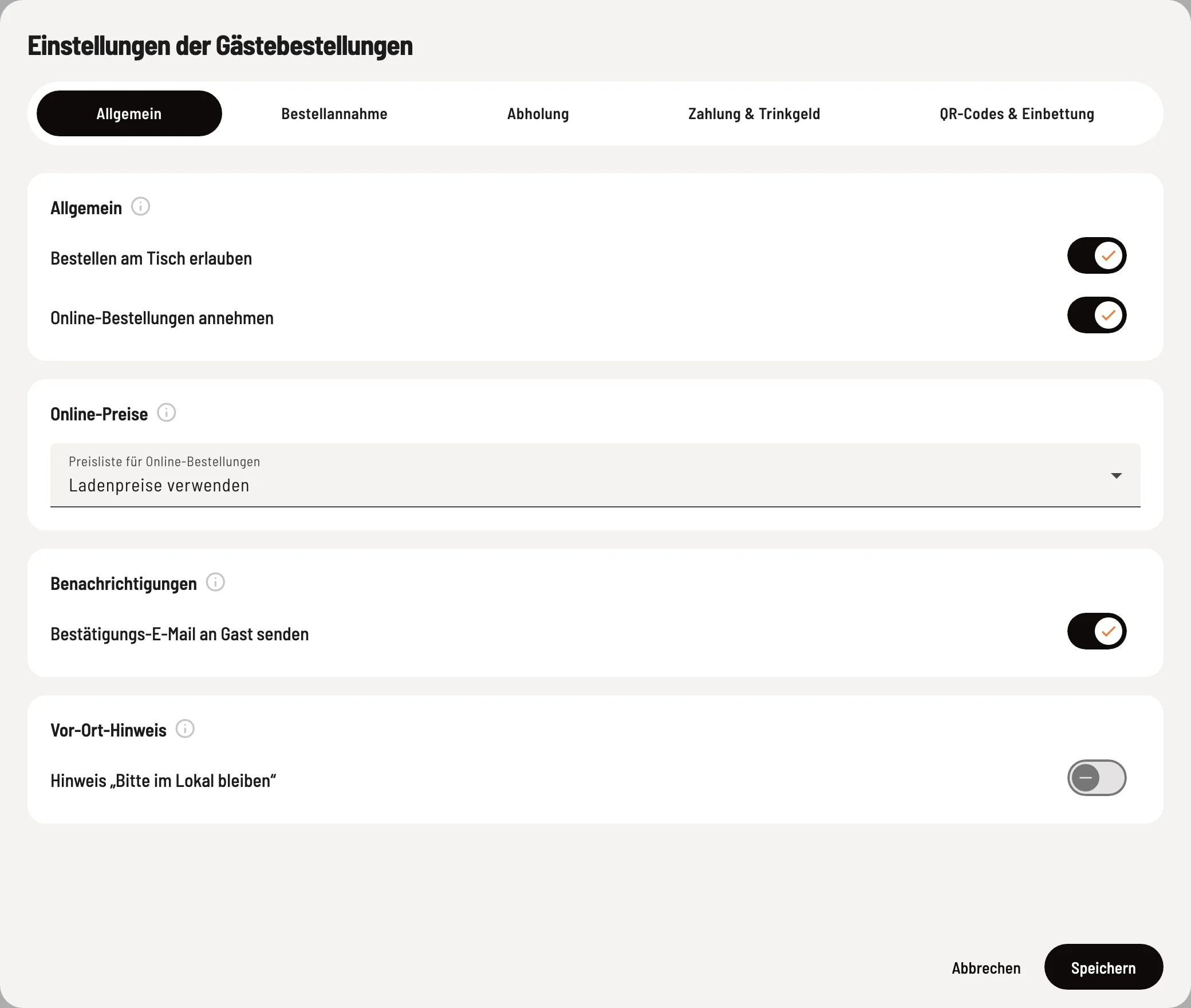
General Riding
Here you activate ordering methods, select online prices and the confirmation email.
- Allow ordering at the table – Guests scan the QR code at the table and order using their own mobile phone. Payment at the table is always made online. - Accept online orders – for short breaks, e.g., when the kitchen is full. Applies to tables, pickups, and embedded items, not to the ordering terminal. Orders already received continue to be processed normally. - Price list for online orders (online prices) – If you select a price category, its prices apply at the table, for pickups, and in embedded items. If an item doesn't have a price there, its regular price applies; surcharges for options and deposits remain the same. The ordering terminal always uses the in-store prices. - Send confirmation email to guest – Guests who pay online and provide their email address receive a confirmation immediately after payment. There is no confirmation for payments made at pickup or at the ordering terminal. If the terminal is off, no email will be sent even for refunds; however, messages regarding acceptance, rejection, and "order complete" will still be sent. - Note “Please remain inside” (On-site notice) – only a notice for table reservations, the guest's location is not checked.
Order acceptance
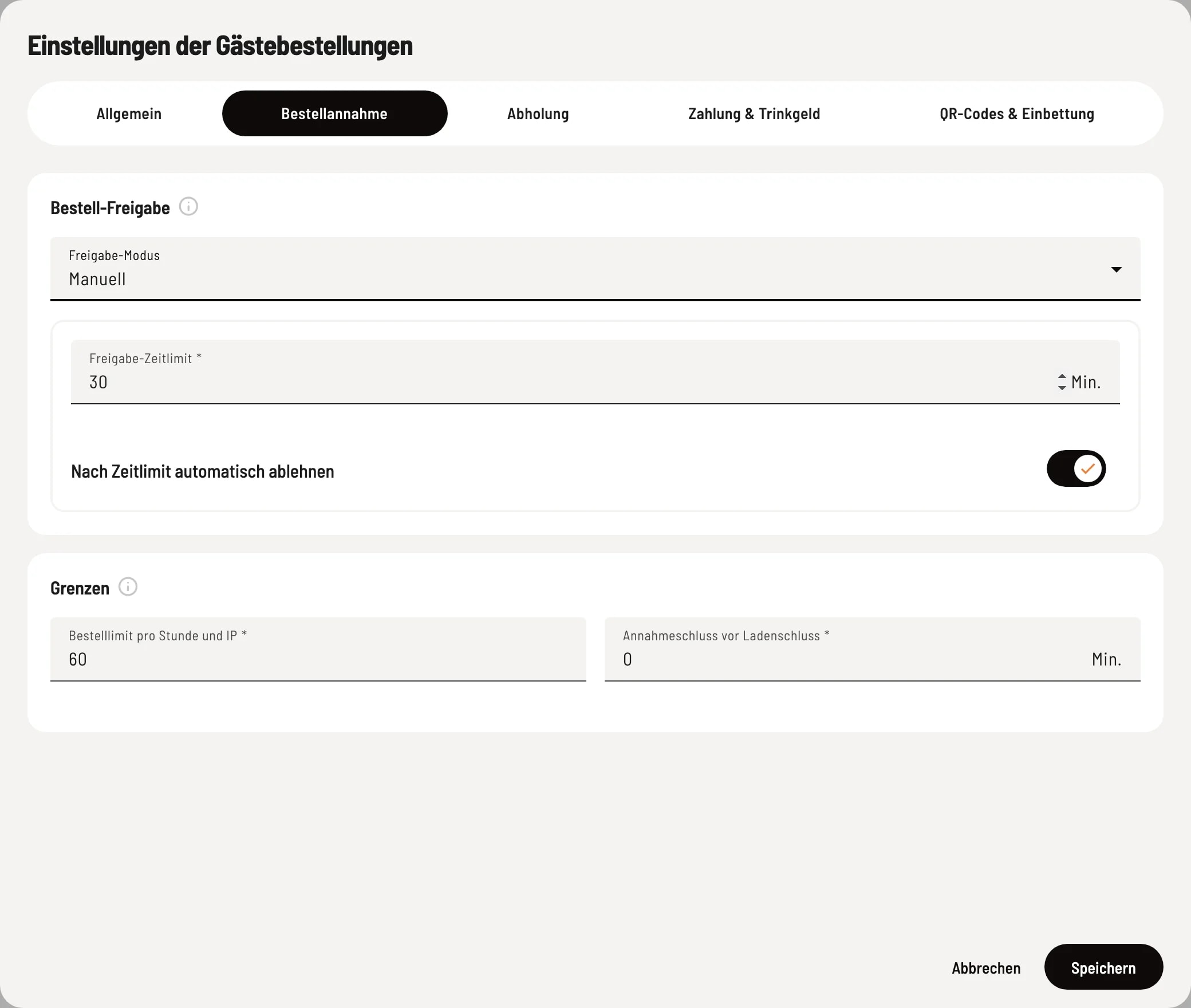
Order acceptance
Select the approval mode and set the limits. Approval time limit and Automatically reject after time limit will appear under Manual.
- Approval Mode – Automatic: Every paid order is accepted immediately; the right choice for most businesses. Manual: You accept or reject each order on the kitchen monitor. If you reject a paid order, the guest automatically receives a refund; orders with payment upon pickup are only canceled. "Automatic" always applies at the order terminal. - Approval Time Limit – This is how many minutes (1–240) you have to decide. - Automatically Reject After Time Limit – If this switch is off, undecided orders remain open. - Order Limit per Hour and IP Address – Protection against spam. All guests on your Wi-Fi network share one connection; set this value generously if you have many table orders. - Last Pickup Time Before Closing Time – For online payments, the last pickup time is this many minutes before closing time; 0 = until closing time. Table orders are not affected.
Collection
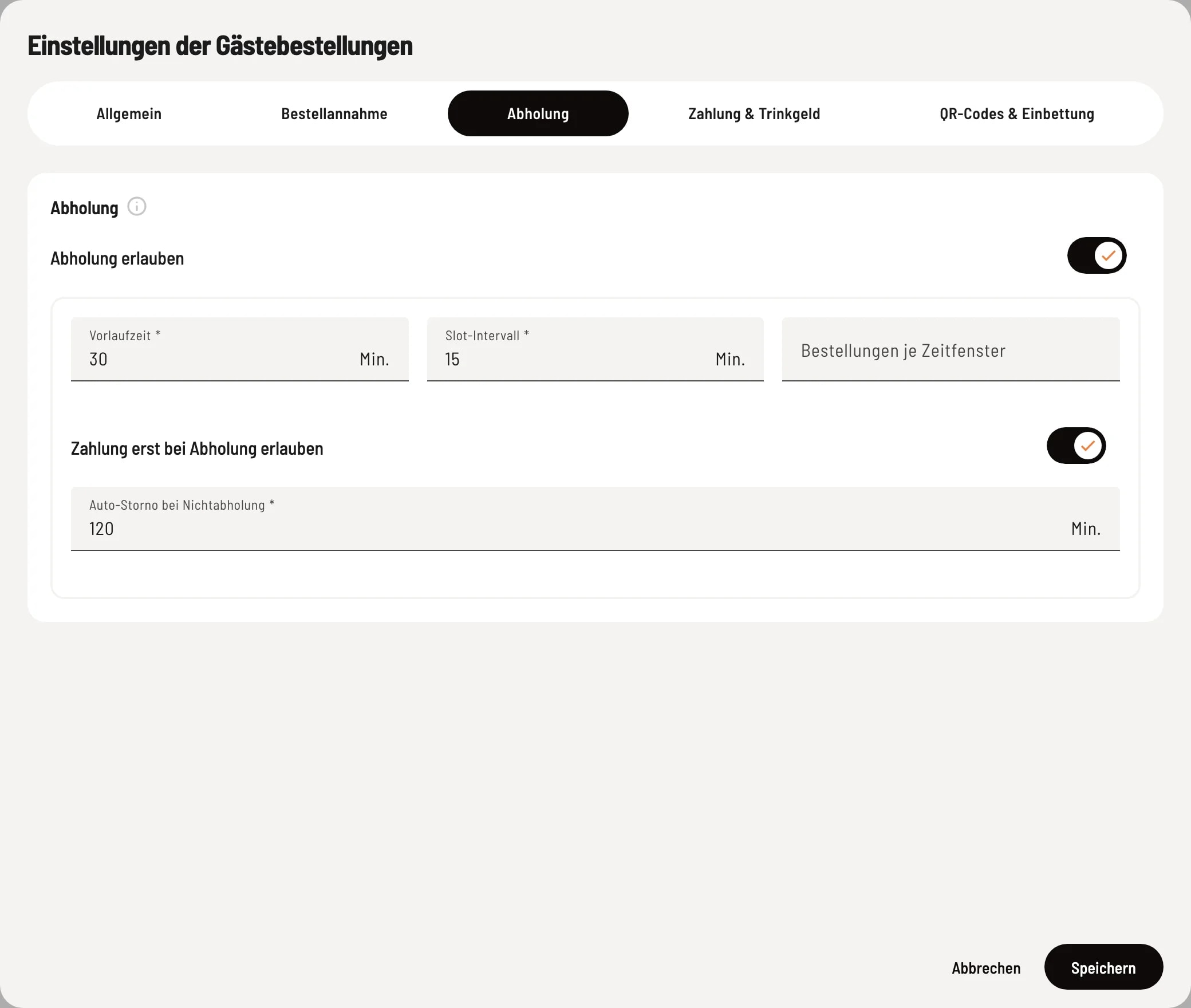
Rider pickup
Enable Allow pickup and set the time slots.
- Allow Pickup – Guests order in advance via your pickup link or embed and select a time within your opening hours, up to 4 hours ahead. Pickup is not possible without a specified opening time. - Lead Time – Earliest pickup time after ordering, e.g., 20 = earliest in 20 minutes. - Slot Interval – Spacing between selectable times, e.g., 15 = 12:00, 12:15, 12:30. - Orders per Time Slot – Maximum number of orders per pickup time slot; empty = unlimited. - Allow Payment on Pickup – The order appears at checkout as an open order and is settled upon pickup. - Auto Cancellation for No-Pickup – Such orders are automatically canceled a specified number of minutes after the pickup time.