
Where an item appears: Active, Channels and Channel Preview
This is how you determine whether an item appears at checkout, for guest orders, for delivery services, or on the website and PDF.
menu, categories, and item share the same block in the dialog: the Active switch and below it, Also in:. This allows you to determine where something appears without deleting it.
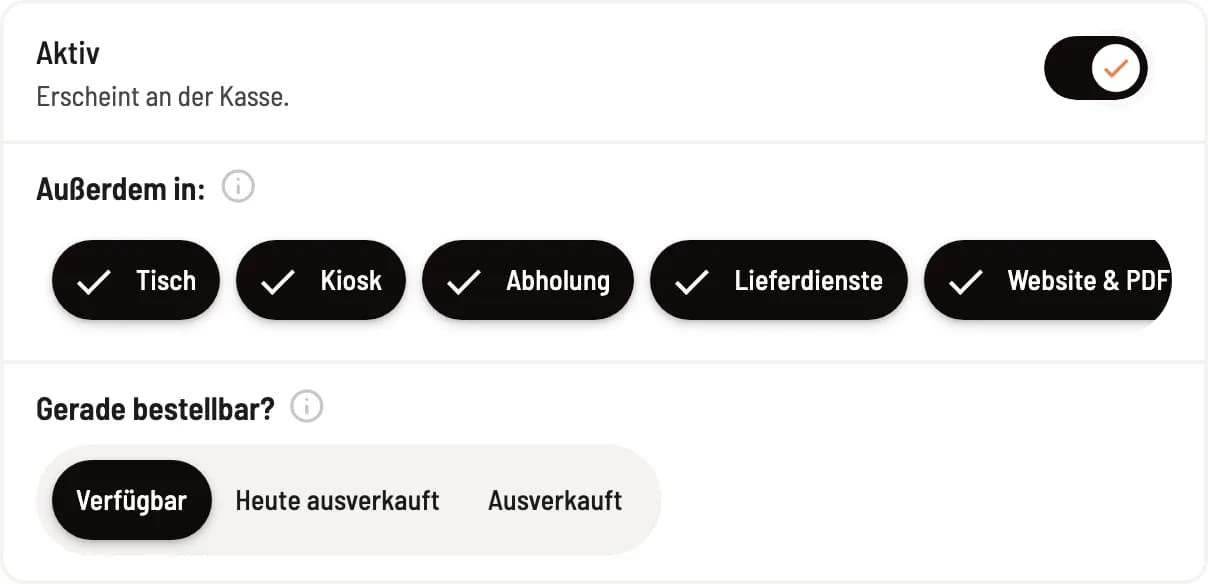
Active and channels
Active is the main switch: off means the item won't appear anywhere, not even at checkout. If it's on, it will say Appears at checkout below. Under Also in: you can turn the channels for guests on or off; a checkmark means the item will appear there.
The channels:
Table: Order at the table via QR code.
Kiosk: the ordering terminal.
Collection: Order online for collection.
Delivery services: connected platforms such as Uber Eats, Wolt or Lieferando.
Website & PDF: the menu on your website, on the display in the restaurant and in the PDF of the menu generator.
Prerequisite: Table, kiosk, pickup, and delivery services are available in the Max plan, and only if guest orders are enabled or a delivery service is connected. Without these channels, only the Website & PDF option is available in the block.
Inheritance of map and category
Without a user-defined setting, an item inherits the channel from its category, which in turn inherits the menu. This means you can remove an entire Christmas menu from online sales with a single click on the menu. The i next to Also in: indicates the source of a value. If you click back one channel to the inherited value, the item will revert to following its category. If either the category or menu is inactive, the item will not appear anywhere, regardless of its user-defined settings.
In the article list, a small symbol next to the name marks item that do not appear everywhere; the tooltip names the channels.
Channel preview
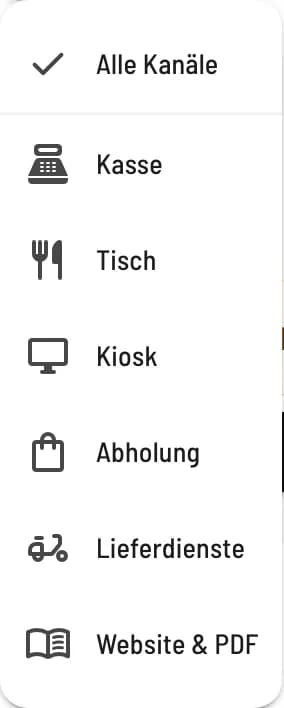
Step 1 of 2
Select channel
Click on Channel Preview next to the page title and select a channel, for example Table. The preview does not change anything.
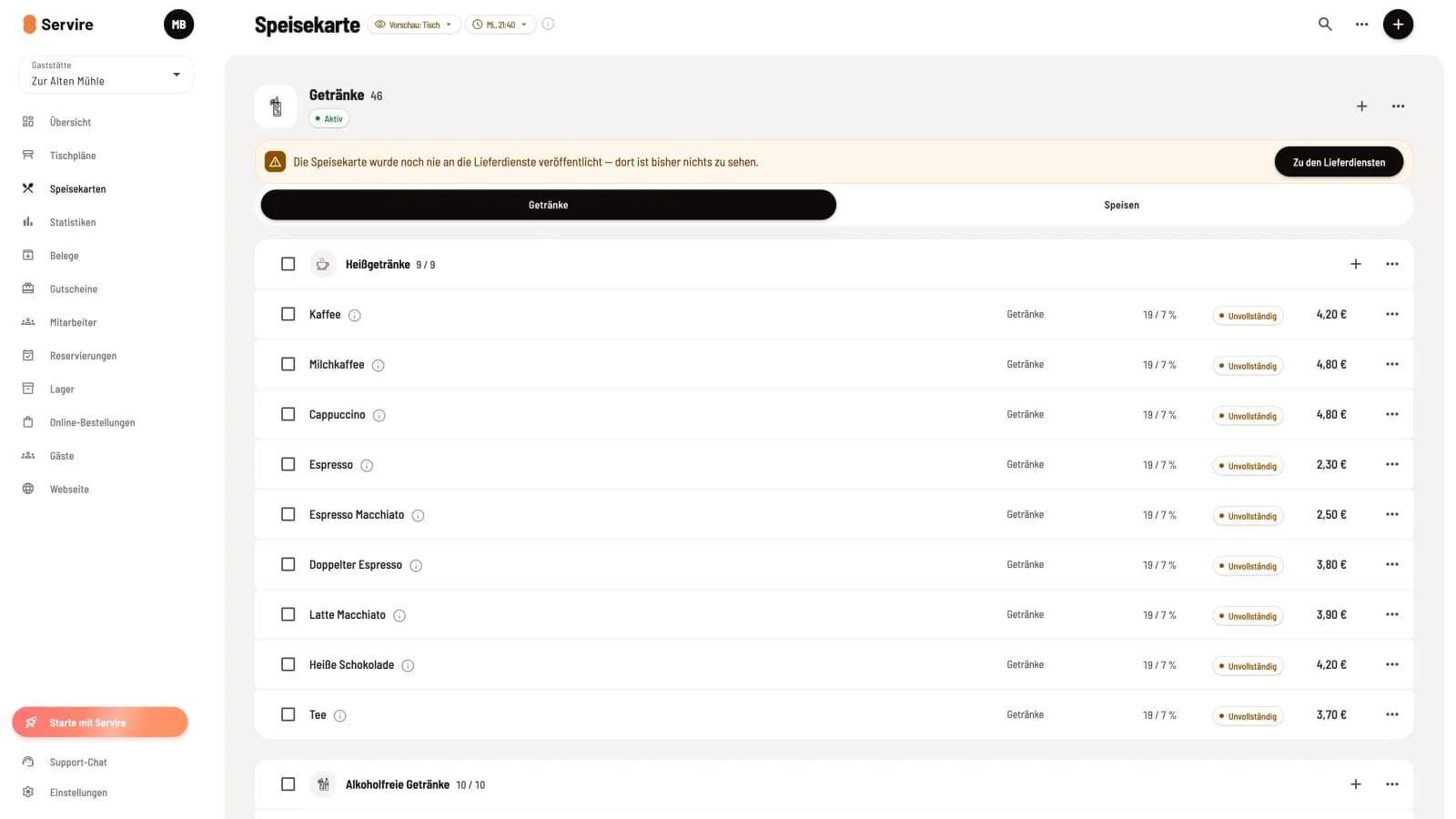
Step 2 of 2
Map from a guest's perspective
The list only shows what appears in this channel; categories then display, for example, 9 / 9. item that cannot be ordered are marked with a warning symbol, Incomplete indicates missing information such as an image, public description, or labels. The pill icon with the day of the week and time calculates a different time, for example, for a lunch menu. Exit Preview in the same menu displays everything again.
Delivery services will only incorporate changes upon their next publication. If the map has changed since then, the page will display a notification with a button: Go to delivery services.