
Reservations in the table plan and at the table
How the cash register displays in the normal table plan which table is reserved and who is currently sitting there.
The notifications appear as soon as the reservation module is active in the Web desk – even on devices working in table view.
Even those not at reception can see the reservations: The table view marks reserved tables, and the order indicates who is expected.
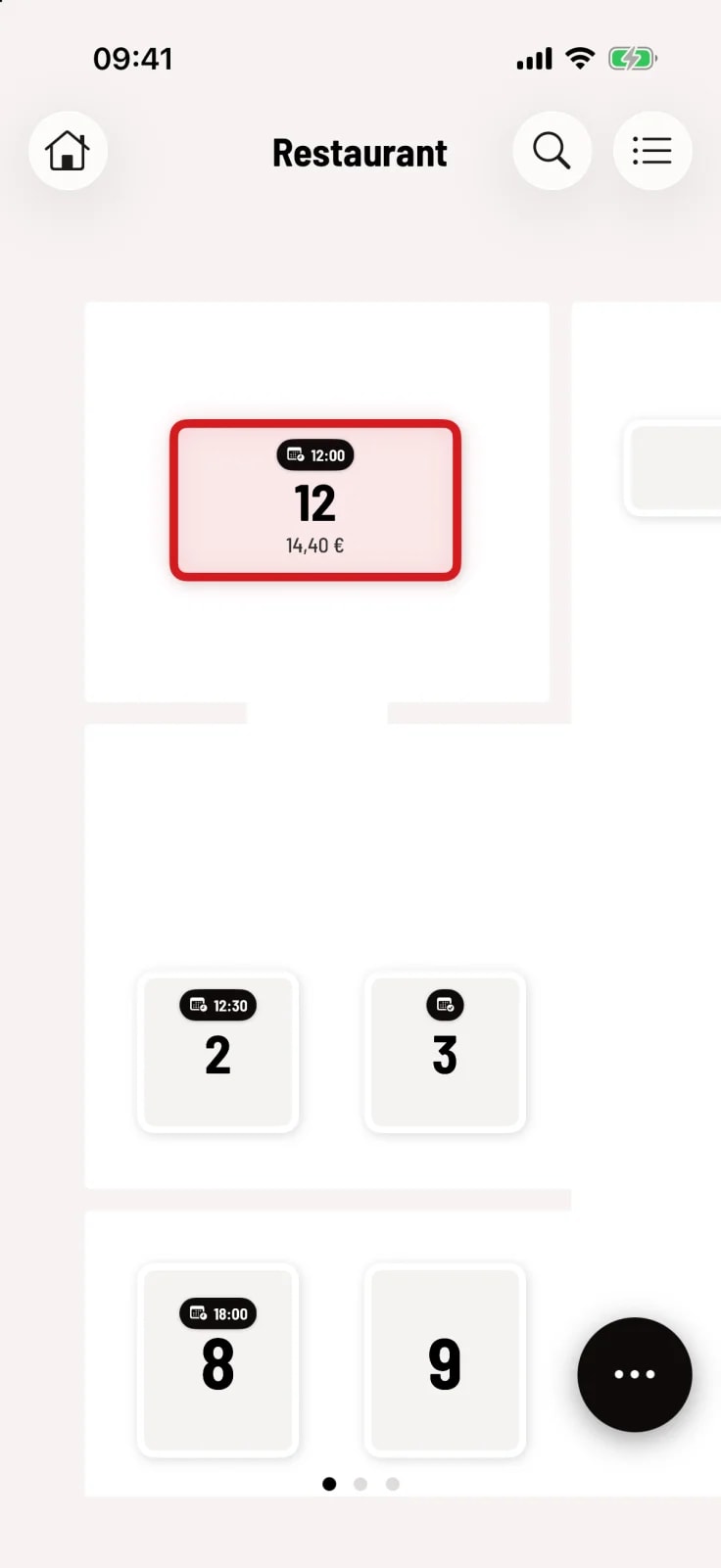
Step 1 of 2
Note on the tile
A calendar icon with a time indicates the next reservation at the table – for up to 15 minutes after it begins. A calendar with a checkmark means: A reserved guest is seated here. Zooming out hides these indicators.
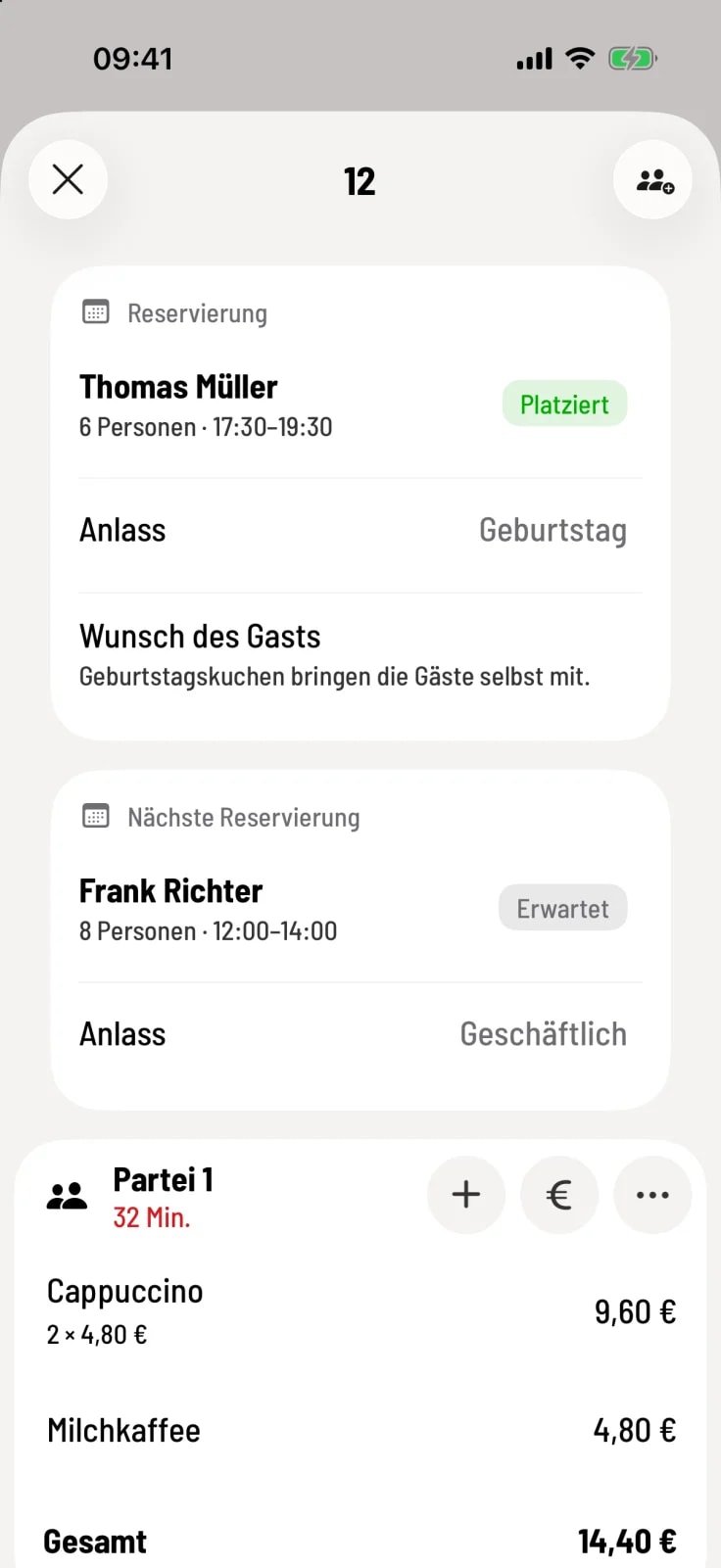
Step 2 of 2
Card included in the order
When you open the table, above the orders you will see the cards Reservation (currently seated) and Next Reservation (expected) – with information on the number of people, time, occasion, allergies, guest request and internal note.
With guest management enabled, you can assign the reservation guest to the order: Tap … next to the party and select Assign reservation guest. See Assigning a guest at checkout.