
Regular discount for guests
This way you give individual guests a fixed discount that the cash register automatically sets.
A loyalty discount is a discount tied to a specific guest, e.g., 10% for employees or 5% for corporate clients. Once a guest is assigned to an order, the POS system automatically applies the discount during checkout. Previous guest groups no longer exist; their discounts were transferred to all guests as loyalty discounts during the system's restructuring.
Prerequisite: Guest management is part of the Max plan ( change plan ) and must be enabled ( set up guest management ). Only those with manage guests permission can make changes; all others can only view the settings. The discount itself must be created under Settings → Checkout in the Discounts card ( manage discounts ).
Regular discount offered
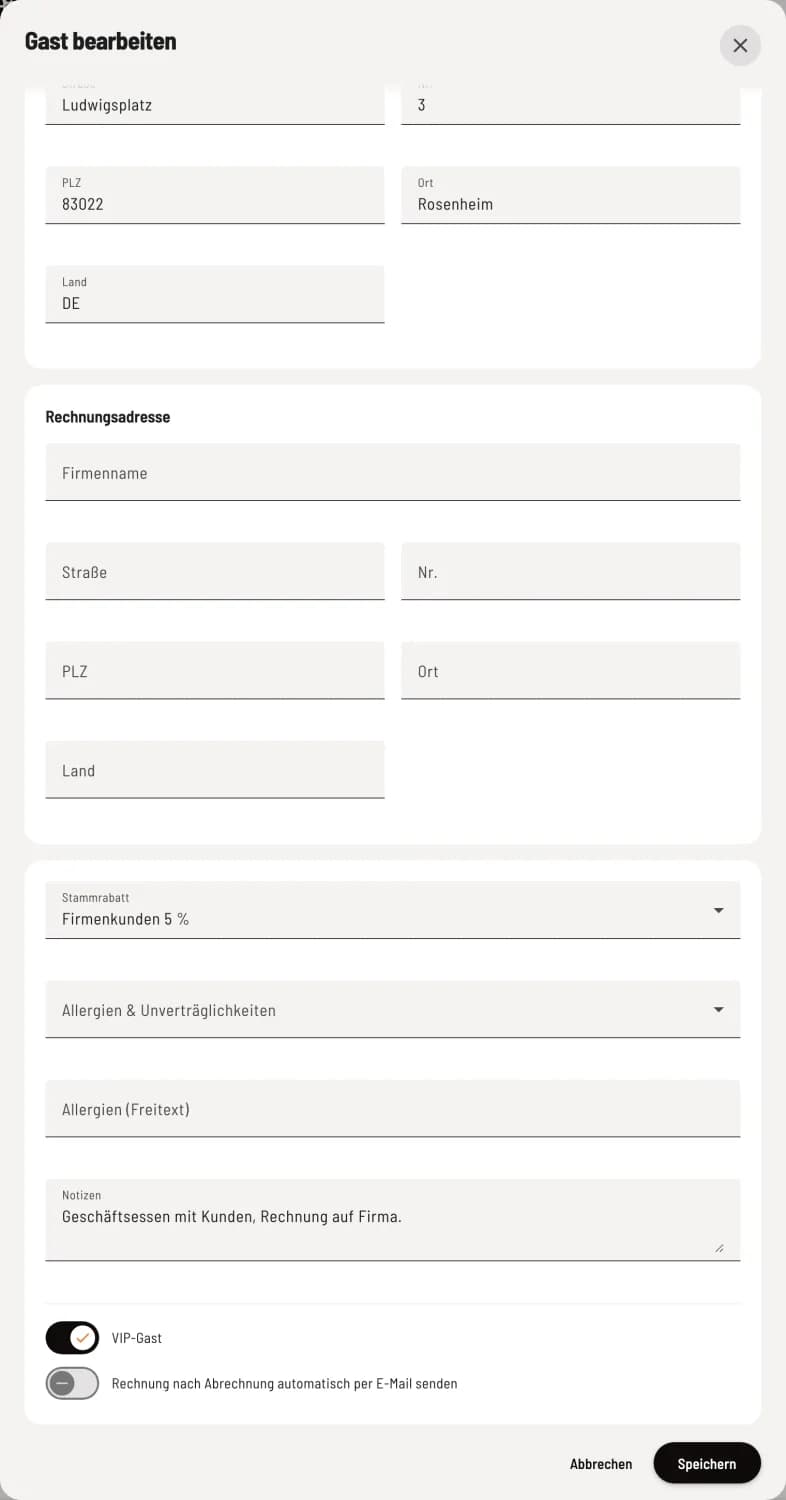
Select discount in guest
Open the guest, click on Edit, and select one of your discounts under Standard Discount. No Standard Discount removes it. Apply the changes with Save.
In the guest list, these guests are marked with the Regular Discount badge; you can see all of them at a glance via Filter → Regular Discount. The discount name is displayed below the guest's name in their profile.
At the checkout
If you assign the guest, their regular discount will automatically appear on the invoice ( assign guest at checkout ). Excluded item categories for the discount also apply here.
If you delete a discount that is assigned as a regular discount, select a different one for the affected guests.