
Test print: Check connection
Use a test receipt to check if the cash register can reach the printer and if the paper width and character set are correct.
The test print shows in seconds whether the cash register can reach the printer and whether the receipt fits on the paper. You'll find it when adding and editing a printer. When adding a printer, it prints using the information from the form, so you don't need to save first.
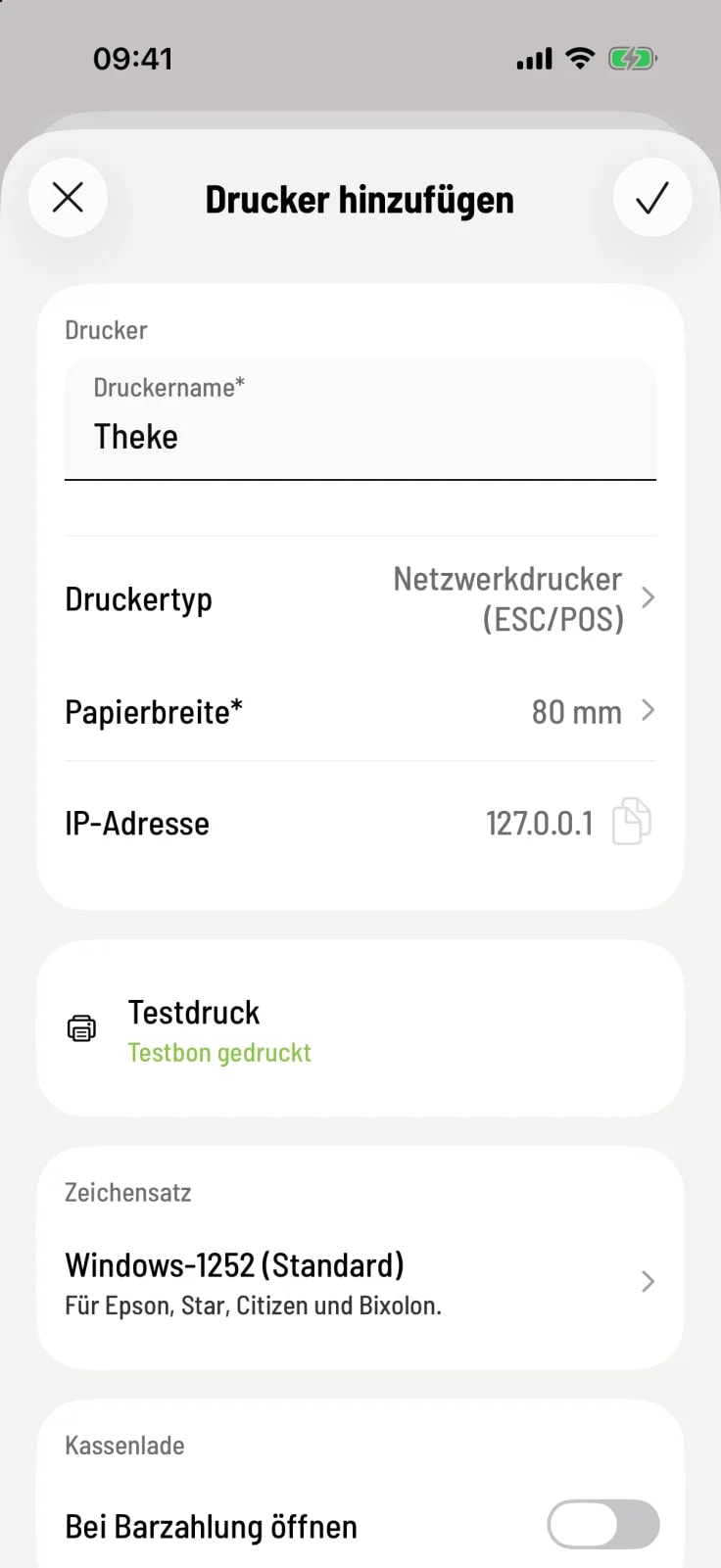
Start test print
Tap on Test Print. Below it will first say Test receipt is being printed…, then in green Test receipt printed.
What's on the test slip
Name of your company, the printer, and the set paper width.
A ruler and the characters per line: This is how you check the paper width.
The characters “ÄÖÜäöüß €”: You use these to check the character set.
Text on the left, center, and right: This is how you can see if anything is being cut off at the edge.
If it doesn't work
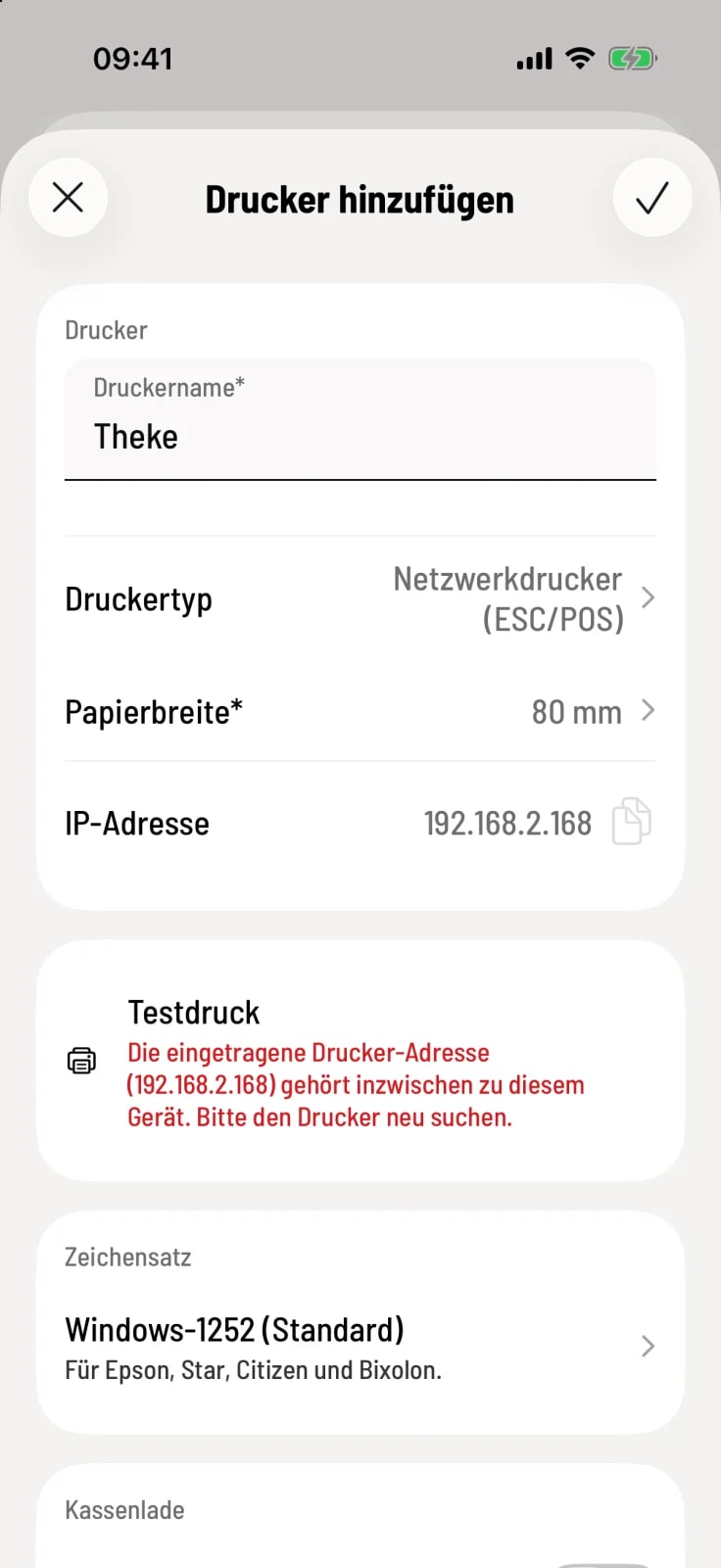
Printer not reachable – the printer is off, the cable is disconnected, or the address is incorrect.
The printer is on a different network – the cash register and printer are on different networks.
The registered printer address... now belongs to this device – the printer has been assigned a new address. Delete it and search for it again.
The printer is currently in use – another cash register is printing. Please try again shortly.
A printer problem, such as empty paper or an open lid, is stated in plain text.
The test print never opens the cash drawer, is not repeated, and does not appear in the print jobs.