
Export statistics and receive them via email
Download PDF, Excel and CSV files and receive reports automatically via email.
You can download each page you see as a PDF, Excel, or CSV file. Raw data and reports via email are available starting with the Pro plan.
Step 1 of 2
Export
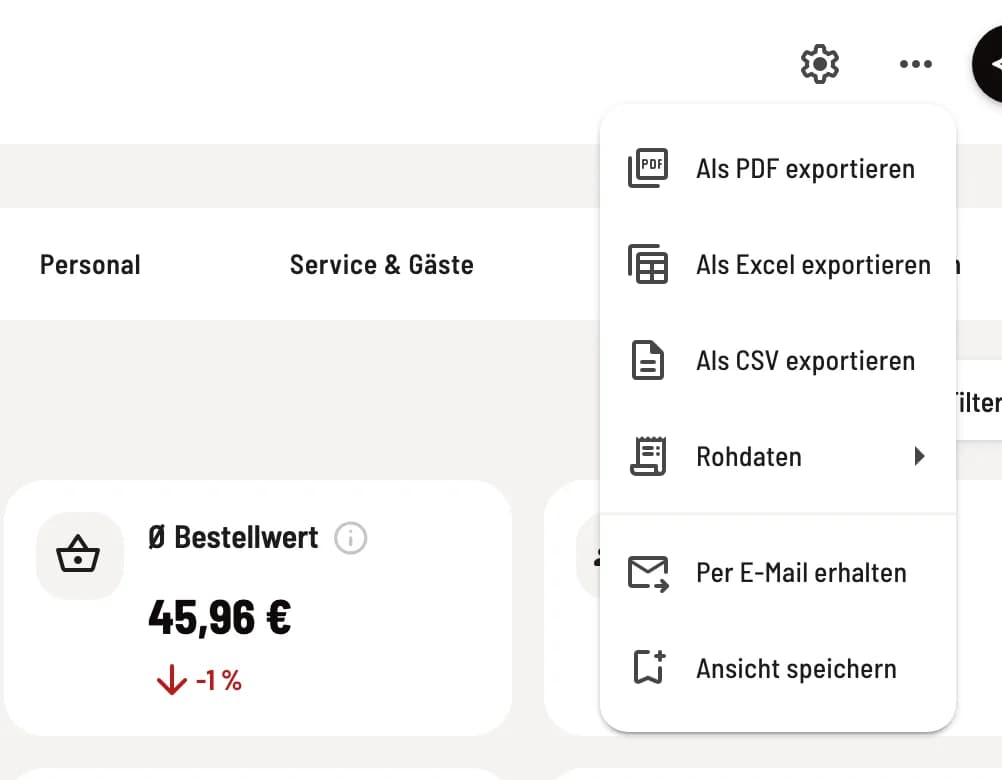
You can download the current page via the ⋯ icon in the top right corner: Export as PDF (with charts), Export as Excel, or Export as CSV – with the exact figures, filters, and time period of the page. Under Raw Data you will find the Document List and the Item List, for example, for tax consulting purposes.
Step 2 of 2
Received via email
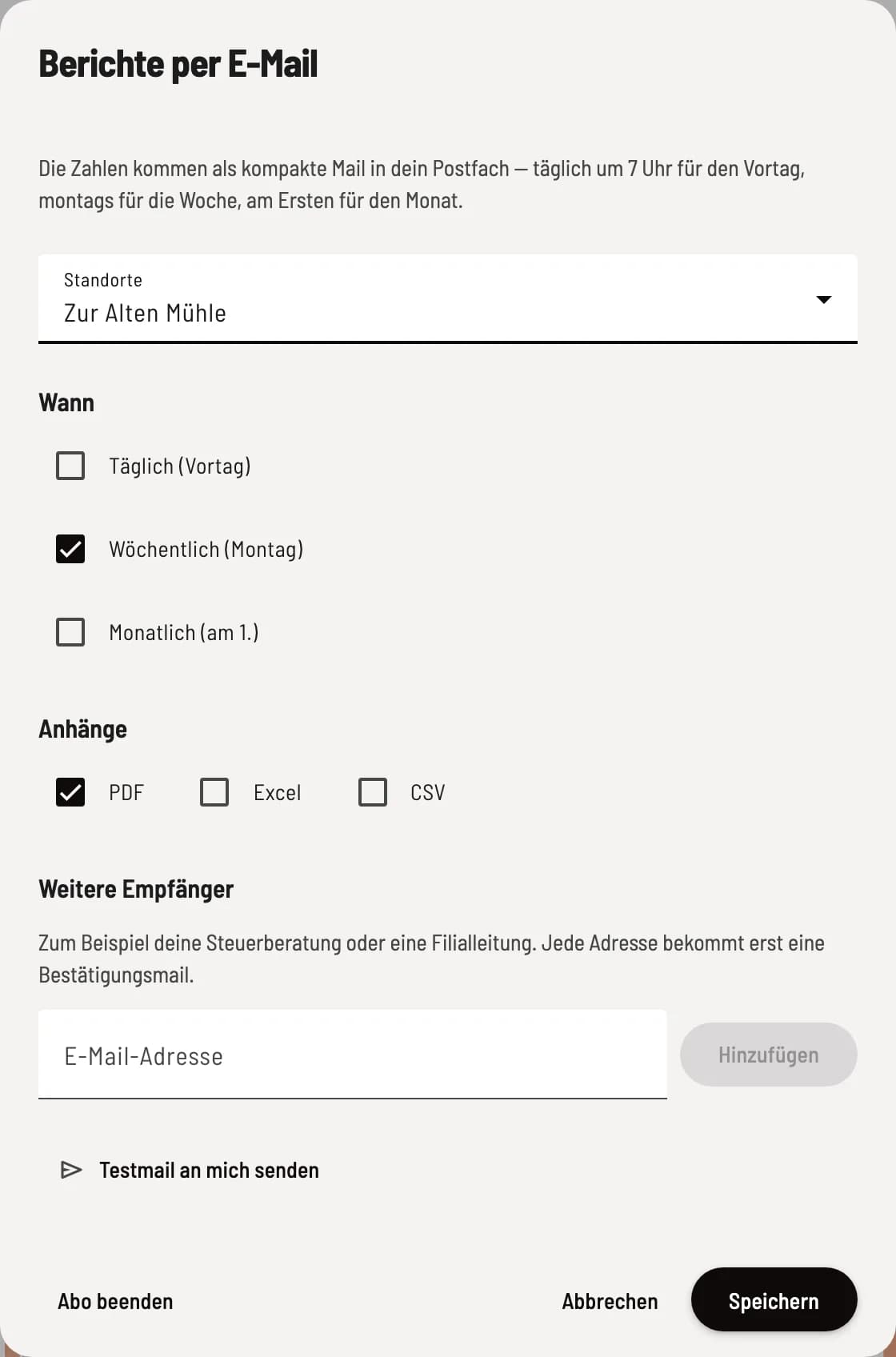
Subscribe to ⋯ → Receive via email to receive a concise report: daily at 7 a.m. for the previous day, on Mondays for the week, and on the first of the month for the month. You choose the locations and whether to attach a PDF, Excel, or CSV file. Send me a test email will show you what it looks like.
As the account owner, you can enter up to five addresses under Other Recipients, for example, your tax advisor. Each address will first receive a confirmation email and will only receive reports after clicking the link in that email. Every email contains an unsubscribe link.
The report always contains your actual figures, even if the statistics currently show sample data. Anyone who loses their right to access the statistics will no longer receive reports.