
Read the reservation book
What guest overview, sections, status points and symbols mean in the reservation book.
The book is the day's list. At the top is the guest overview, followed by the sections in a fixed order.
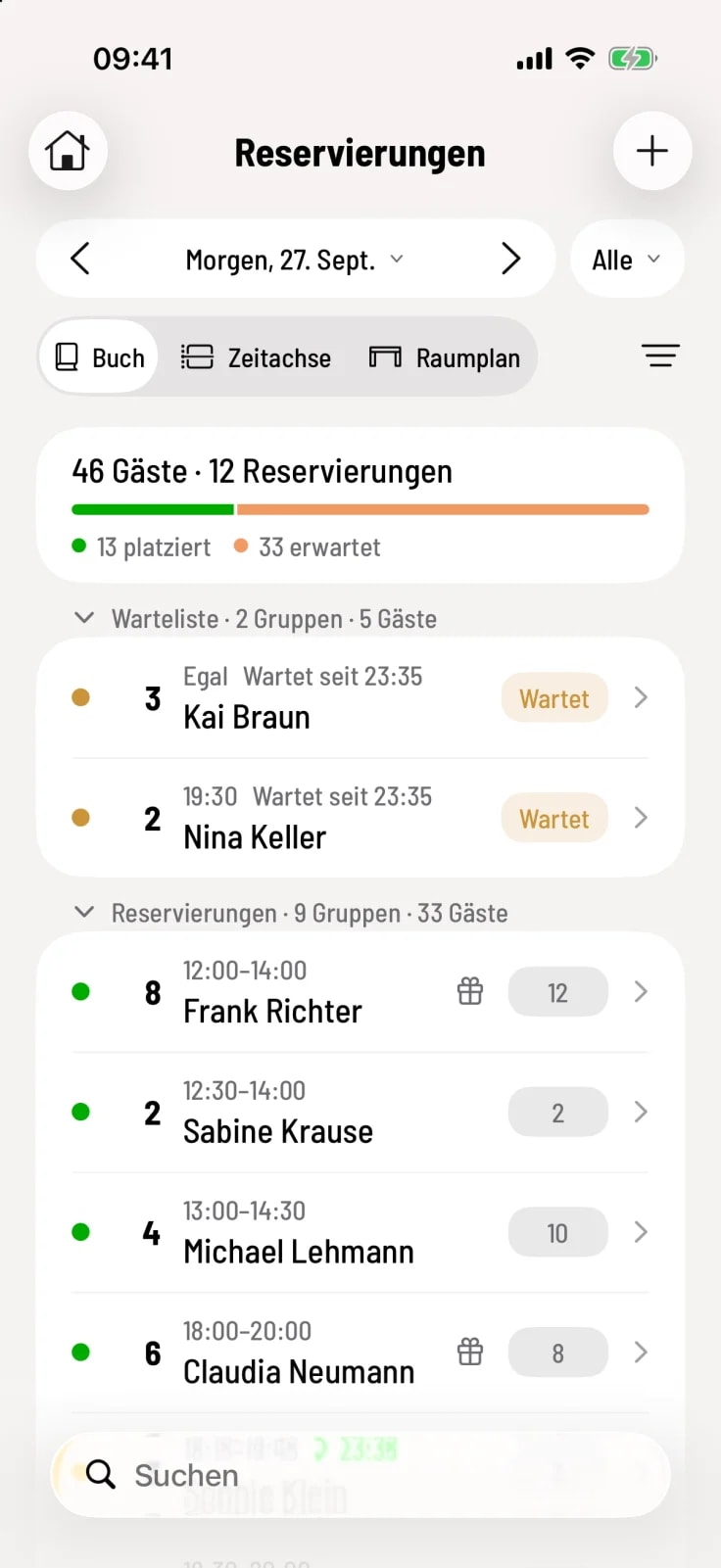
Guest overview
The first map shows the day's guests and reservations, followed by a bar displaying seated, expected, and completed. Cancellations and no-shows are not included. Filters by service time or area affect the figures, but search results do not.
The sections
Waiting list – Guests without a table who are waiting for a seat.
Reservations – confirmed, unconfirmed and arrived guests.
Seated – Guests who are fully or partially seated at the table.
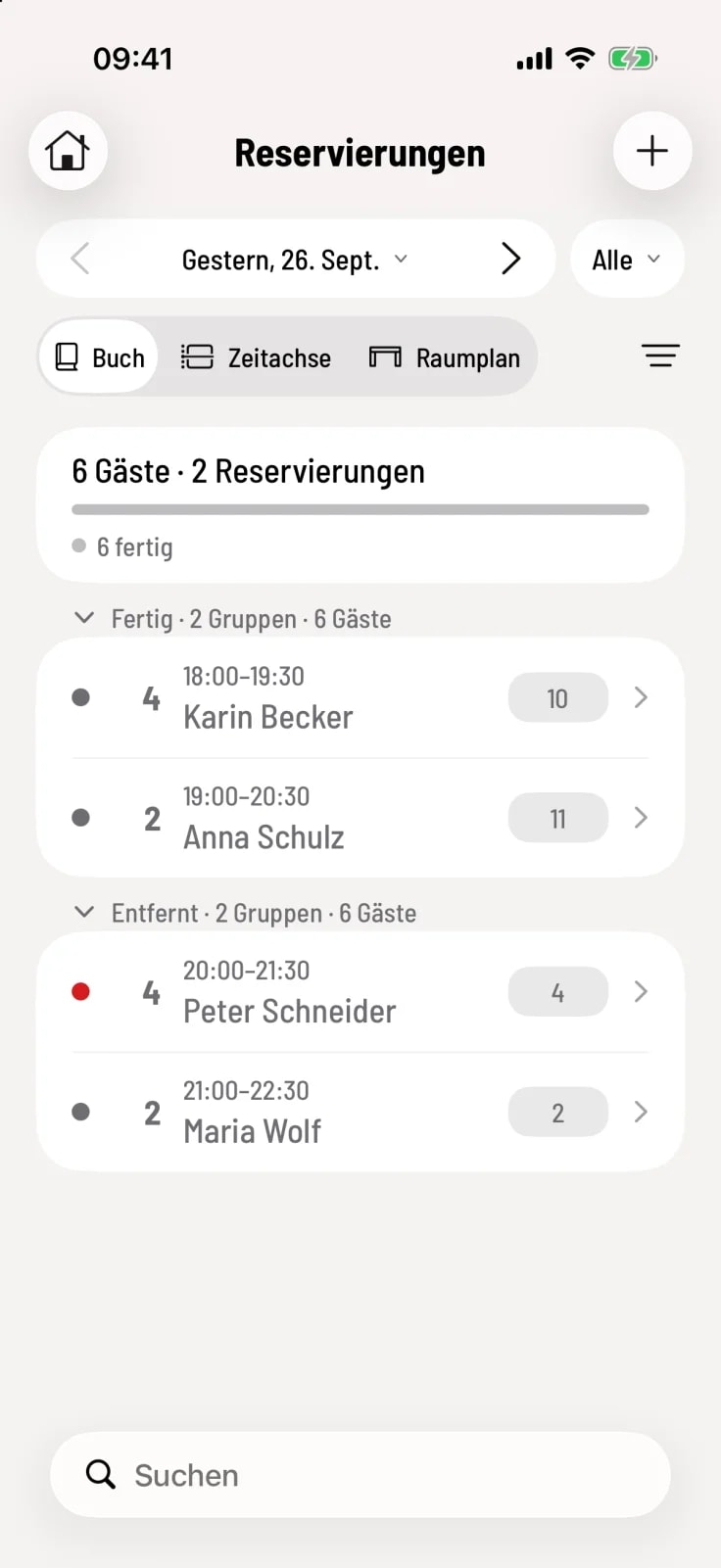
Done – completed visits.
Removed – cancelled reservations and no-shows.
Tapping the heading expands or collapses a section. Done and Removed close the section.
Read one line
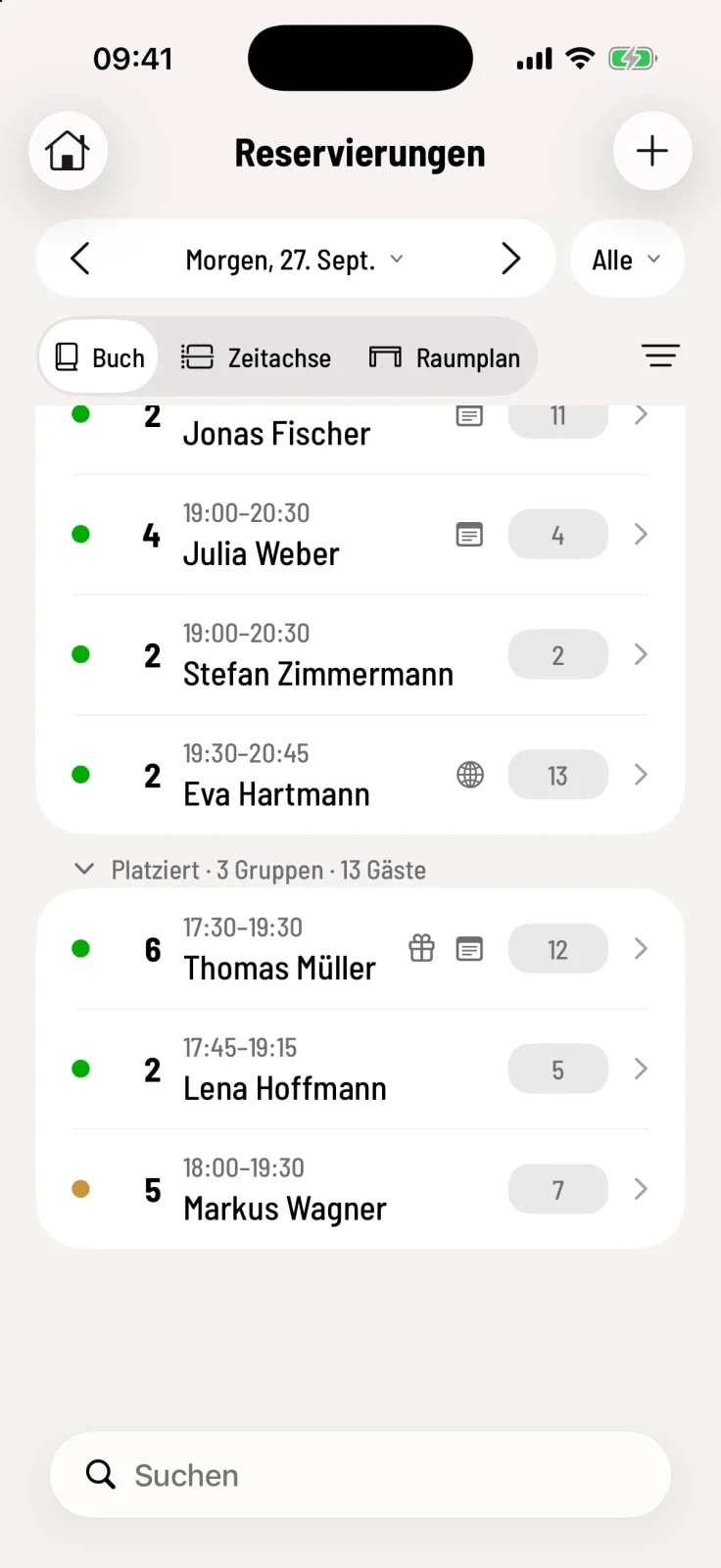
Point on the left – the status in color.
Number – the number of people, next to it the time from–to.
Green checkmark with time – the guest has arrived. Red "+12 min." – the guest is late today.
Symbols – Gift for an occasion, leaf for a note or guest request, allergy symbol, globe for an online reservation.
Table on the right – the assigned table or No table. A red border warns of an overlap with another reservation at the same table.
Tapping the table opens the table selection, tapping the line opens the reservation.
The waitlist row shows the desired time (or Doesn't matter), how long the guest has been waiting, and on the right, Waiting or Notified. More information can be found under Managing a Waitlist.